KNOWLEDGE
Case StudiesBlogsEventsSupport & Starting
Support Articles & HubSupport Videos (Youtube)Try Leadoo Free (Leadoo Lite)Partners & Careers
PartnershipsCareersSecurity & Privacy
Security at Leadoo AIGeneral Terms & ConditionsData & GDPRKNOWLEDGE
Case StudiesBlogsEventsSupport & Starting
Support Articles & HubSupport Videos (Youtube)Try Leadoo Free (Leadoo Lite)Partners & Careers
PartnershipsCareersSecurity & Privacy
Security at Leadoo AIGeneral Terms & ConditionsData & GDPR
When building a Leadoo bot, you can choose from a variety of nodes to create engaging and highly tailored user experiences. Most bots share the same node functionality, though Live Chat is exclusive to Chatbot, while Range Selector is unique to VisualBot. VisualBot nodes also offer enhanced design options, including fields for headings, subheadings, descriptions, and easy image integration for richer answer displays.
This guide details each node type, illustrating how to use them effectively to personalise interactions and optimise visitor engagement.
There are 14 different node types which you can use to personalise your conversations.
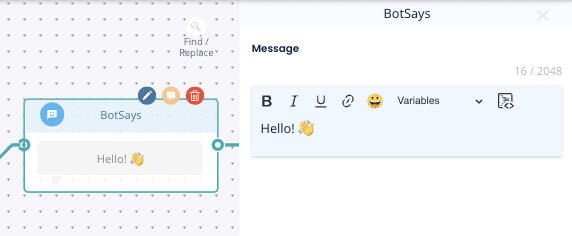
1. Bot Says – Displays a message to the visitor without offering options and then continues the conversation.
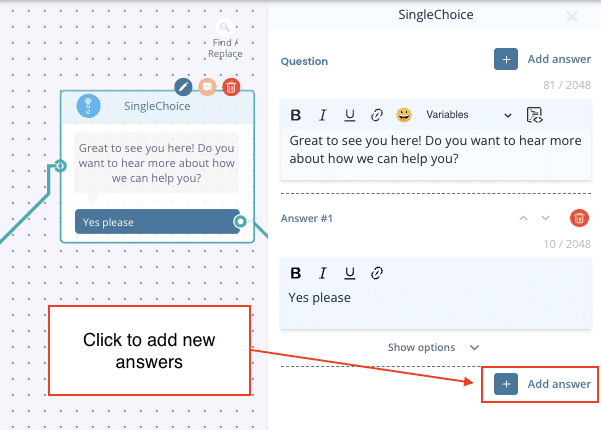
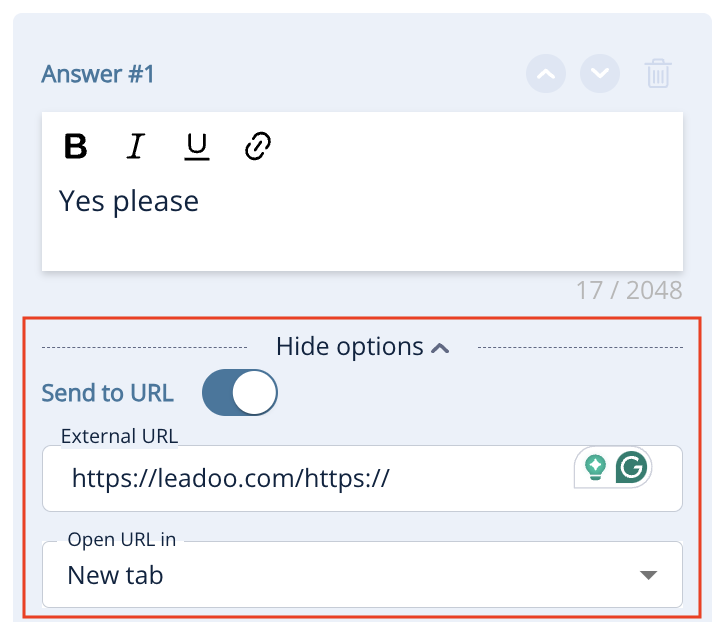
2. Single Choice – Allows the visitor to select one option, which can direct them down specific paths. You can also turn these options into hyperlinks by expanding Show options.
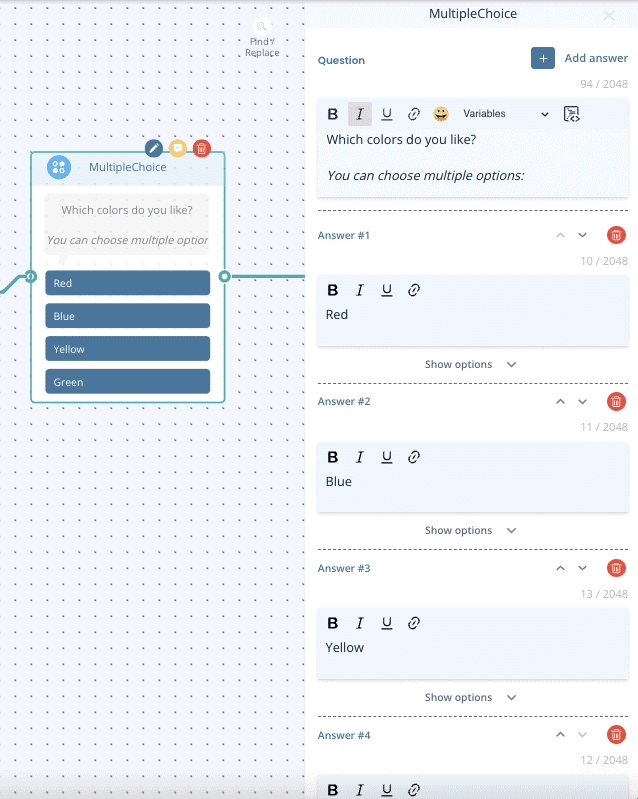
3. Multiple Choice – Allows multiple selections before moving to the next step.
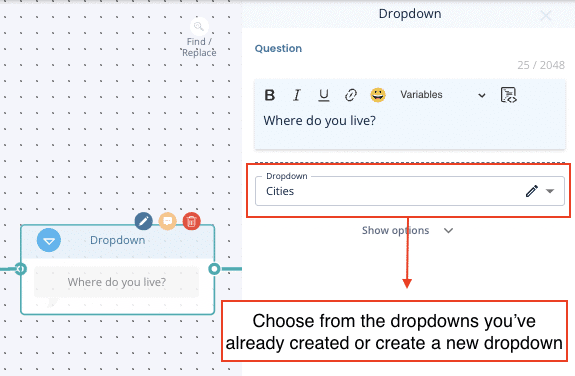
4. Dropdown – Ideal for long lists (e.g., locations), with a built-in search function. Learn to set up dropdowns here.
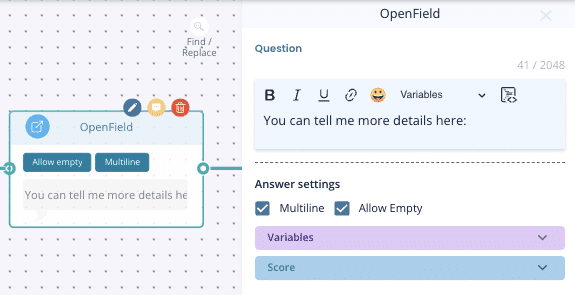
5. Open field -A free text field for open-ended responses.
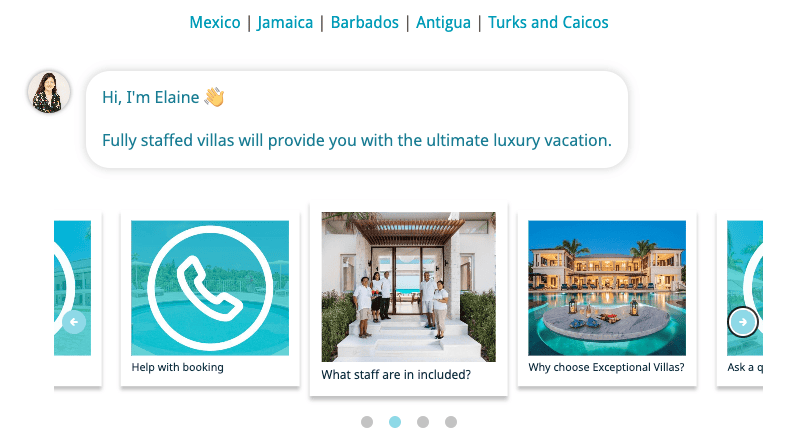
6. Carousel – Create visually engaging carousels to showcase content interactively. Ideal for product finders and features that benefit from a dynamic, scrollable format to boost user engagement.
7. Calendar
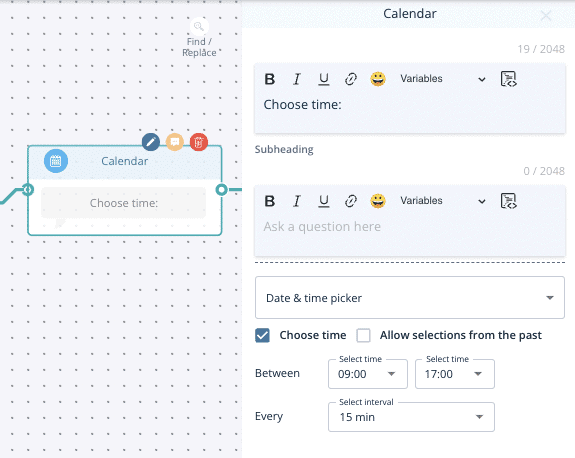
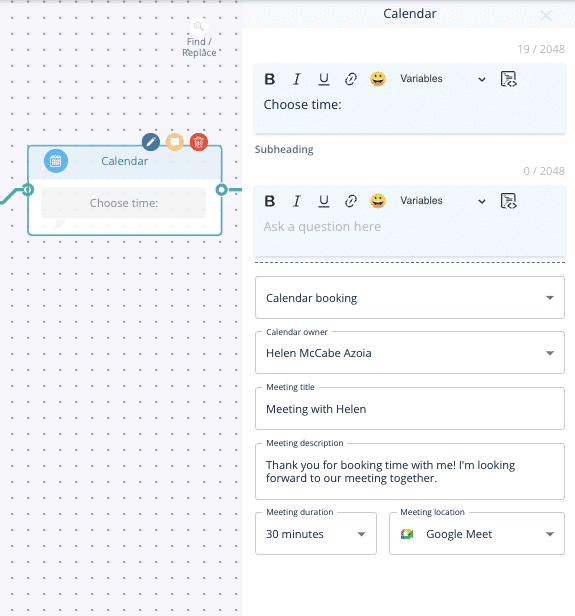
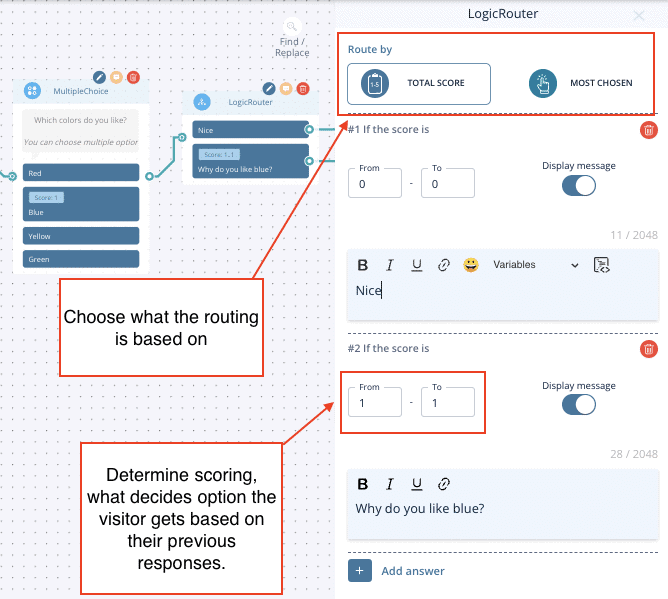
8. Logic Router
Routes visitors based on scoring or labels from previous answers.
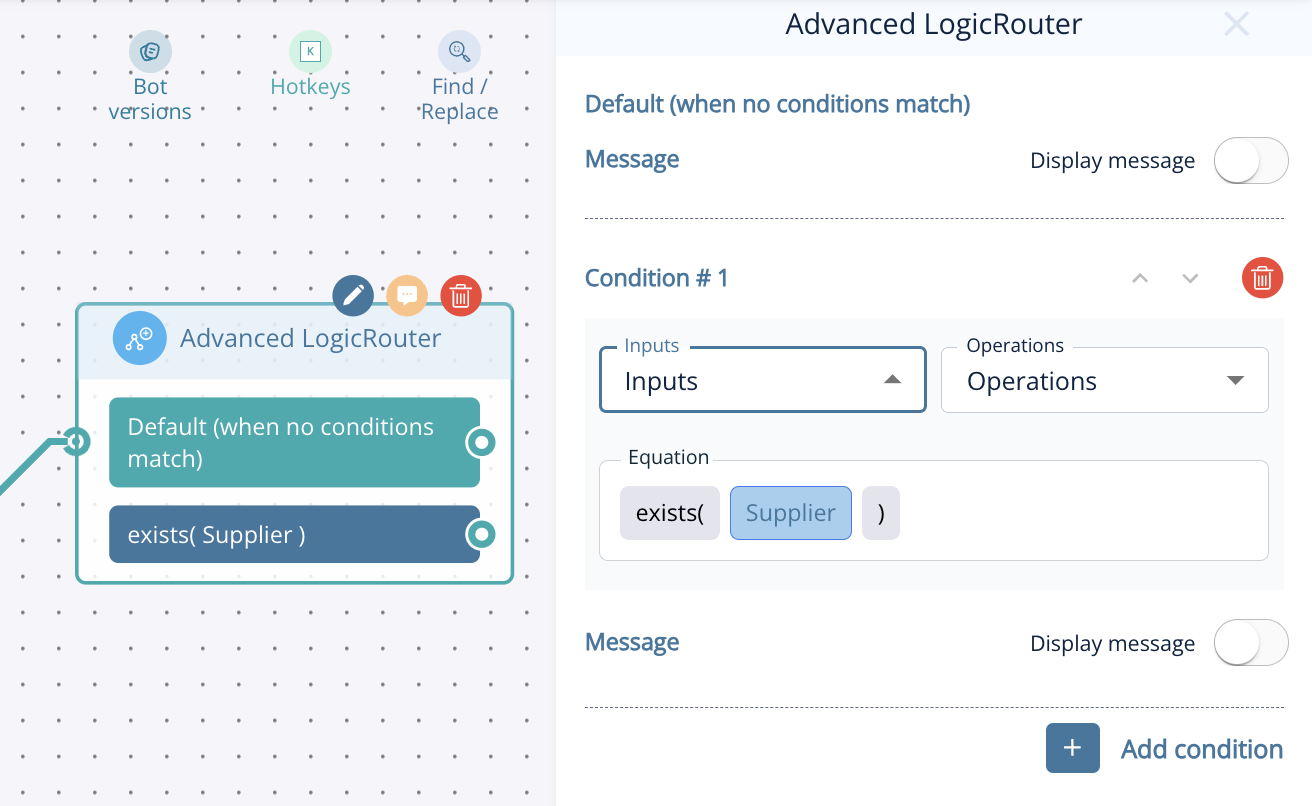
9. Advanced Logic Router – Provides more complex routing. You can set up IF/AND/OR conditions based on things like previously selected labels or dynamic variable data. Learn about Advanced Logic Router Operations here.
10. Calculator – Generates dynamic values based on visitor input. Learn to set up dynamic calculators here.
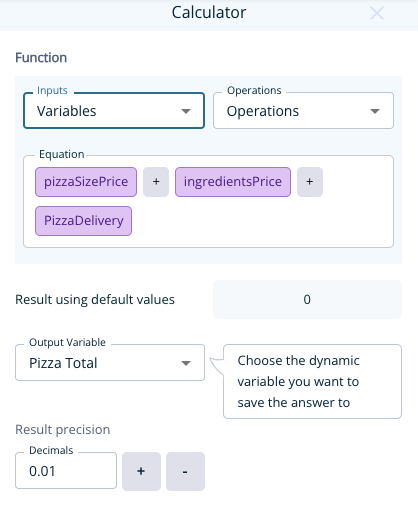
11. AI Chat – For those with AI in their subscription, this node adds Leadoo AI functionality to conversations, enabling responsive, AI-driven interactions tailored to your visitors’ questions.
12. Standard contact nodes – Collect contact information in individual nodes.
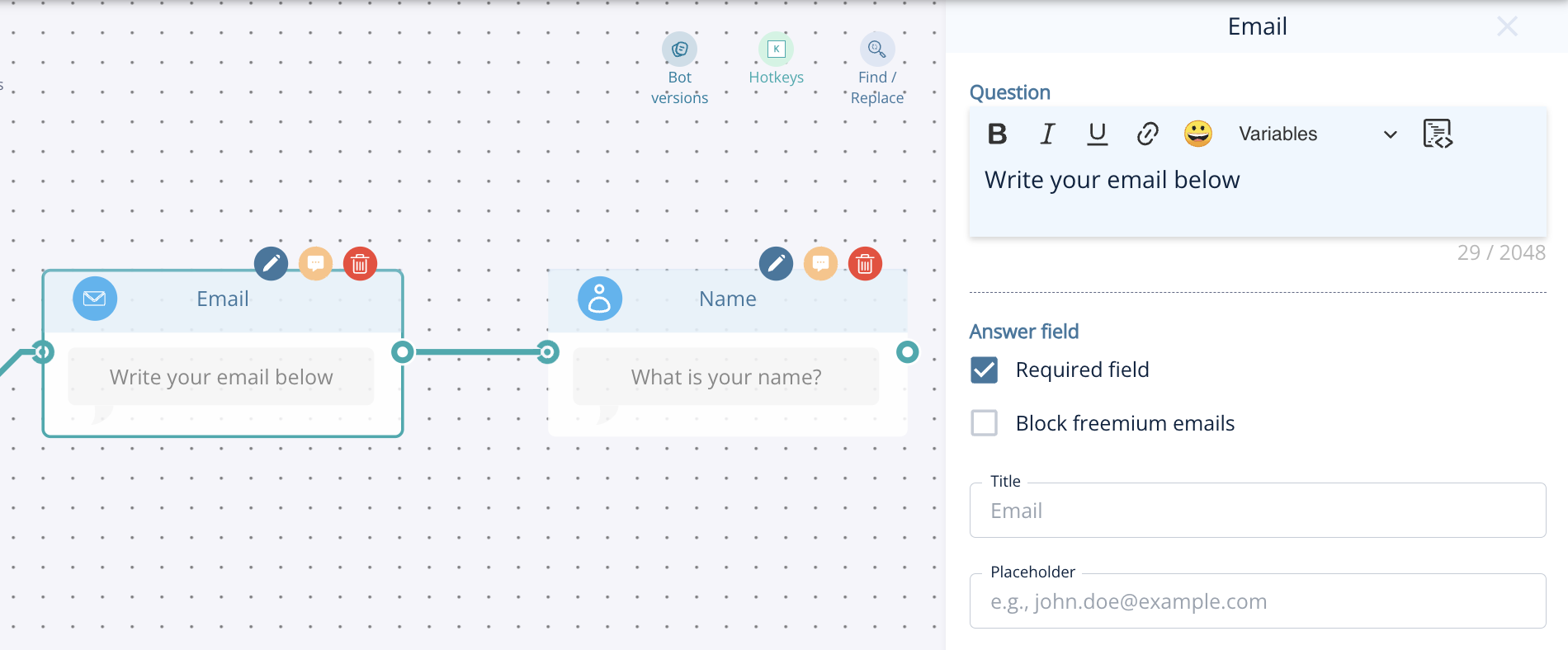
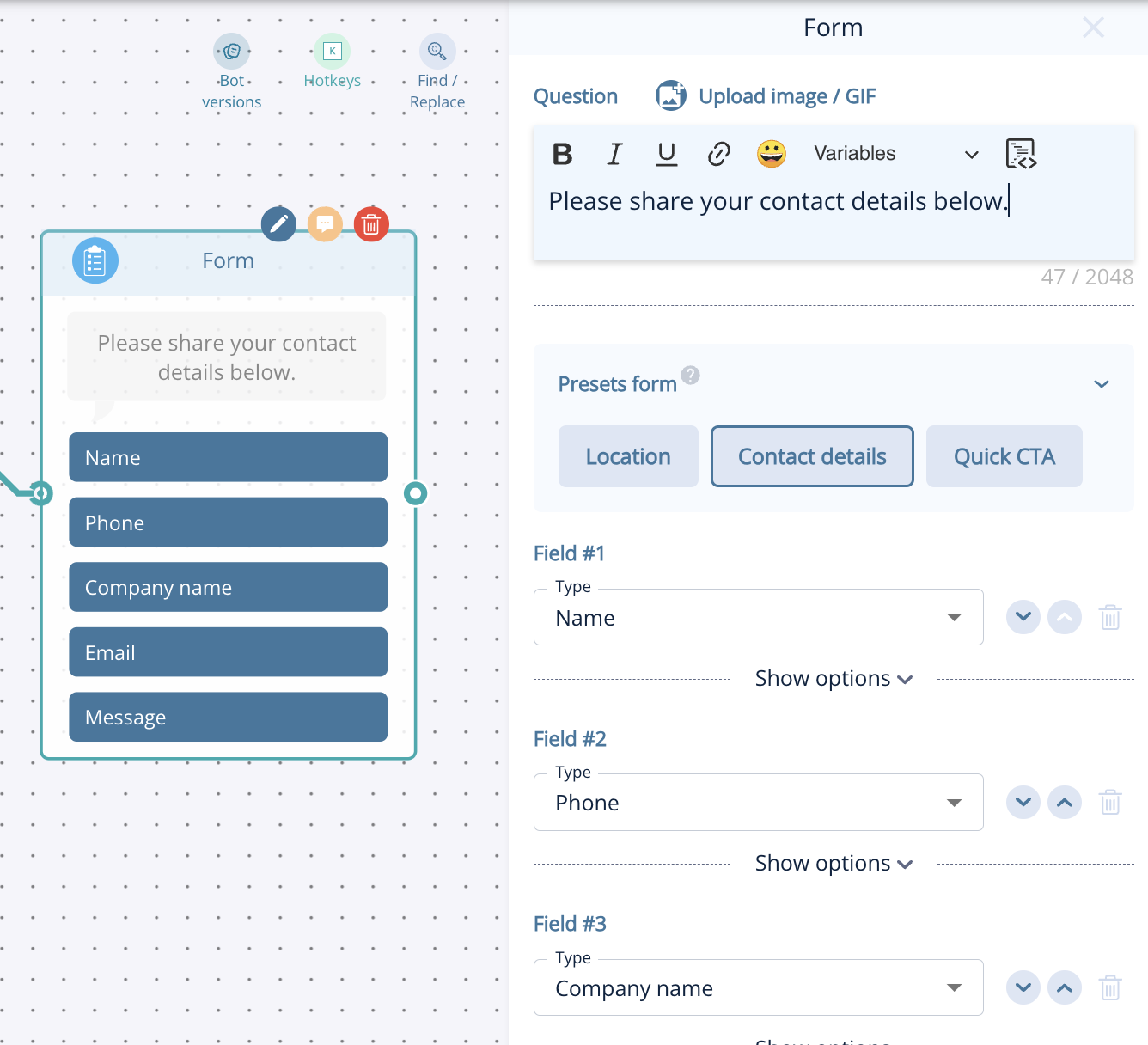
13. Form node – Collect multiple details (name, email, phone, company, address, etc.) in one node.
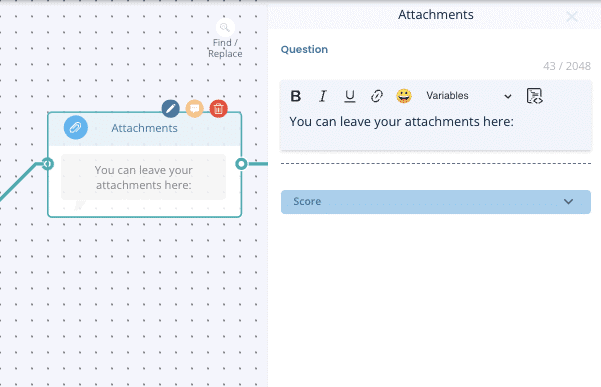
14. Attachments – Enables visitors to upload files, such as CVs or documents.
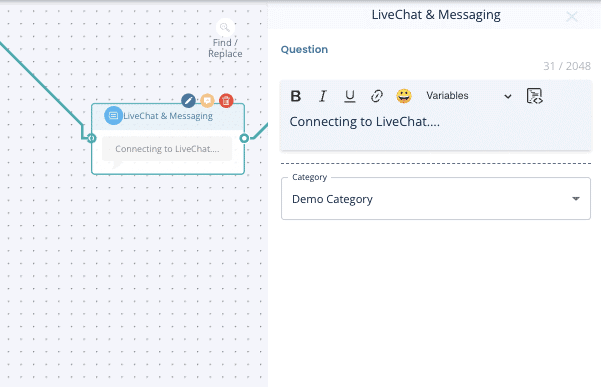
13. Live Chat (Chatbot only) – This will trigger Leadoo live chat if your agents are online. Make sure you always have a fallback automated flow for when agents are not online. Learn how to set up and use live chat here.
14. Range Selector (VisualBot only) – Allows users to select a value within a specified range, ideal for gauging preferences or budget limits.
Steps – Guides users through a sequence of steps, perfect for structured flows like quizzes or onboarding.
Agree/Disagree (Likert scale) – Collects user opinions on a scale, commonly ranging from “Strongly Agree” to “Strongly Disagree.”
Budget Range – Lets users specify their budget range, useful for customising recommendations.
Scale – Measures user sentiment or satisfaction on a numeric scale.
NPS-Scale – Gathers Net Promoter Score data by asking users to rate their likelihood of recommending.
Get in touch with your Customer Success Manager or reach out to our support team at [email protected].
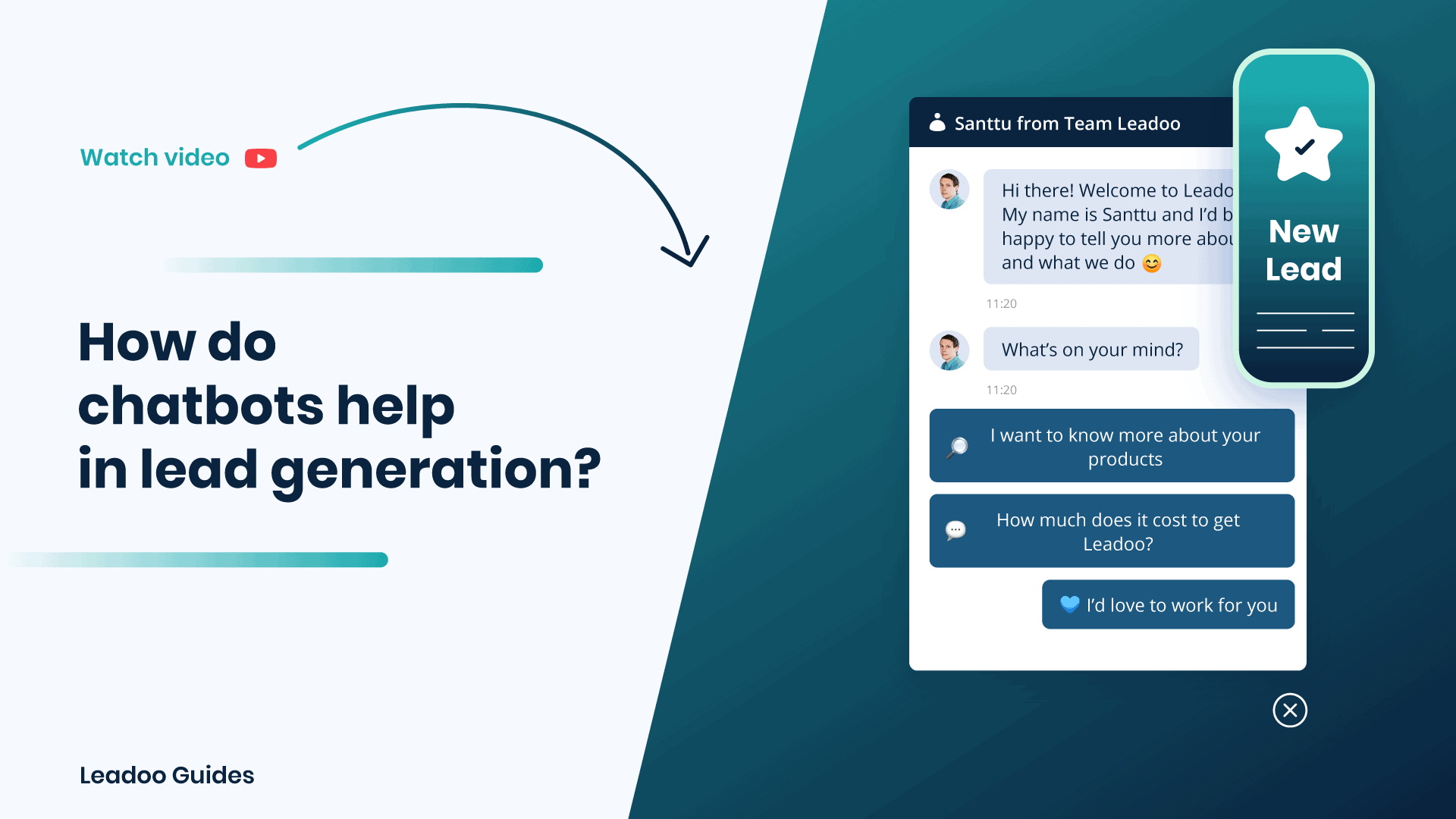
Bots not only help identify where a lead originated, but also help you better understand the quality and value of the leads you receive through marketing campaigns.
As prospects click on ads, emails and other digital campaigns, they are directed to the website where a chatbot asks specific questions about why they are there. Chatbots can gather all sorts of useful information, and the more data comes in, the more acute your analysis of attribution can be.
In addition, data gathered from Leadoo Bots is automatically stored in Smart Profiles and then made available for analysis through the Analytics feature. This makes the attribution process fast, visual and seamless.
Finally, if targeting through Leadoo Advertising, you can identify attribution off site and from the very first contact.
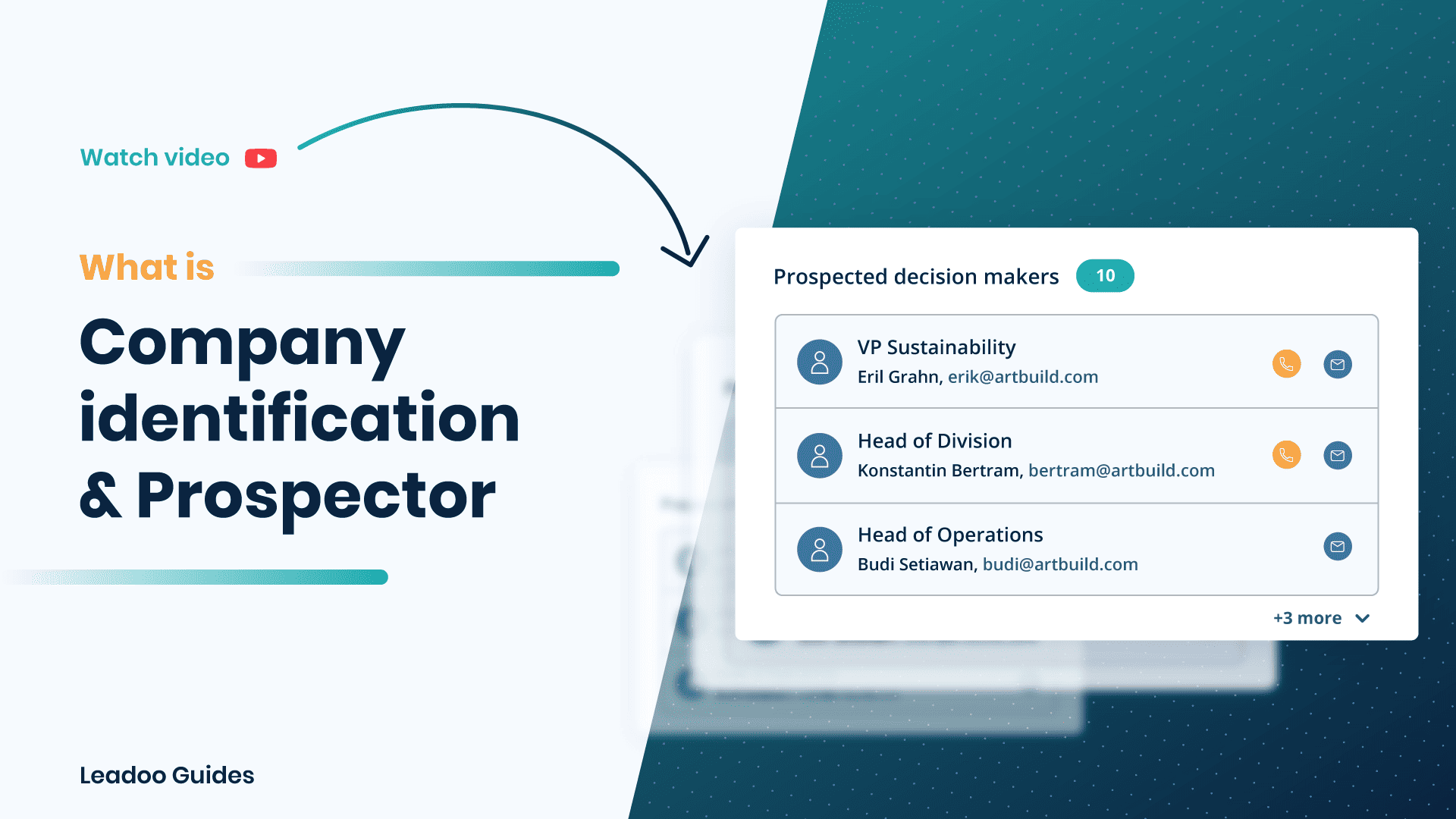
Leadoo’s Company Identification enables you to see which companies visit your website. You’ll also see company information such as annual revenue, industry category, and more. You can view all the interactions, conversations, and conversion points visitors have on your website.
Prospector brings you the contact details for possible decision-makers straight to the profile so your sales team can pick up the phone with that warm prospect straight away.
Watch the video below for a step-by-step guide on what you’ll see in the Company Identification section along with sample customer journeys.
Your sales team can make the most out of cold outreach by using Company ID to help them target engaged customers. They can see who is visiting the website as well as which pages they’ve visited and conversations they’ve had.
So, not only can they prioritise customers who already have shown intent but also talk to them about relevant interests based on their activity.
Need a little help with some contact information? Even if a visitor hasn’t converted yet we can help by providing contact details for decision-makers who you can reach out to. Talk to your CS manager about how Leadoo Prospector to find out more. Don’t worry it’s all GDPR compliant!
You can also look at the prospects that are most relevant to you using filters such as HQ country, the page they are visiting, company revenue and more.
Already chatting with someone from ACME inc. about a deal? Your sales team can identify when they’ve been active on the website and reach out at a time they know they’re most engaged.
Want to know about existing prospect activity automatically? Check out Leadoo Sales Alerts here.
Help your marketing team get rich insight into their customers from real insights instead of simply guessing what kind of dog Rob owns (personas anyone?).
Use filters to find your ideal customer profile and drill down into individual conversations through visitor analytics whether they have converted or not in Visitor Tracking.
If you need help getting the most out of company ID, reach out to your CS Manager who will be happy to help.
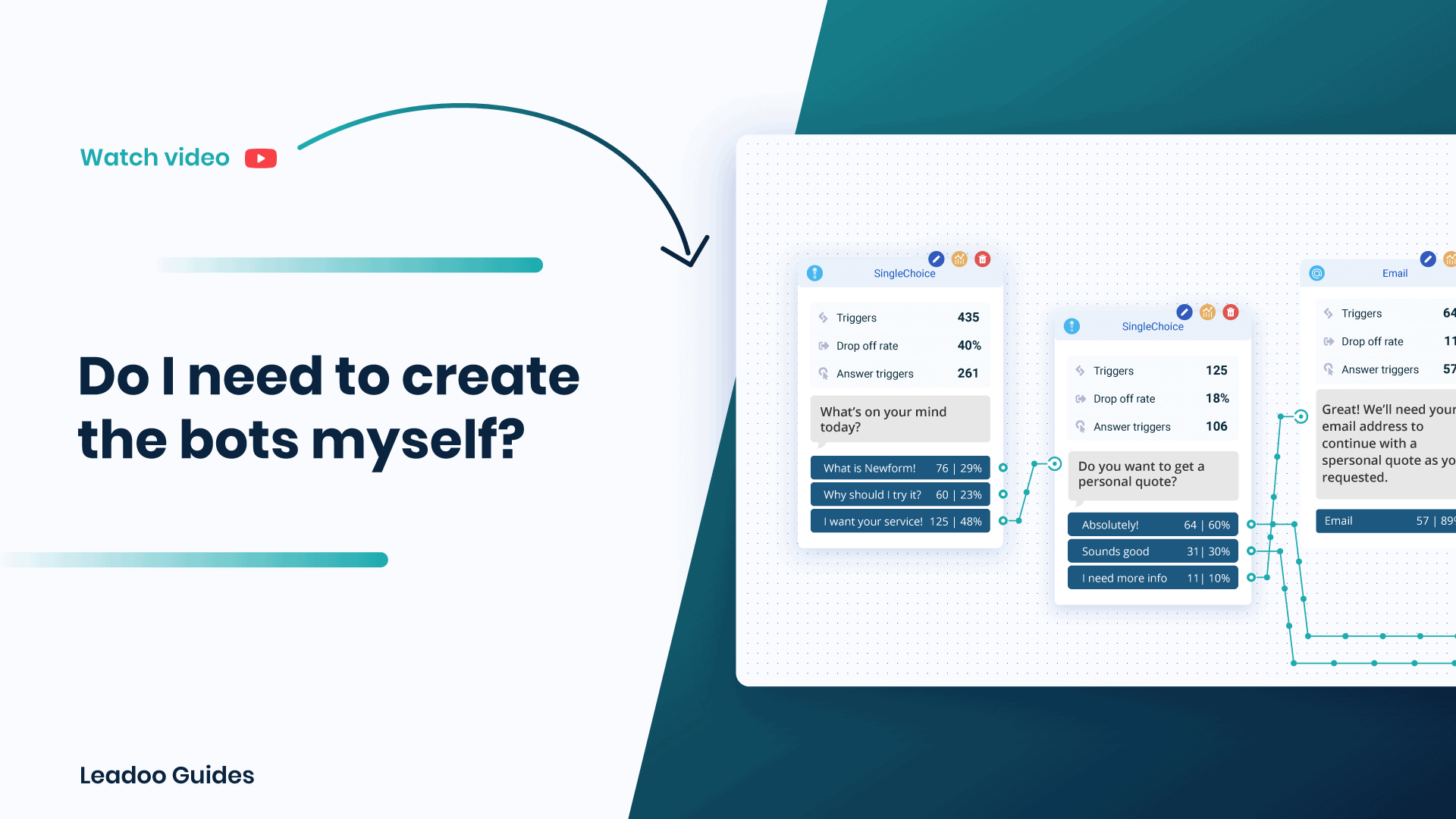
Here are 4 great reasons to get expert help with your chatbots.
1. Building bots is different from creating any other content type. Even if you are skilled in writing compelling articles, creating engaging conversational content is a different ball game!
2. On a monthly basis, our experts create hundreds of bots for clients in dozens of different industries. Hence, we have accumulated a vast amount of unique knowledge and data on what works and what doesn’t. We also have the freshest insights to the current trends in conversational content.
3. We take pride in producing bots that generate results. In other words, even when the content we produce doesn’t end up performing as expected, we always take full responsibility of optimizing it for the best possible results.
4. You’ll save time and money and when you don’t have to study and spend days practicing bot production. We got you covered! Over 800 clients trust us to create effective bot solutions for their website.
So, to put it bluntly – We know our sh*t and are always finding ways to improve – for your benefit 💙
Here is the video to answer your question about whether you should create bots on your own or not ⬇️

Leadoo’s Company Identification enables you to see which companies visit your website. You’ll also see company information such as annual revenue, industry category, and more. You can view all the interactions, conversations, and conversion points visitors have on your website.
Watch the video below for a step-by-step guide on what you’ll see in the Company Identification section along with sample customer journeys.
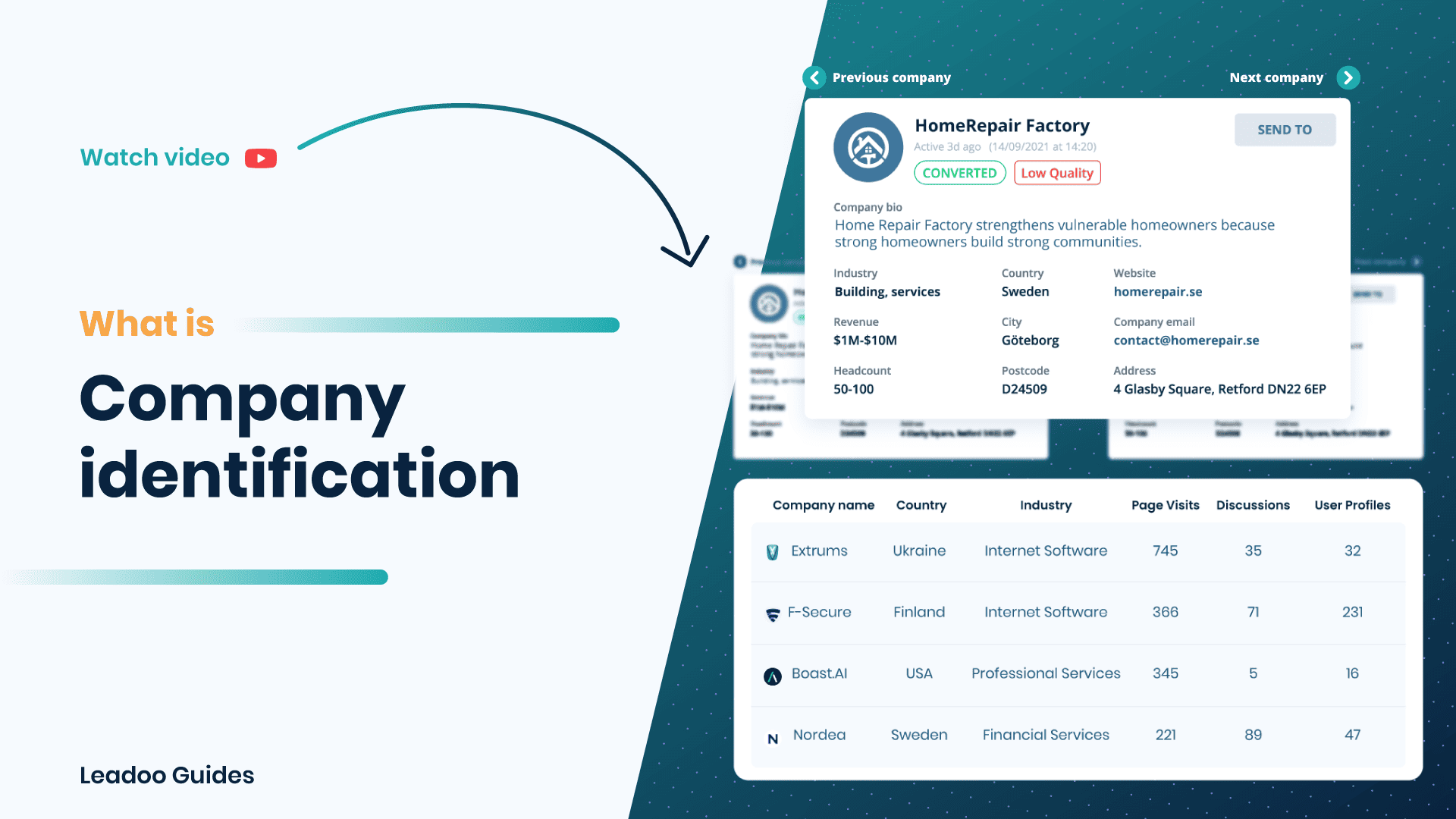
Your sales team can make the most out of cold outreach by using Company ID to help them target engaged customers. They can see who is visiting the website as well as which pages they’ve visited and conversations they’ve had.
So, not only can they prioritise customers who already have shown intent but also talk to them about relevant interests based on their activity.
Need a little help with some contact information? Even if a visitor hasn’t converted yet we can help by providing contact details for decision-makers who you can reach out to. Talk to your CS manager about how Leadoo Prospector to find out more. Don’t worry it’s all GDPR compliant!
You can also look at the prospects that are most relevant to you using filters such as HQ country, the page they are visiting, company revenue and more.
Already chatting with someone from ACME inc. about a deal? Your sales team can identify when they’ve been active on the website and reach out at a time they know they’re most engaged.
Want to know about existing prospect activity automatically? Check out Leadoo Sales here.
Help your marketing team get rich insight into their customers from real insights instead of simply guessing what kind of dog Rob owns (personas anyone?).
Use filters to find your ideal customer profile and drill down into individual conversations through visitor analytics whether they have converted or not in Visitor Tracking.
Another fantastic use for this data is remarketing. Digital ads spend can be a risky and expensive investment, so why not mitigate some of that risk? By creating persona-specific filters, such as company size, industry, which pages they’ve visited, etc., you can create a targeted list of potential prospects. Not only have these prospects visited your website, but you now have a clearer picture of who they are and what they are interested in.
Simply export and use this information to create a ‘customer list’ when running digital ads to produce more personalised and engaging ads!
If you need help getting the most out of company ID, reach out to your CS Manager who will be happy to help.
We take pride in our service that helps each Leadoo customer achieve better results faster. Here’s what we offer for all paid subscriptions.
When your contract begins, you will be assigned a personal conversational marketing & conversion expert from the Leadoo team. Your very own Onboarding Manager will help you with a seamless setup.
No need to worry about your own background (or lack thereof) with building chatbot flows and embedding scripts. We’ll adjust our support based on your interests and tech skills! You can trust that we will never just dump the tech on you and vanish into thin air.
Expert guidance from your Onboarding Manager for planning effective bot solutions that fit your visions and goals, as well as overall on-site customer and user experience.
Get a head start to achieving those stellar results. Don’t worry about learning how to build chatbots – we’ll create your first 5-10 bots as a custom solution. Based on your wishes and goals, naturally.
Intimidated by tech? No worries. With us you don’t need to think about how to publish the bots on your site. Your Onboarding Manager will do the job for you! The only thing you have to do is to share admin access to your website management or Google Tag Manager.
Assistance for setting up all needed integrations to your CRM, email, analytics tools & marketing stack. Get your leads wherever and whenever you want them.
Questions about chatbots, Leadoo, or lead generation? We got your covered. Your dedicated Onboarding Manager will be there throughout the onboarding process to make sure you are never left alone with your questions. After getting up to speed, you can always contact your Customer Success Manager.
Once the bots are on your website, our Customer Success team will regularly contact you to make sure your results are what they should be. We’ll analyze the performance and optimize your conversations to make sure those leads keep coming in.
Still wondering which subsciption model to choose?
Check Leadoo Pricing Plans

We bet you’ve heard of some less-than-awesome experiences from colleagues buying a new SaaS product. Perhaps you even had one yourself. And now you’re wondering: How is Leadoo supposed to be better than other similar Martech tools in this regard? Time to find out!
Our secret sauce in delivering a great experience from the get-go is that we will never just dump our tech on you and hope for the best. Instead, our Onboarding and Customer Success teams will do pretty much whatever it takes to help you achieve success with our product right from the start!
Leadoo’s SaaS onboarding service is an integral part of our customer experience. This means that our experts will assist you in setting up Leadoo from day one – including defining goals, sorting out technical details and creating the first set of bot designs with you. Our customers agree that it’s worth the fee. Some even claim that it’s one of the best parts of choosing Leadoo!
Whilst we only build the first 5-10 bots for you, we don’t limit the number you can have on your website. So, make the most of it and get building bots using what we’ve already made for you as a starting point.
Not a Leadoo customer yet?

