When we launched Leadoo AI, we wanted customers to be able to leverage the power of AI to drive conversions, and make their websites more conversational to visitors worldwide.
Since then, we’ve been optimising Leadoo AI to make it even more powerful. We’ve added support to new LLM models (Claude 3.5 and GPT4o) to improve answer accuracy; improved the Knowledge Base system to allow direct content editing and multi-knowledge base support; and improved lookups to products and website URLs.
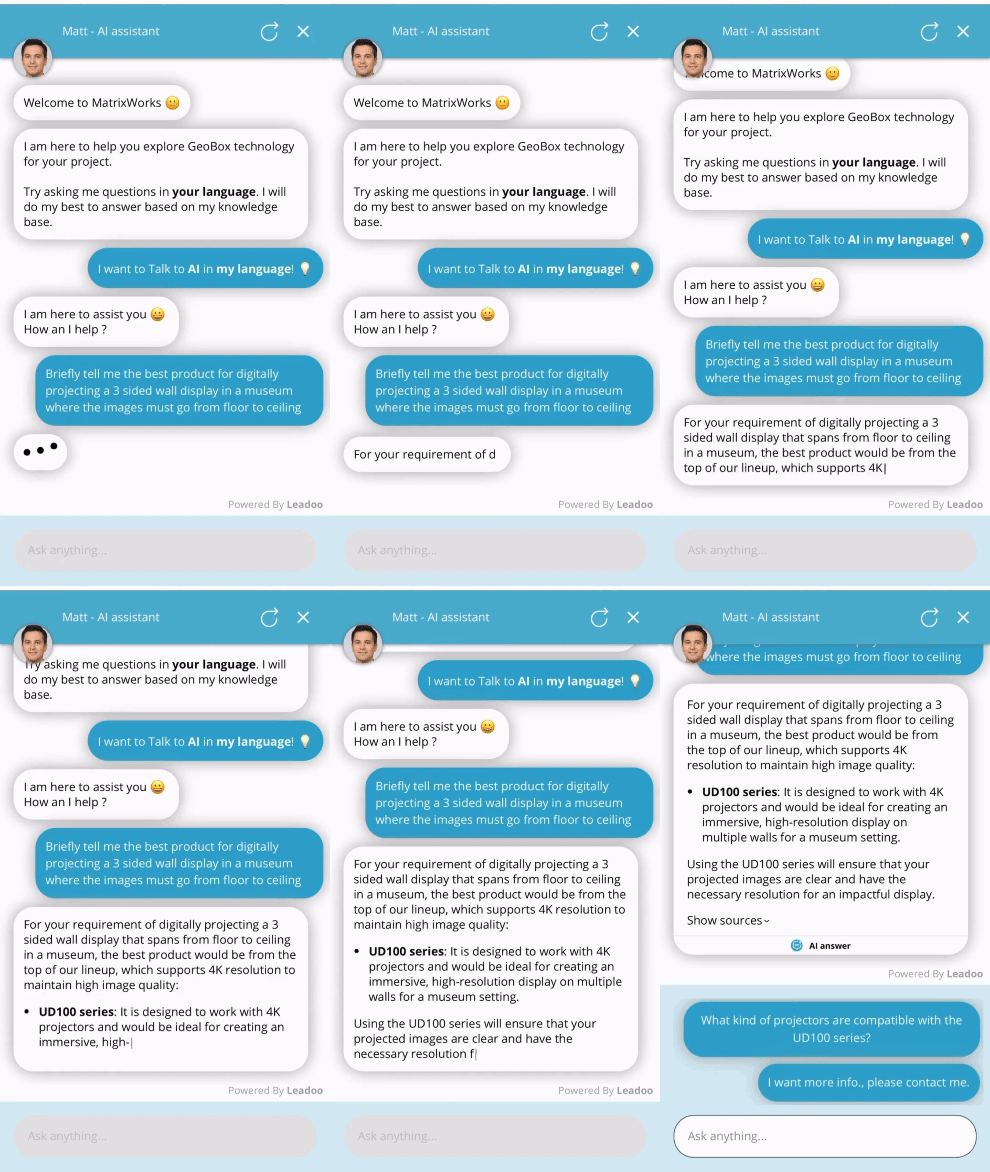
Matt is MatrixWorks’ AI assistant who guides on which solution is best for them
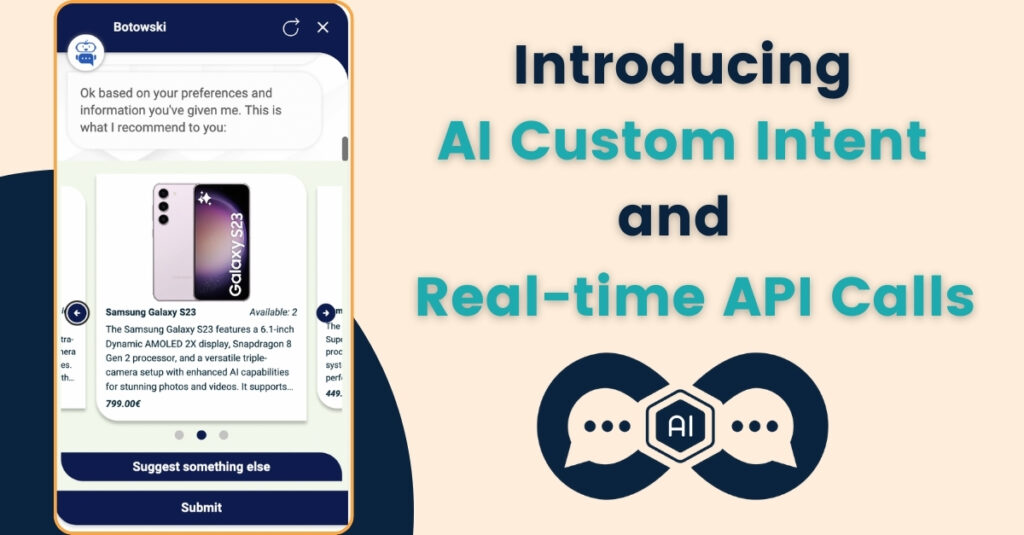
Now though, we’re launching two major updates to Leadoo AI. Introducing Custom Intent Fields and Real-time API calls. All Leadoo AI users can benefit from these, but eCommerce customers should be particularly interested – as we’ll lay out here.
Real-time API Calls 🔄
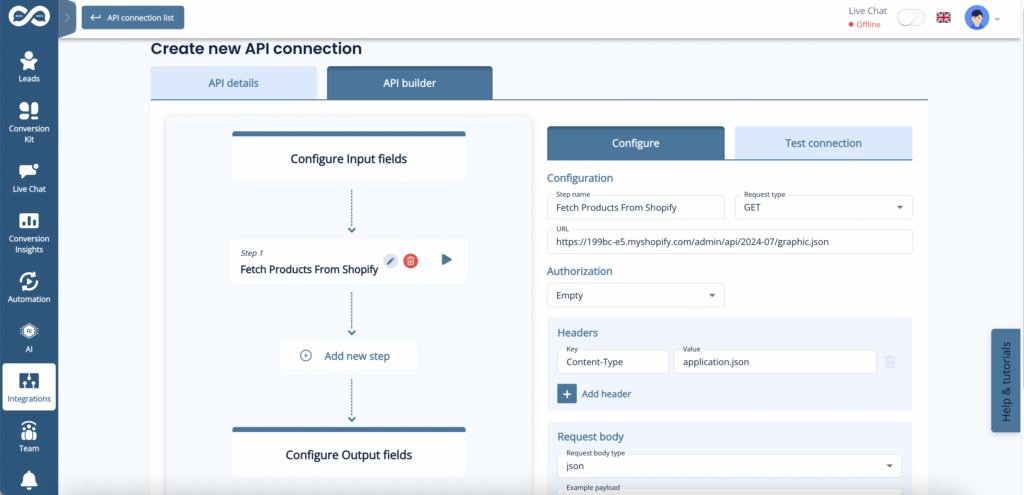
Any website selling products can be supercharged by our new API calls within Leadoo AI. Because it syncs in real-time with your eCommerce platform, to display relevant and available products to users.
Layered with our existing AI capabilities, this creates a powerful combination. Where our conversational tools not only make recommendations based on user requests and preferences, but also display those recommendations visually within the bots.
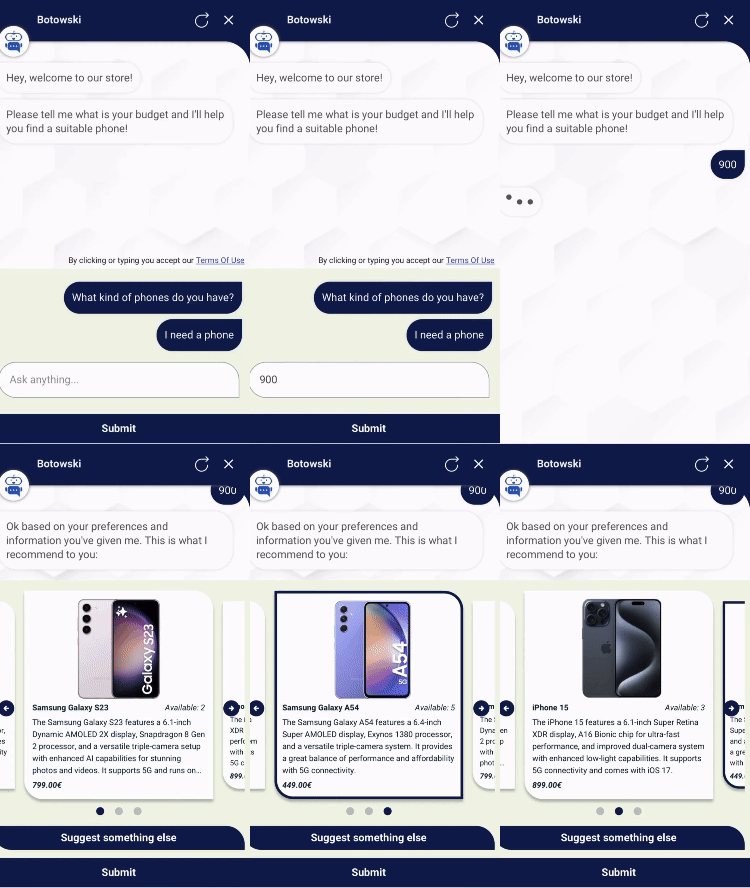
With the user entering a budget, Leadoo AI can now find products that fit within this
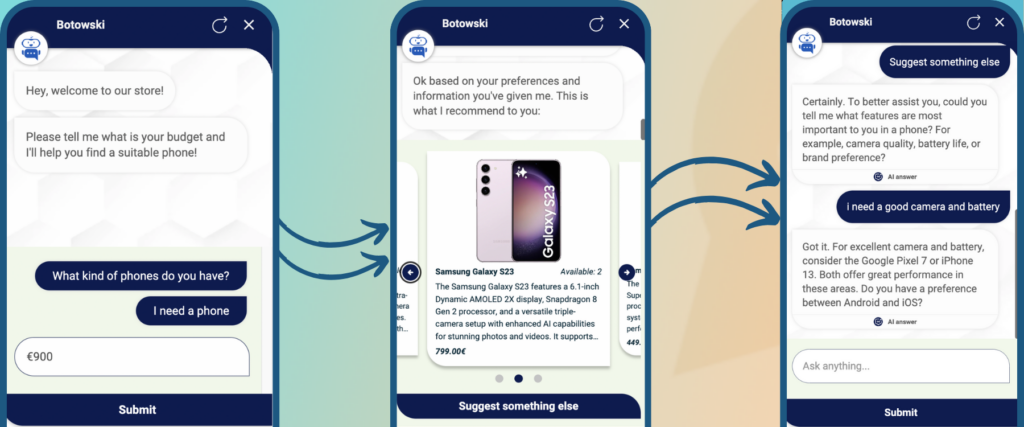
As shown here, the API connection enables a phone seller to sync with their Shopify store, and display only available phones within the users designated budget of €900.
When displaying multiple options this takes a carousal format as shown. Where users can cycle through relevant product recommendations, which can include:
Product descriptions and URL links
Latest prices
Stock availability levels
Specifications and features
Think of an in-store customer assistant. Except faster and able to operate 24/7 on your digital storefront. As it’s Leadoo AI, it also speaks 40+ languages, so can serve customers all over the world!
API Calls don’t just end with a recommendation. Users can get alternative suggestions if they update their requirements in the conversation.
Setting up these API connections can all be done within the Leadoo platform, and our Conversion Experts are on hand to make that happen for you. We can connect to any eCom platform with a Rest API, but have tested integrations ready to deploy for:
Shopify
Woocommerce
Magento
API Calls can be configured in the Leadoo backend – just like CRM or MA integrations can be
AI Custom Intent 🤖
Custom Intent Fields are our way of detecting user intent, and directing the conversation to certain pathways based on that intent.
This can be done by tweaking the prompts of your Leadoo AI bots manually. However, prompt testing is time consuming, and can result in long and complicated prompts trying to cover every eventuality.
So instead of having to type ‘If user asks about X, direct them to Y’ into your Leadoo AI prompts, you can now use Custom Intent Fields.
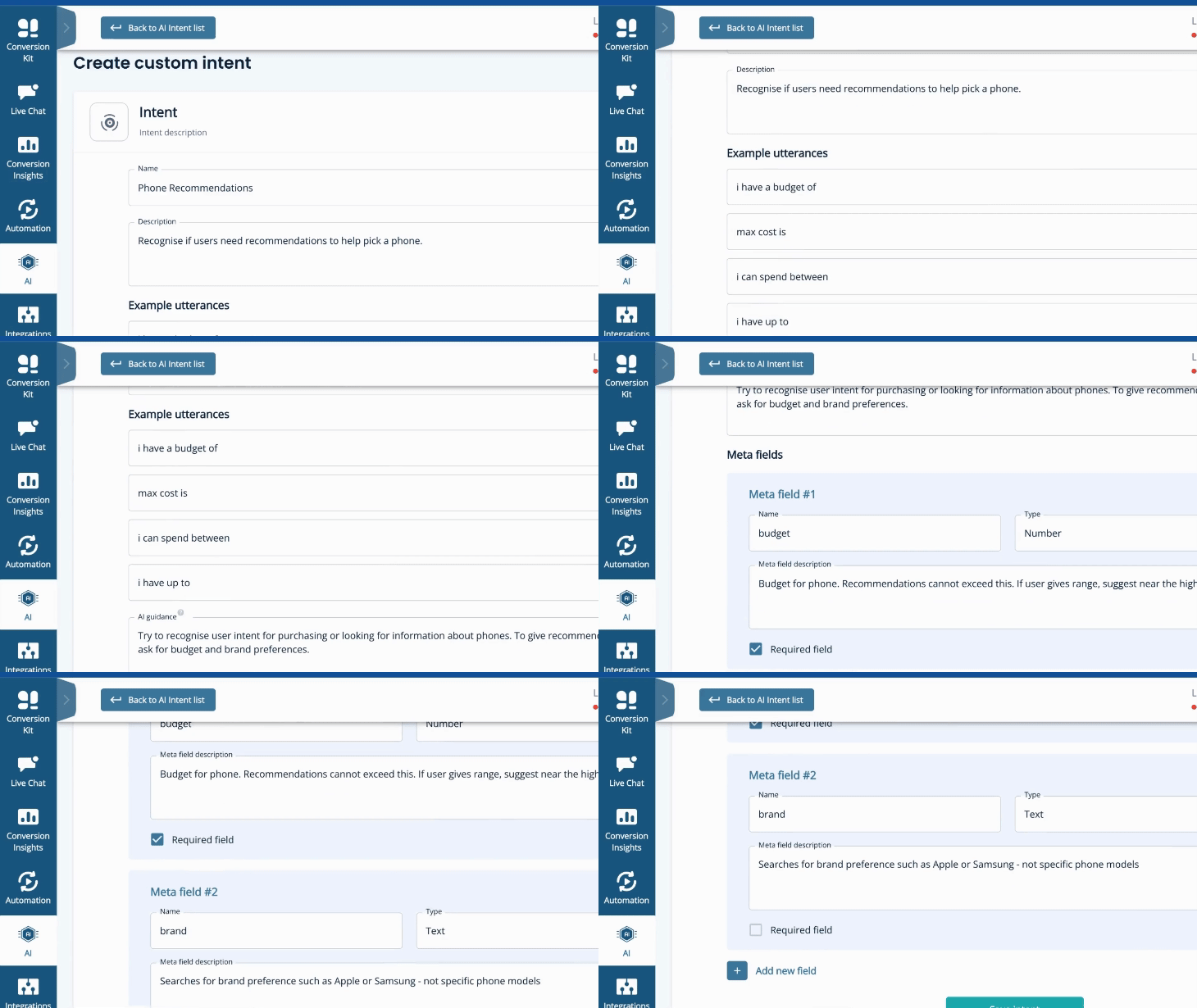
How you can shape Custom Intent Fields in the Leadoo platform
In our phone example, a user naturally might need help finding the right model for them. Any number of factors could go into this. Brand preference, budget, camera requirements, battery life, etc, etc.
So we create a Custom Intent called ‘Phone Recommendations’. This will kick in if the AI determines that our guidance of ‘Try to recognise user intent for purchasing or looking for information about phones. To give recommendations, we need to ask for budget and brand preferences’ has been met.
To help it recognise this, we enable you to give ‘Example Utterances’ to follow – like ‘i need a new phone’ ; ‘my phone broke’ ; or ‘i can spend up to’. If a user says something along these lines, our Custom Intent will kick in.
Within this Custom Intent, you can also specify what information should be collected by the AI. For example, to give recommendations it will be essential to know the user’s budget. So we create a mandatory ‘Meta Field’ of what info is required for the Custom Intent pathway to continue.
This could be anything from whether or not they are an existing customer; to how much they want to spend; to if they have a favourite brand. Meta Fields can be mandatory or non-mandatory. Often they will be helpful, but not essential for the AI to make a suggestion. For example, what colour a customer is looking for.
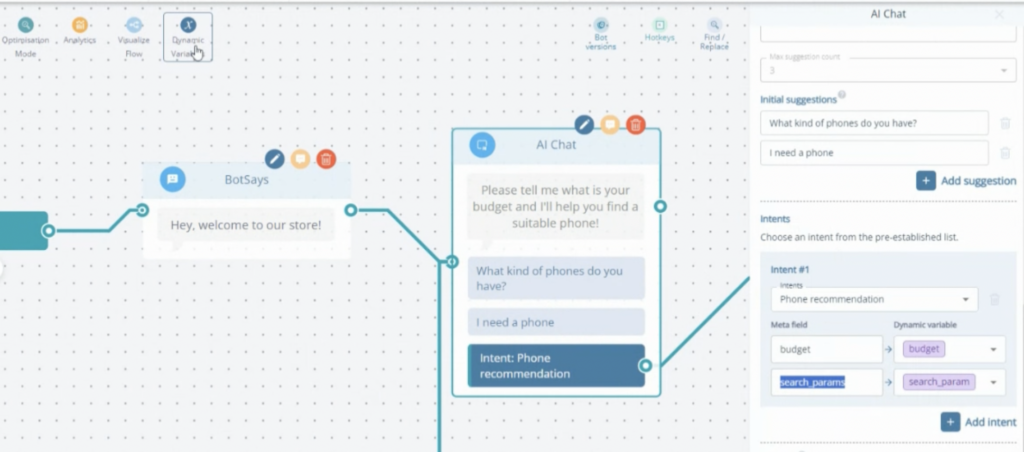
Once you’ve set your Example Utterances and Meta Fields, your Custom Intent is ready to be applied to any Leadoo AI bots, as shown below.
Multiple intents can be included within any AI node in the Leadoo Bot Builder
You can add up to 10 Custom Intent Fields. Which will serve as advanced routers within your AI bot setup – e.g. ‘if user shows intent about X, do Y.’
The end result? More relevant and satisfactory interactions for the user – based on what they actually wanted the bot to show them. As well as less prompting and maintenance needed in the backend of your Leadoo AI.
Better, more relevant UX. Combined with less setup for you. An example of AI truly making everyone’s lives easier!
Leadoo AI Support:
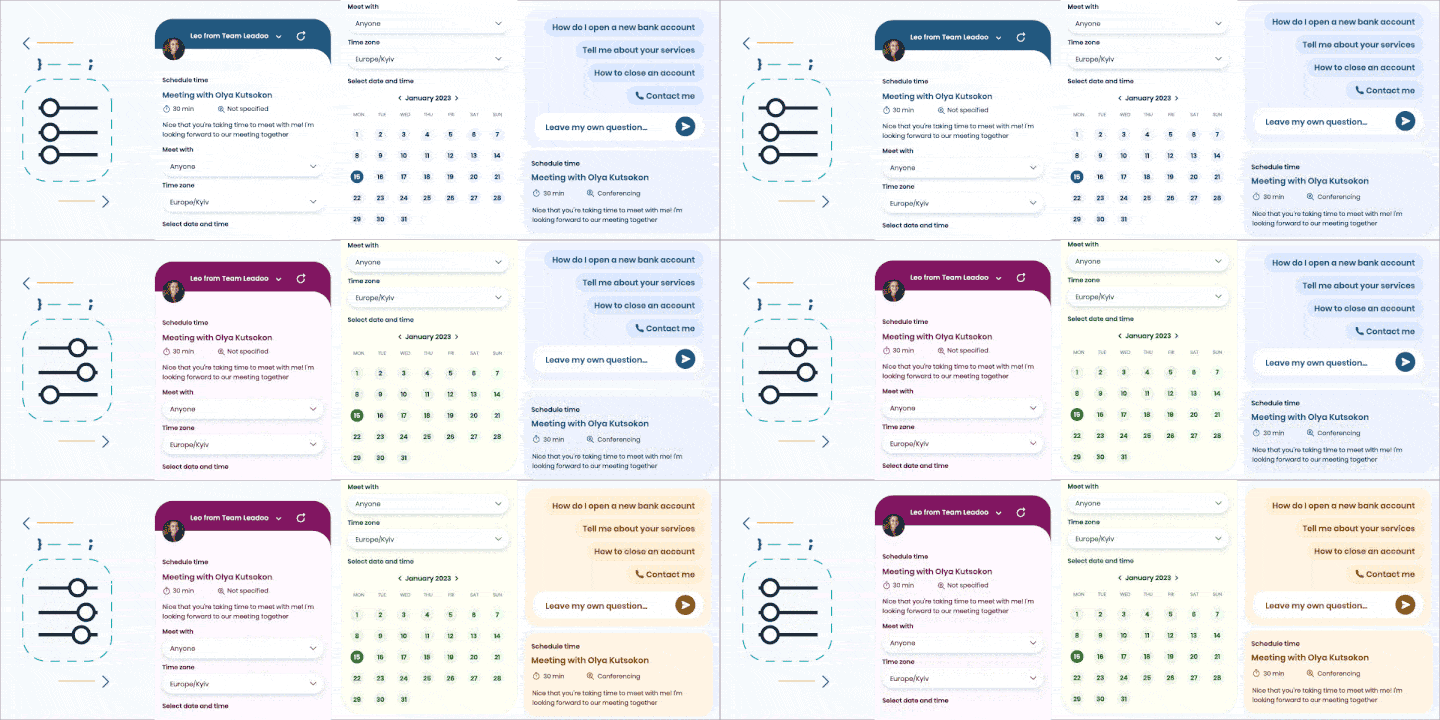
New Style Settings For Chat and Inpage Bots
With 3.0 bots we’ve updated our UI
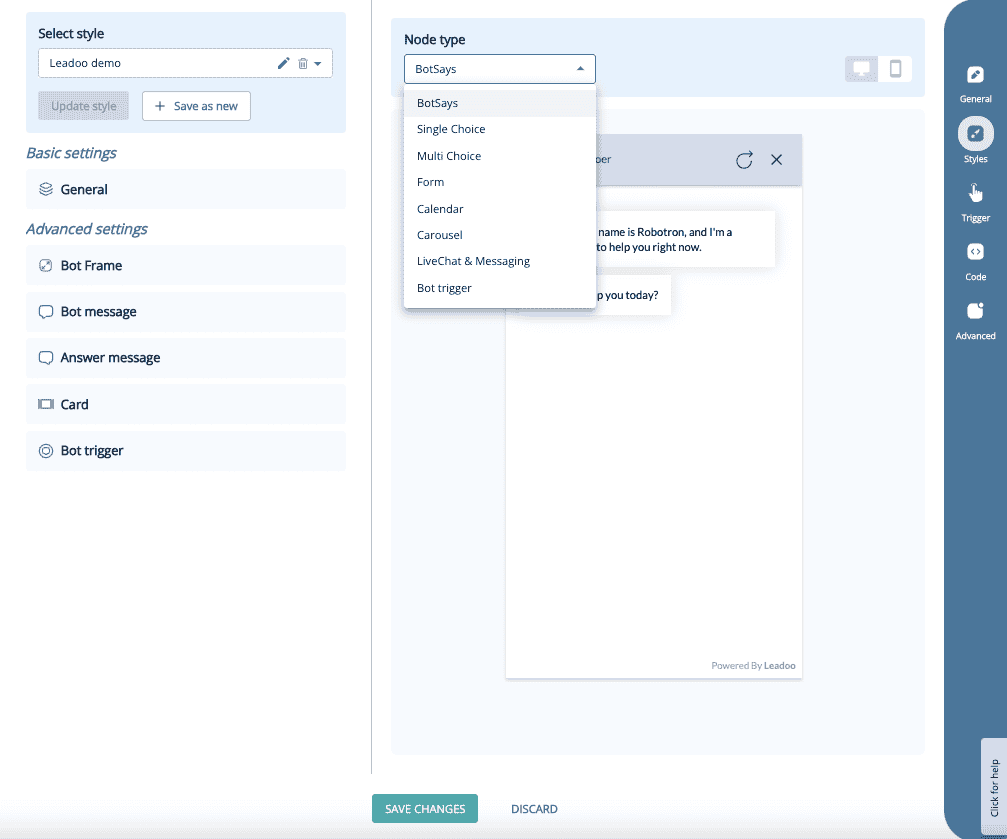
Here’s how you can edit the new style settings and what you can edit!
Navigate to the bot whose style you want to change. Click either “edit” or “actions” next to the bot, and then select “settings.” After that, go to the “Style” section.
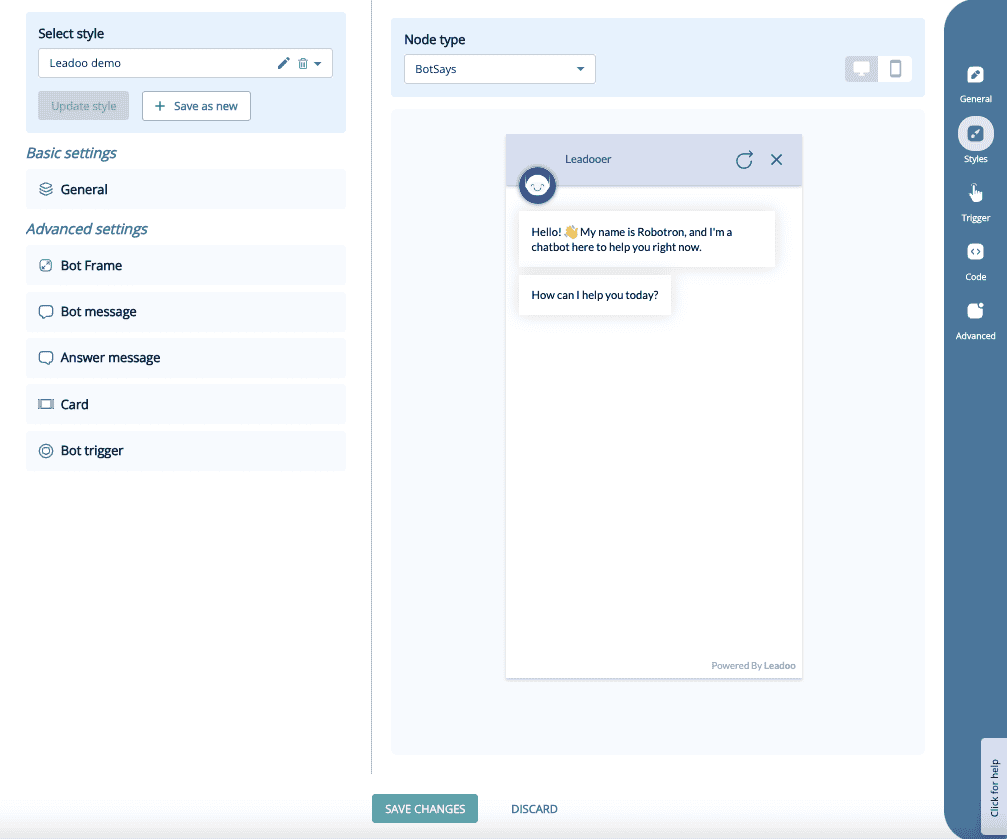
Under style settings, you can choose an existing style or modify the current one. If you modify the current style, you can either update the changes or save it as a new style. The new style will appear in the dropdown menu, and you can apply it.
You can compare the changes node by node and preview them on mobile or desktop.
Style Customisation:
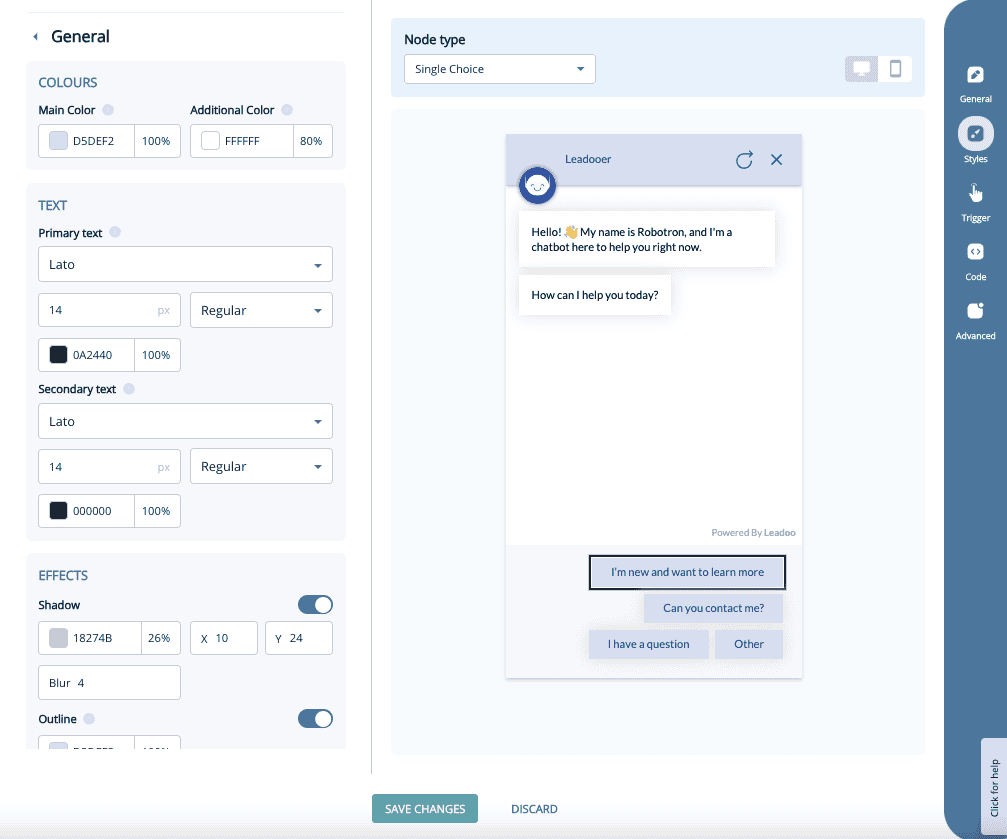
Basic Settings: Under “Basic settings,” you’ll find the bot’s general style options, such as main colors, fonts, and font sizes. Most changes can be made under the “General” section.
Advanced Settings
Under Advanced settings, you’ll find more detailed options. These allow you to fine-tune specific elements not covered in the general settings.
The Advanced settings are divided into five different categories:
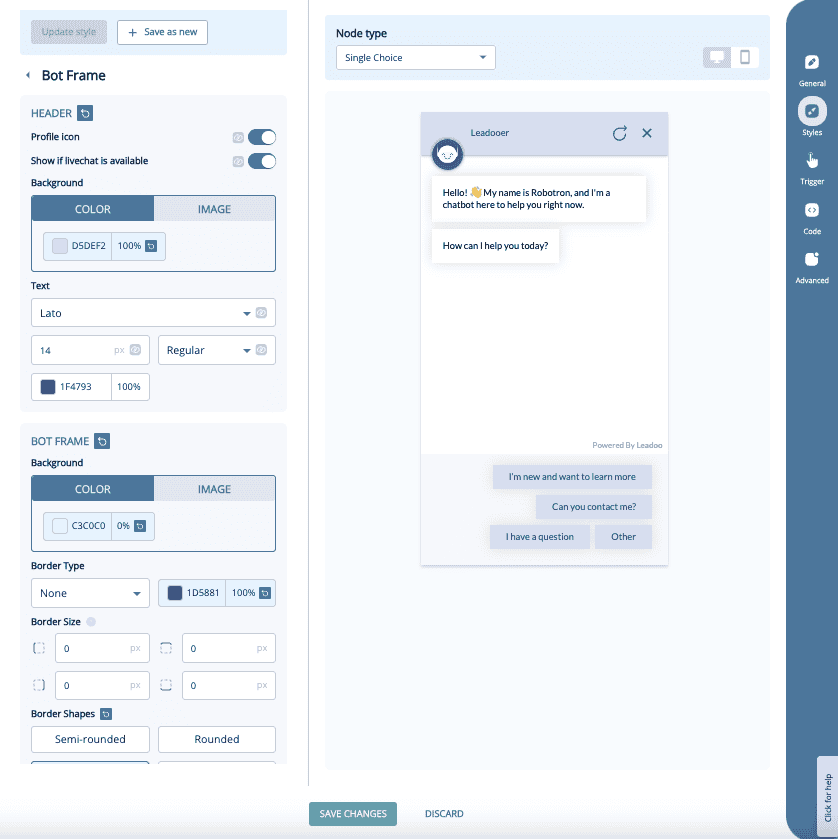
Bot Frame: You can manage the background of the bot, border shapes and with chatbot the header area.
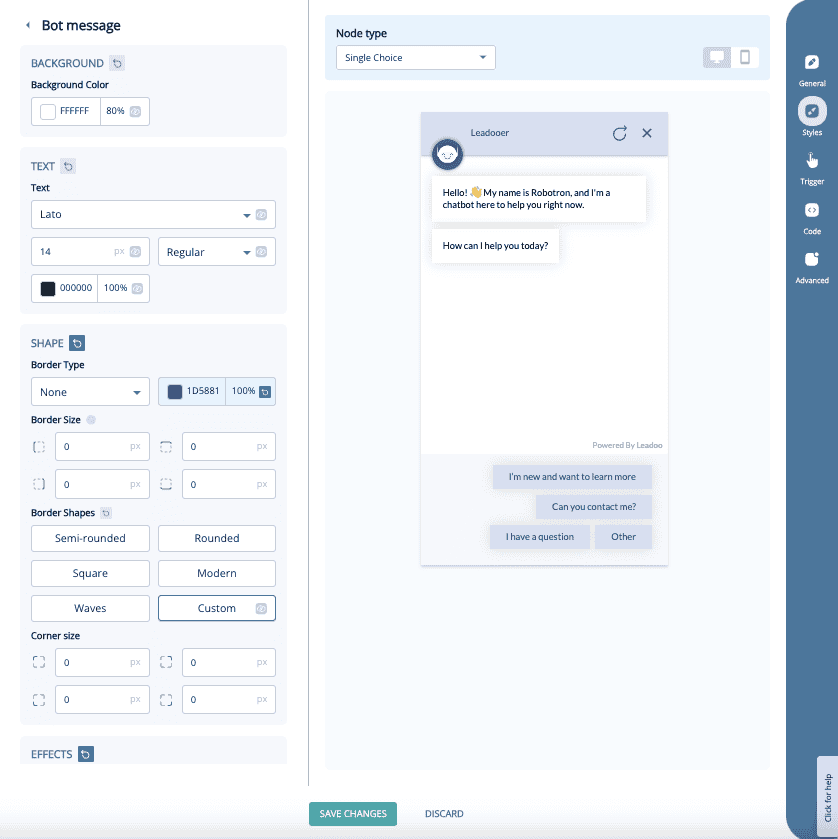
Bot Message: With this you can manage the message that the bot sends to the website visitor. It includes font, font size, font color, shadow colors and button shapes.
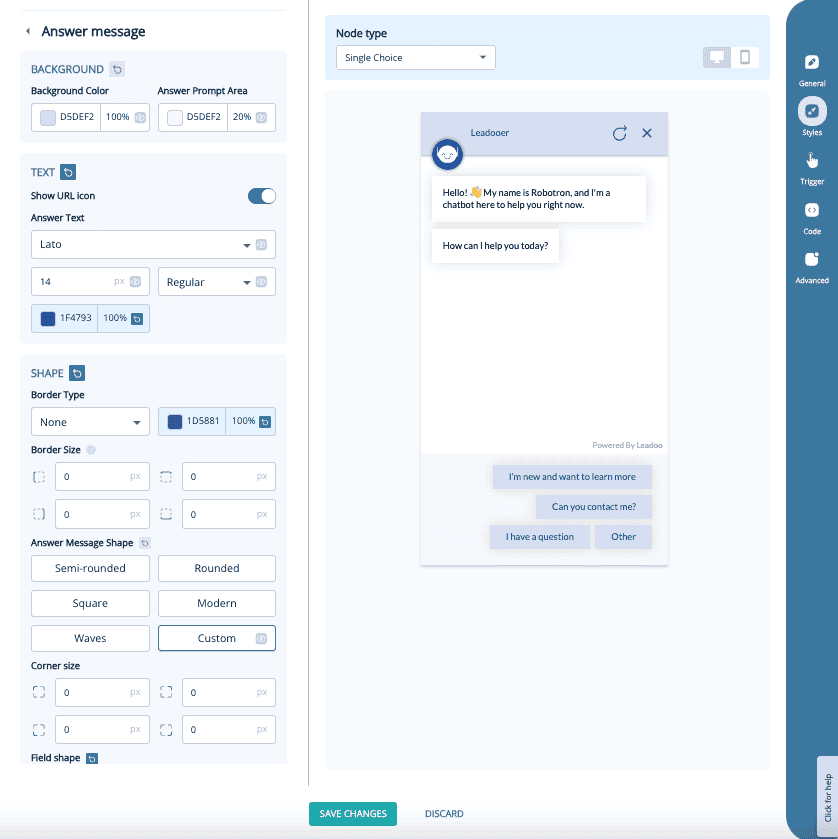
Answer Message: Similar to the bot message but this is for the buttons that the website visitors click on during the bot discussion.
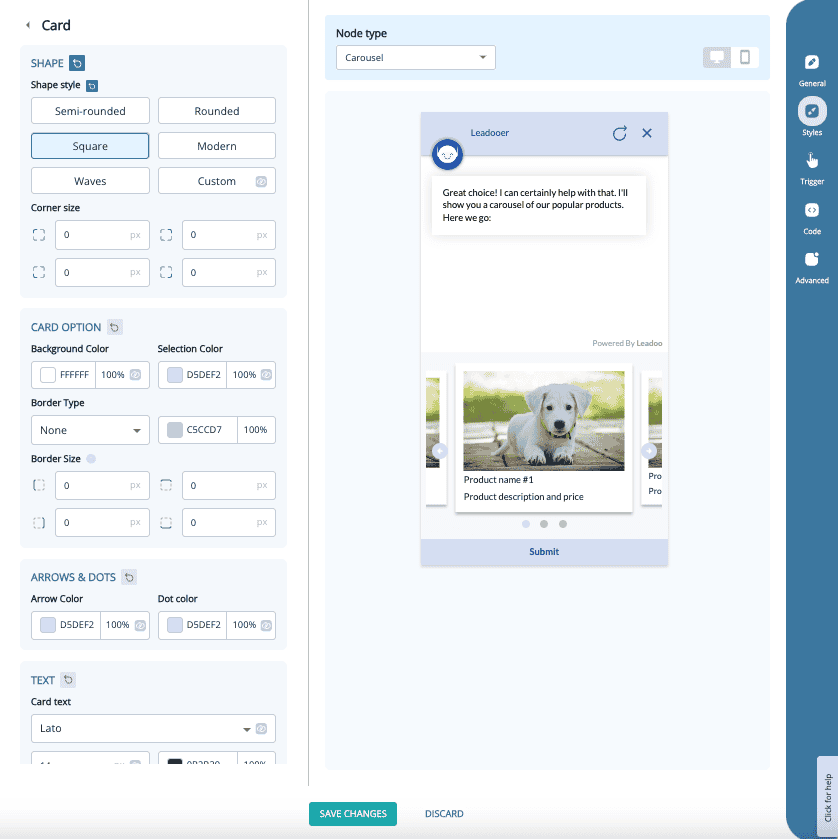
Card: Only relevant If you’re using the Carousel node. You can edit the card shapes, fonts, font colors and other visual effects.
Bot Trigger:
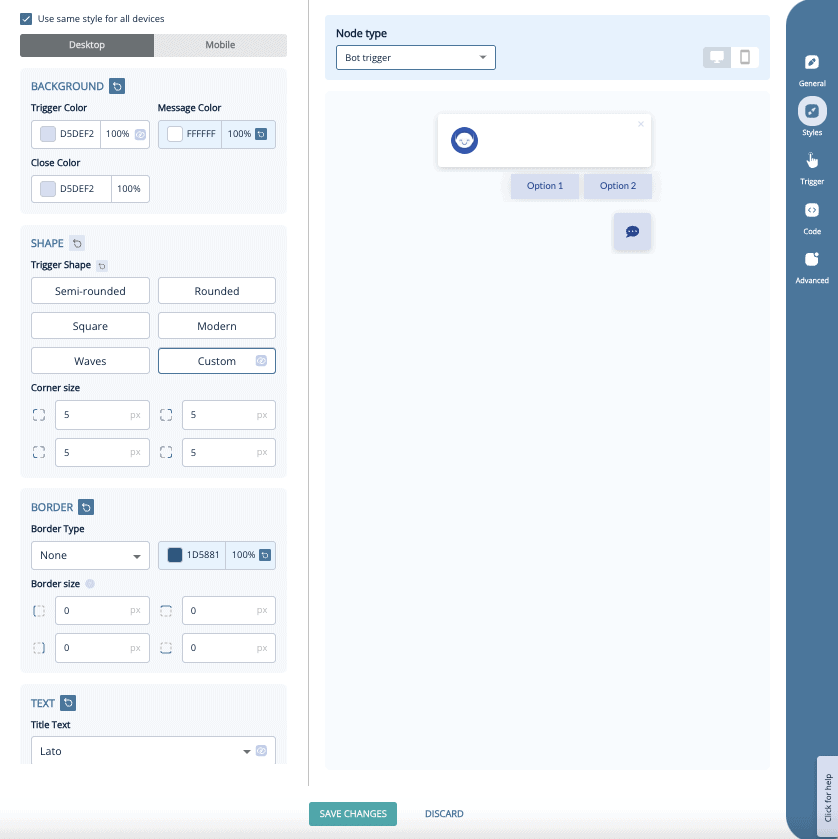
You can edit the styles on the bot trigger element, which defines how the bot appears before it opens automatically / before website visitor opens the bot.
Includes colors, shapes, fonts and effects
You can have different style settings for desktop / mobile
If you have any issues with your style settings you can contact your Leadoo contact person or [email protected]
What is Account Based Marketing? And how does ABM work with Leadoo AI?
What is Account Based Marketing (ABM)?
Account-Based Marketing (ABM) is a focused business strategy where marketing and sales teams work together to target a specific set of high-value accounts.
This could be because they are geographically important accounts, leaders within their space, or because a company has had success with similar customers in the past. The defining factor of ABM though is specificity – targeting individual businesses based on specific criteria.
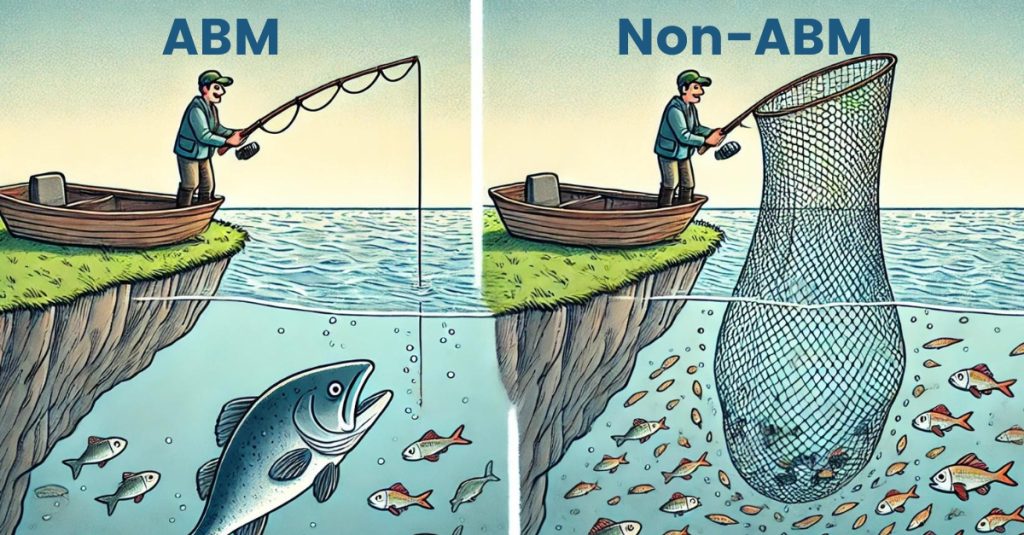
This is unlike traditional marketing, which casts a wide net. To continue that analogy, think of a marketer as a fisherman. Often they are simply casting out the biggest possible net to try and catch as many fish (accounts) as possible. ABM though is a fisherman knowing what waters have bigger fish, and using bait (messaging) specifically designed to reel them in.
Accordingly, ABM requires a more targeted approach, with personalised touchpoints.
What are the Key Benefits of ABM?
Desirable Customers: Whether it’s because of their size, geography, prestige or use case for your solution – you have ideal customers. In a world where personlisation is increasingly expected, ABM is the most efficient way to ensure you have a chance of bringing them on board. And more like them in future.
Increased ROI: By focusing resources on high-value accounts, companies can often achieve better returns than traditional marketing. For example, in a PPC context, it is undoubtedly cheaper and more effective to run re-marketing adverts to visitors who viewed a webpage about Software Recruitment, than it is to run adverts to an audience interested in either Software & Recruitment.
Alignment of Sales and Marketing: ABM fosters better communication and collaboration between sales and marketing teams. Because they are working towards a common and well-defined goal (list of accounts). It also requires distinct sales and marketing touchpoints to work well.
Streamlined Sales Cycle: ABM allows for highly tailored marketing strategies that resonate more effectively with target audiences. Not only does this reflect well on your brand, and start you on good footing with buyers, but ABM has been proven to shorten sales cycles.
How Does ABM Work?
ABM begins by identifying key accounts. Generally this would be done by commercial teams through a CRM system. Then, sales and marketing teams ideally work together to create personalised messaging and content that address the specific needs and pain points of each account.
The ABM Process
Identify Target Accounts: Leverage data to not just identify high-value accounts that align with your business objectives, but understand their pain points and buying journeys.
Create Custom Touchpoints: Develop tailored content and messaging that speaks directly to those pain points and buying journeys. For instance, what a prospect is interested in the first time they visit your website, is very unlikely to be what they want to look at on their fourth visit.
Engage Across Multiple Channels: Use a mix of digital and offline channels to reach and engage decision-makers at these accounts. Your own website is especially important here. If you’ve done your job, they will be checking out your digital storefront repeatedly. It needs to speak to them and reflect your ABM strategy!
Measure and Optimize: Continuously monitor the performance of your ABM campaigns and adjust strategies as needed to maximise results. Behind your target accounts are human buyers, so they will all act and progress differently!
Leadoo AI’s Approach to ABM
Leadoo AI is uniquely well positioned for ABM strategies, whether it is for New Business teams or Account Growth teams. That’s because the key principles of identifying visitors, activating them with bespoke messaging, and measuring their journeys, can all be done through our platform.
Leadoo ABM for Sales Teams
You have a CRM full of prospects, plus lists of target accounts. Here’s how you can utilise Leadoo to close those must-win logos:
See which of your marketing efforts result in website visits and completed CTAs
Create conversational pathways for specific customers, e.g. those coming from certain emails
Options for conversational bots within platforms and client portals – tailored to their needs
Leadoo AI Support:
How to Embed Video and Images in a Leadoo AI Bot
You can make the most of your video content and create dynamic conversation by inserting videos directly into your bots. As the videos are not hosted natively, this won’t negatively impact any page load speeds.
We support embedded videos from YouTube, Vimeo. If you need to embed videos from any other source, contact your Customer Success Manager for support.
Embedding an image or video into a ChatBot, InpageBot or VisualBot
How to add an image:
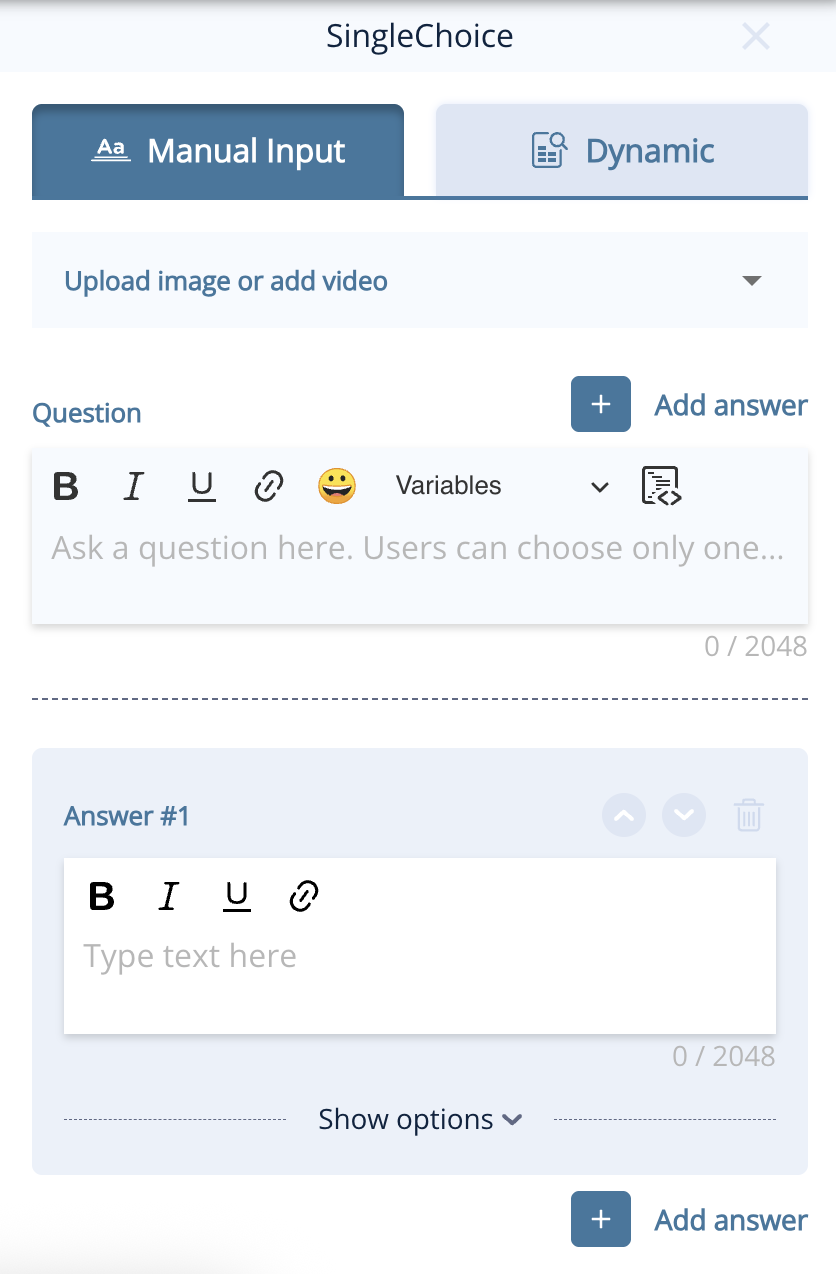
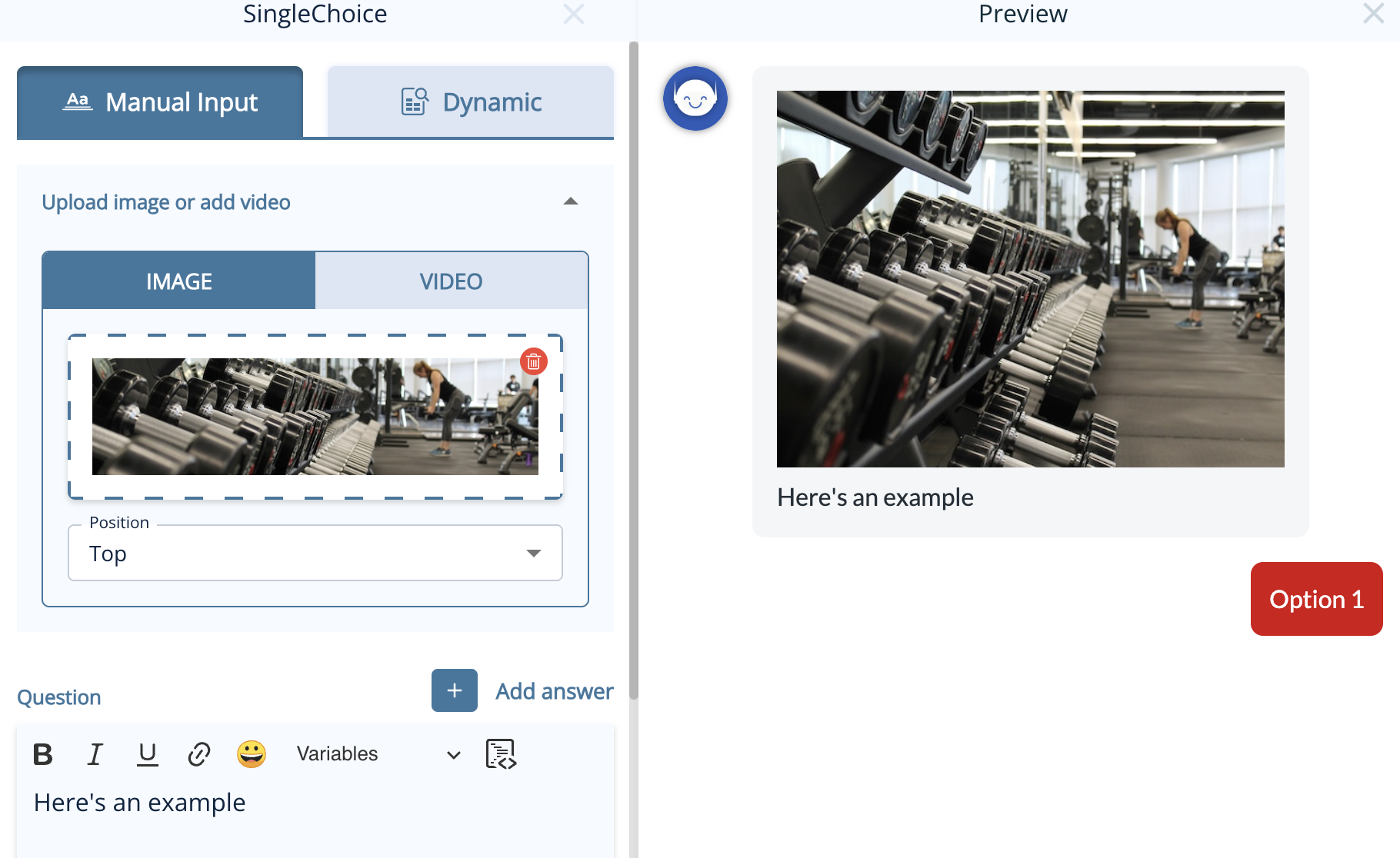
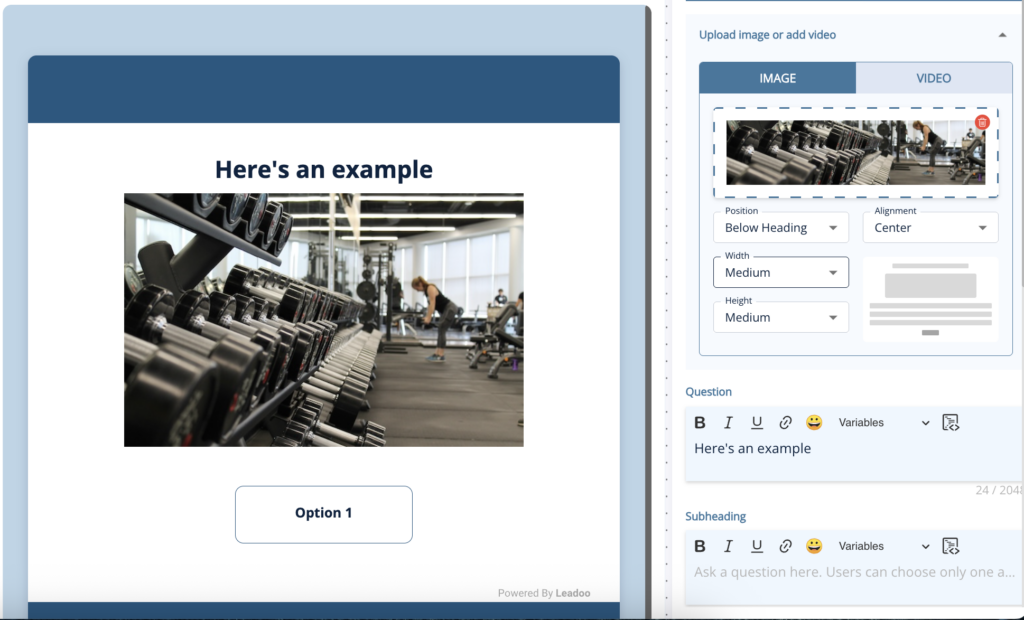
1. Open up your bot in the editor 2. Choose the node you want to add it to and open it to edit 3. At the top of the node, you’ll see the option to add an image or video. Click to expand.
4. To add an image, click to open your image library and add the image you wish to use and change the settings as you wish for the location and size.
In VisualBots, you can already easily add images to answers, but you can use the same method above to add images above the answers with a few more options for location and size.
How to add a video:
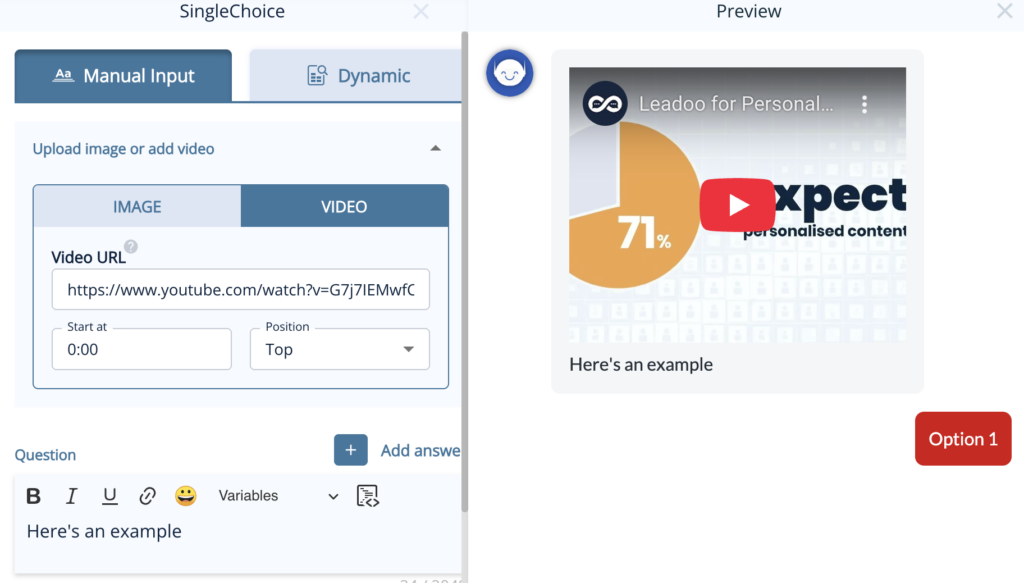
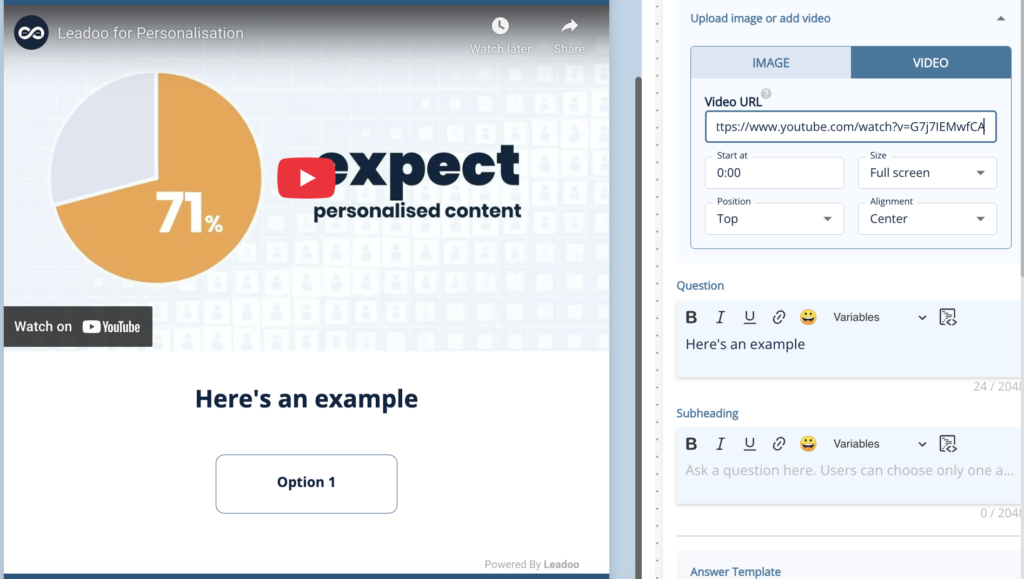
1. Select the video tab 2. Copy and paste the URL of the video from YouTube or Vimeo 3. Select the size, location and start point settings you wish to use
Adding a video in ChatBot or InpageBotAdding a video in VisualBot
How To Add Images and Videos With Greater Control
From YouTube:
1. Click the share button below the YouTube video you want to use
2. Select the embed option, copy this code and paste it into the Question area of a BotSays, SingleChoice or MultipleChoice node.
3. Highlight your text and convert it to a code block by clicking the icon in the top-right corner of the box. You’ll notice that the text will now be in a grey box with an HTML tag in the corner.
4. Change the width to 100% and the height to auto. This will ensure your video resizes dynamically.
From Vimeo:
1. Either click “Copy embed code” from the pop-up menu under the 3 dots in your library or, click the embed button at the top of the page.
2. Follow steps 2-4 from the YouTube instructions.
1. Find the code for your video from the link URL which will look something like this: https://wistia.com?wvideo=pj1mryf8bi or https://acmeinc.wistia.com/medias/pj1mryf8bi
2. Use this code and replace the highlighted video ID with yours:
3. Follow steps 2-4 from the YouTube instructions.
Embedding a Video in a VisualBot
Embedding a video in a VisualBot is much the same as adding them to an InpageBot or ChatBot but to ensure the video always scales correctly you need to add some extra information to the code you are using.
1. Copy the URL or video ID of your video from YouTube, Vimeo or Wistia as above so that would be: – YouTube: https://www.youtube.com/embed/e9lxFPrccfY?si=qW4IYfZPwp4UrQQX – Vimeo: https://player.vimeo.com/video/812054001?badge=0&autopause=0&player_id=0&app_id=58479 – Wistia: https://acmeinc.wistia.com/medias/pj1mryf8bi?seo=true&videoFoam=false
2. Replace the Video URL in the code below and follow steps 2-4 from the YouTube instructions.
If you need help, please reach out to your Customer Success Manager.
Leadoo Live Demo
Join us for a live demo of our Conversion Platform!
Ever wanted to see Leadoo under the hood? Now you can through a live demo!
Our sales team will walk you through the key features of our platform and how they work. Not just on the front end of a website, but in the back-end the platform itself. You’ll get a look at features including:
⚒️ Conversion Kit: The tools that raise conversion rates and improve UX on websites. Inpage, visual and chatbots that embed organically in websites to make them more conversational, interactive and relevant. While also making Conversion journeys easier and lowering barriers to leads.
📊 Conversion Insights: The data stored within Leadoo that informs Conversion decisions. What companies have been visiting your site, what do individual conversion journeys look like over their lifetime, and how is traffic from different sources interacting with Conversion tools to ultimately drive sales.
🎯 Personaliser: How you can combine the Conversion Kit and Conversion Insights to create personalised journeys for different users and audience groups. Therefore making Leadoo and essential part of your ABM strategy, and better serving specific audiences onsite.
🤖 Leadoo AI: Leveraging of the power of AI to drive even more leads through our Conversion Kit. How you can use Leadoo’s AI to answer user questions 24/7, in realtime and in different languages.
At Leadoo, we pride ourselves on the service we provide to customers.
If you become one, our team of Conversion Experts will be there to help you integrate, setup and optimize our technology to get you the best results possible.
We know that our platform and our people help customers achieve amazing results. But don’t take our word for it. Read our review profiles for yourself below to see how!
We activate your passive website visitors and make it easy for them to convert
Leadoo builds the bridge between your visitors’ needs and what you offer. This improved onsite customer experience leads to conversion rate increases of up to 74% on average. Check out customers success stories of exactly this here.
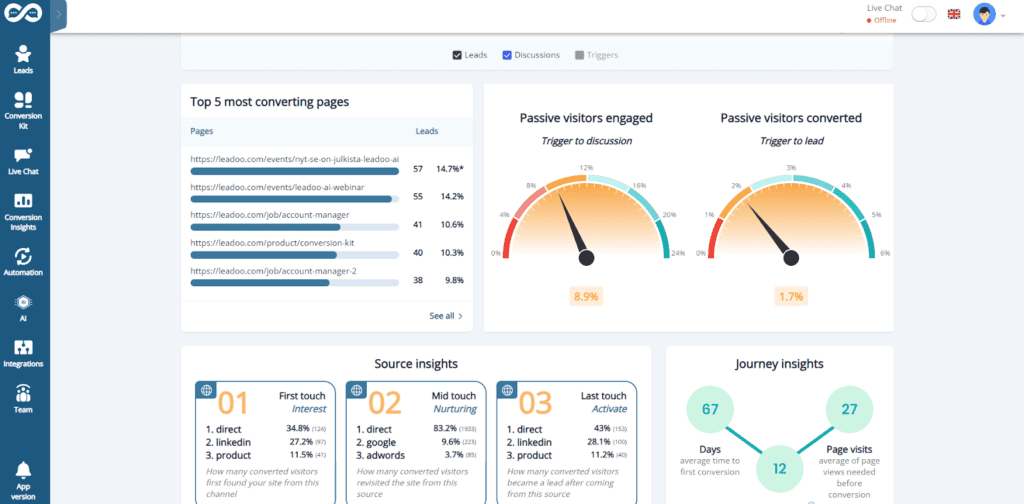
Leadoo 3.0 is here in time for the new year, bringing with it a tonne of changes. You might’ve noticed some of the more obvious things already(like the overhaul of our dashboard for instance… 👇)
However, our tech team has been hard at work under the hood to deliver some fantastic changes. Everything from delivering performance tweaks, to new design templates, to truly groundbreaking feature additions like Leadoo AI.
So without further ado, let’s dive into what’s changed, and more importantly, how it benefits you!
Leadoo AI 🤖
Introducing Leadoo AI, probably one of the biggest product updates we’ve had in a while and it’s a complete game changer.
What is Leadoo AI? 🤖
Leadoo AI harnesses the power of AI technology and Large Language Models to help you drive more conversions and give answers to visitors in real-time as they navigate your website.
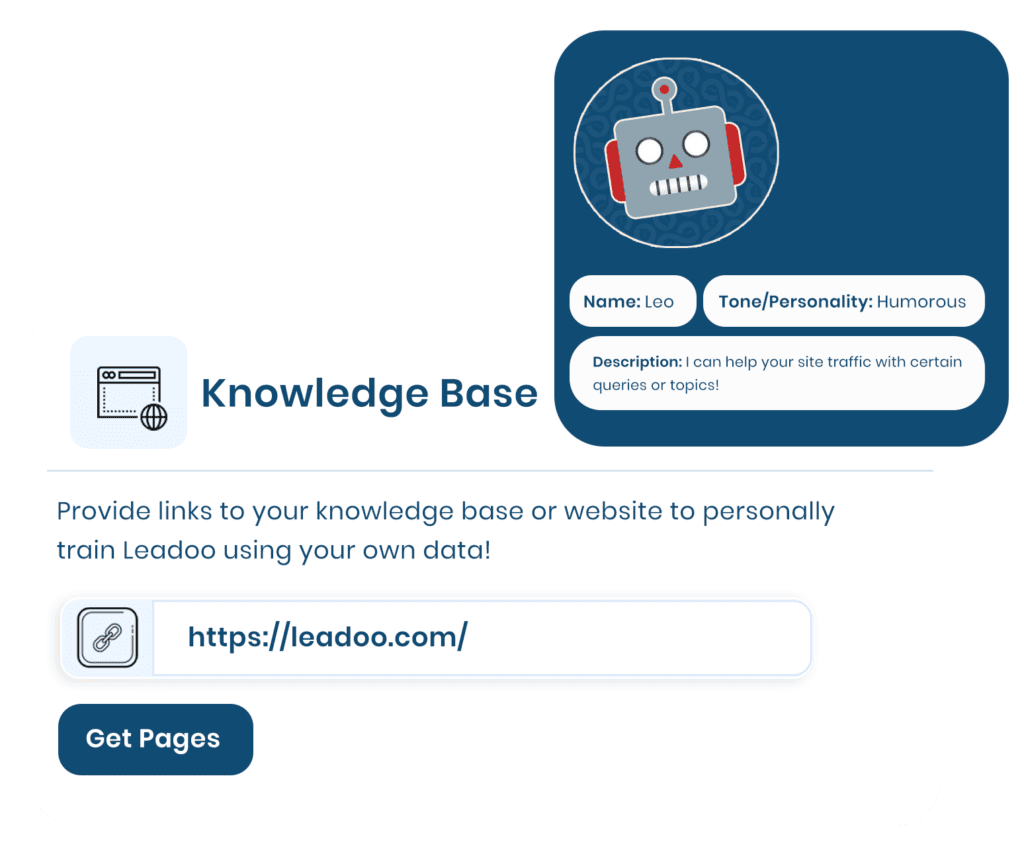
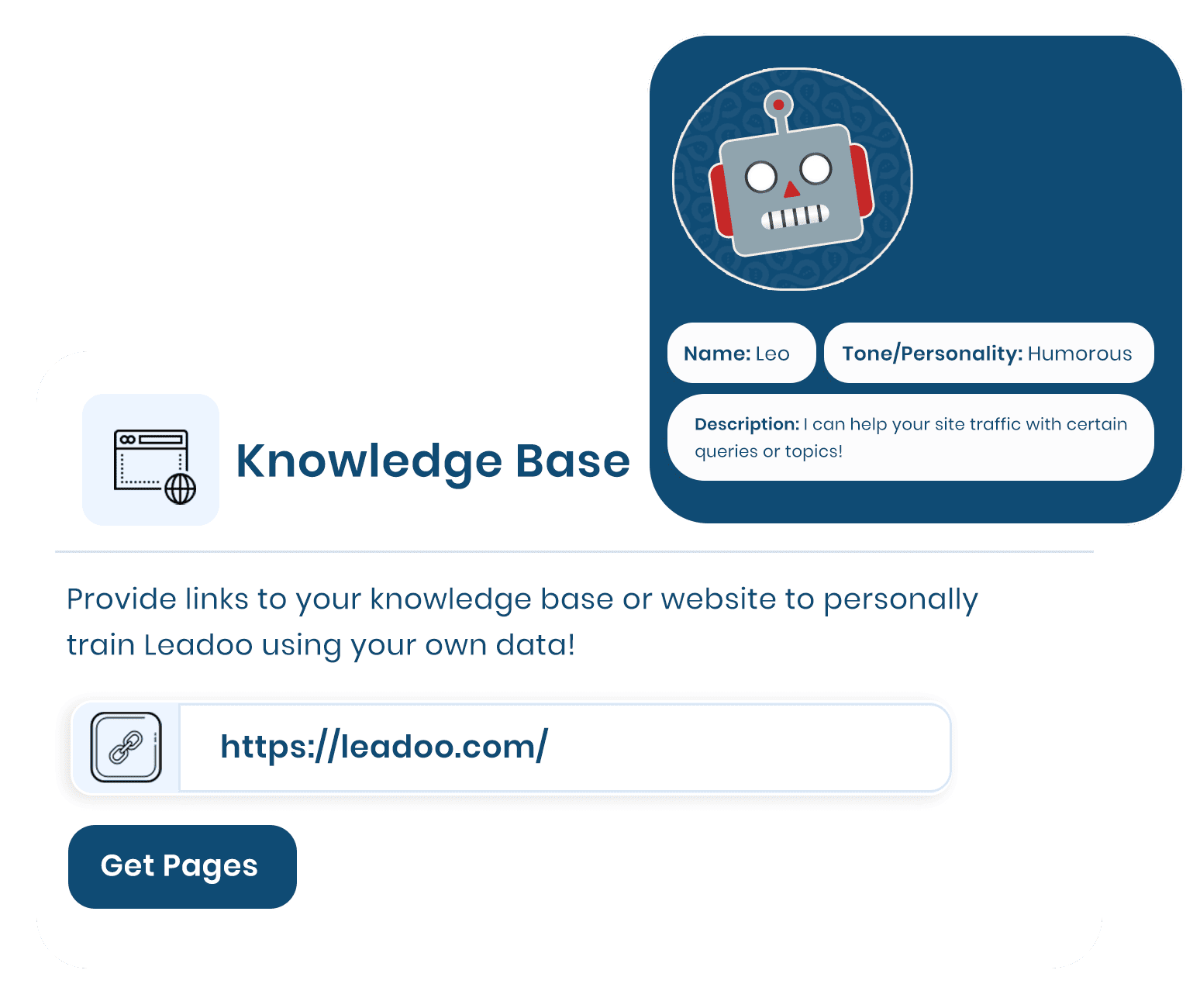
Feed our AI Knowledge Bases specific pieces of content or information (whether it’s a PDF, a single page or an entire website.) Leadoo AI will then digest this content and then use it to answer questions in real time, anywhere on your website.
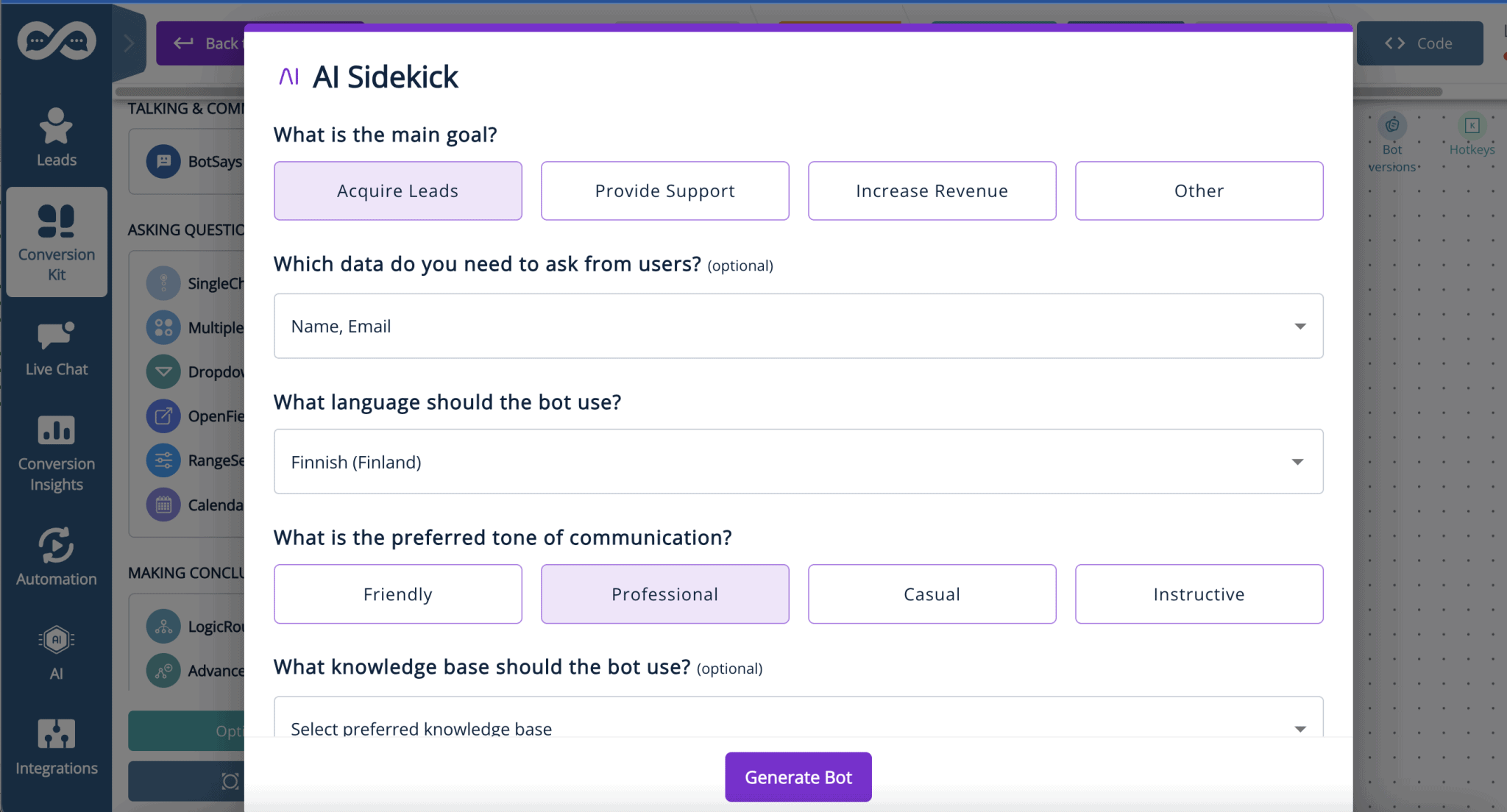
Avoid controversial or irrelevant conversations too by setting specific guardrails. Tell Leadoo AI what it can and can’t comment on, what tone of voice to use throughout the conversation and if it should prioritize certain topics or links in its responses.
In contrast to the traditional chatbots you might currently see on the market, Leadoo AI helps you offer your site visitors an unparalleled on-site experience by expanding on much more than a generic, hard-coded answer.
It’s easy to forget that most site visitors aren’t ready to buy straight away… In fact, the average conversion rate across most websites is around 2%, meaning that the other 98% will leave without doing anything at all. Learn more about Traffic vs Conversions
Therefore, it’s wrong to assume that many visitors are happy to book a demo/consultation straight off the bat! Especially for a product or solution that they’re not sure is right for them.
Especially if your product offering is complex. It can be a real struggle to get your site visitors to the right destination!
That’s where Leadoo AI steps in.
Imagine your site visitor wants to ask a particular question and explore your product offering in a way that suits them. Leadoo AI automatically adapts the conversation to meet their needs, and even signposts them to relevant content or call to actions. Crucially, solely based on the content you give to our Knowledge Bases. Therefore bringing a level of fluidity that traditional chatbot tools simply can’t offer.
Research has shown customers expect a chatbot to respond within 5 seconds. So offering that on-demand yet detailed interaction gives you the cutting edge above competitors who aren’t harnessing the true power of modern technology like Leadoo AI. If you haven’t already, check out the vast range of tools Leadoo offers that can help you turn your website into your best performing sales channel using unmatched levels of personalization.
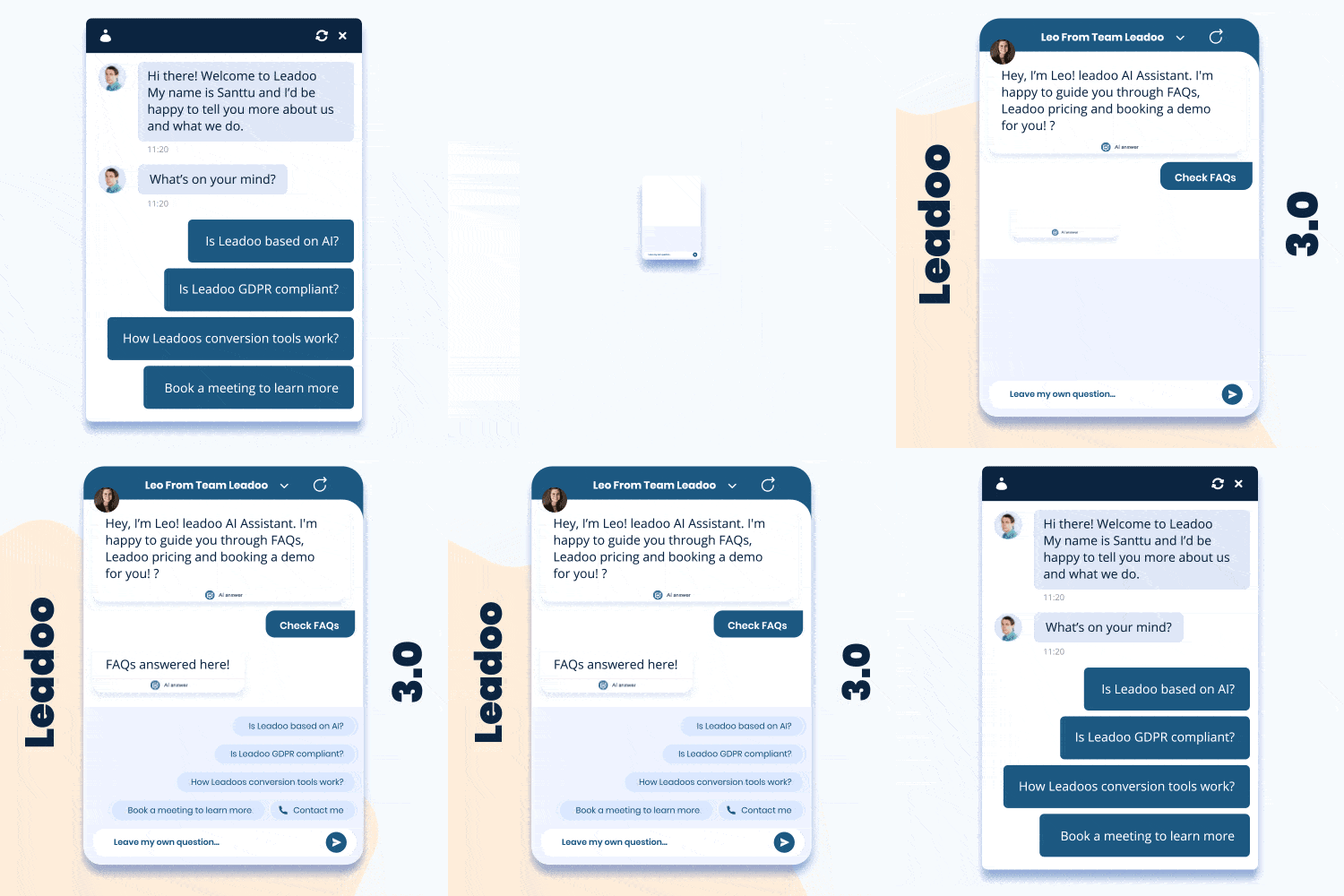
Leadoo 3.0 brings a batch of new designs and implementations to the table to make our bots look and feel more dynamic than their previous iterations.
3.0 designs bring more modernity into our product, adding a variety of hand-crafted animations into our already engaging conversion tools. Making interactions with our InPage, Chat or Visual bots feel smoother and more enticing.
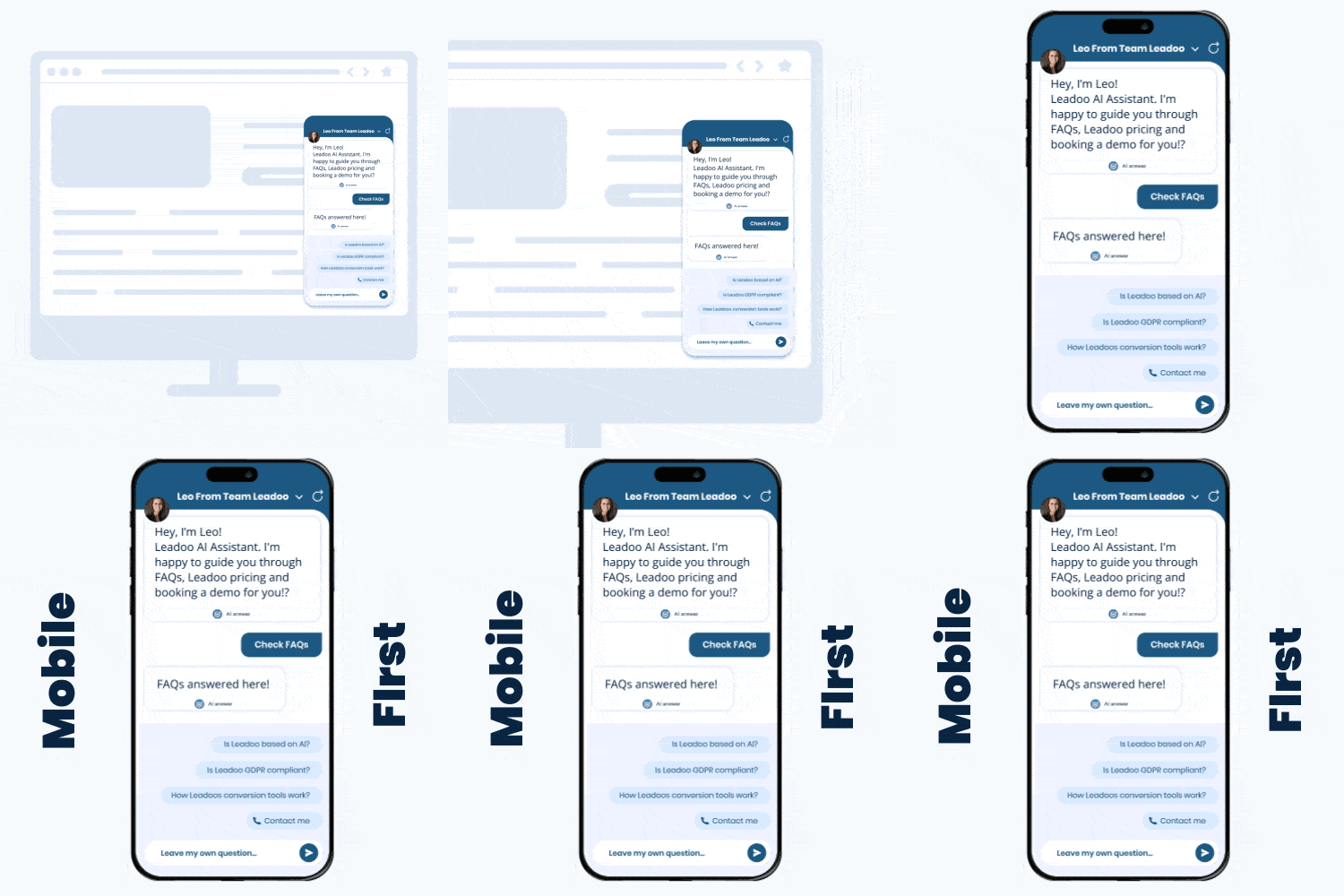
Mobile-First Chat Bot 📱
Thanks to 3.0, Chatbots have been updated to look much more like a mobile app when triggered, taking up the whole screen when opened.
Thanks to this development, the interaction with a Chatbot on mobile is now more immersive, providing your site visitors with a more comfortable experience.
Dedicated Bot Styles
Similar to how the CTA and Visual Bots already worked, InPage & Chat Bots now have their own dedicated styles that are compiled separately to the bots.
The addition of dedicated styles also awards better performance considering the bot scripts are now smaller than they used to be, and are less technically complex compared with 2.0.
Technical Stuff🔧
Keep in mind that many of the additions below aren’t immediately noticeable for most users. They are, however, improvements to our core technology to make Leadoo faster & more efficient! ⚡
Optimised Style Rendering (CSS)
With Leadoo 3.0, increasing bot performance was a big priority. To minimise impacts to site speed, Leadoo bots will now be rendered individually in the background and not just when the bot is being interacted with.
Segmented Bot Functionality
In addition to the other techy-stuff we’ve been working on, we’ve now broken the code behind our bots up into several segments. It isn’t immediately noticeable for smaller bots due to the size, but for more advanced bots, loading times are significantly quicker! 👟
Reactive UI
Before Leadoo 3.0, only Visual & CTA bots had what we call Reactive UIs. The introduction of “Reactive UIs” means that we can create rich interfaces with live information so bots feel more like applications rather than old-fashioned web page widgets.
Again, this isn’t immediately measurable by the end user but gives our tech team more accessibility when it comes to updating Leadoo in the future.
Overhauled Bot Logic Processor
Another update that isn’t directly measurable by end users or site visitors once again. The logic processing of our old 2.0 bots were aging poorly, so we decided to completely overhaul and rebuild the bot logic backend.
The new system we’ve put in place allows you to build more complex bot flows and gives our developers what they need to bring more fantastic updates to the table.
Leadoo AI
Leveraging the power of AI in Chatbots to drive Conversions
Leadoo AI
Introducing Leadoo AI 🤖
AI is the biggest buzzword in our industry right now.
Marketing and sales teams know they probably should be utilising it, but are rightly nervous about having AI fully dictate website content or branding decisions.
The problem with most chatbots using Large Language Models (like ChatGPT) is they allow their site visitors to talk about anything, usually distracting from the conversation or providing false responses to user enquiries.
At Leadoo, we’re not looking to AI to replace our Chatbots that we know drive Conversion increases. Rather, we’re looking to harness the benefits of AI to augment and supercharge our bot performance.
Leadoo AI
Easy to train, fast to deploy. 💡
Provide Leadoo’s AI with critical webpages and create your own Knowledge Base. Leadoo will crawl every page you give it and become your product and brand expert – helping your customers as you want to.
Your own personal AI brand expert, trained on your data.📊
Spend minutes feeding Leadoo’s LLM with information about your products & services.
Enhance your website experience by activating, engaging and converting visitors by providing them value.
Help users find important content or convert without human intervention.
All LLM data stored securely in the EU🔒
Leadoo AI
Supercharged AI to suit any need 🚀
Create AI powered chatbots to serve as customer service advisors, drastically lowering support volumes.
Your always-on sales assistant. 🤖 Help users make buying decisions quicker with on-the-spot support, driven by Leadoo AI.
Keep conversations relevant, on topic and your site visitors happy. 🙂
Serve site visitors anywhere, in any language.
Deploy anywhere using Leadoo’s full range of chatbots.
Getting Started ✅
Leadoo AI is in closed beta and will be released to select early adopter customers in Q4 2023, with a full release in Q1 2024.
Contact your customer success team or our VP Customer Success Artem Raunecker at [email protected] for more information.
Learn about conversions, marketing and sales
Leadoo’s AI-driven Conversational Tools
Audiences increasingly demand the kind of instantaneous and relevant conversational experiences that only AI can deliver at scale. Meet that demand, and future-proof your website, with Leadoo AI.
Power the conversions of the future with Leadoo AI
AI-driven Conversations
No two website visitors are the same. Deliver personalised conversational marketing at scale, with AI-powered tools able to answer individual questions from hundreds of users at the same time.
Nurture bespoke user journeys by responding to individual queries
Speak to users in 40+ languages based on what they ask
Deliver the AI conversational experiences users now demand
AI Training & Guardrails
Marketers must have control over what’s on their websites. So we give you full control over exactly what material our AI is able to learn from and reference – including topics it can’t talk about with users.
Knowledge Bases can be websites, specific URLs, or offline documents like PDFs
We have strict pre-set options on the tone, length and nature of the AI’s responses
Our Conversion Experts help marketers setup and optimise AI training and answers
Agentic AI Platform Capabilities
Leadoo AI isn’t just about displaying AI-powered responses in our conversational tools. Our platform includes embedded agentic AI features to help you gain insights and create bots efficiently.
Draft, translate and rewrite conversational tools with AI-Generated Bot Content
Get snapshot Conversion Insights delivered with AI Insights: Conversational Flow
Create entire conversational tools from scratch in minutes with AI Bot Builder
Looking for a deeper dive into our AI capabilities?
Explore how tools like Brand DNA, AI Bot Builder, and AI Product Recommendations work under the hood to scale your conversions.
Step 1. Decide what you want to add to your audiences.
ie. people who talk to specific bots / have clicked a certain button during bot discussion
You can create different audiences for people who’ve clicked their interested in working for you or buying from you
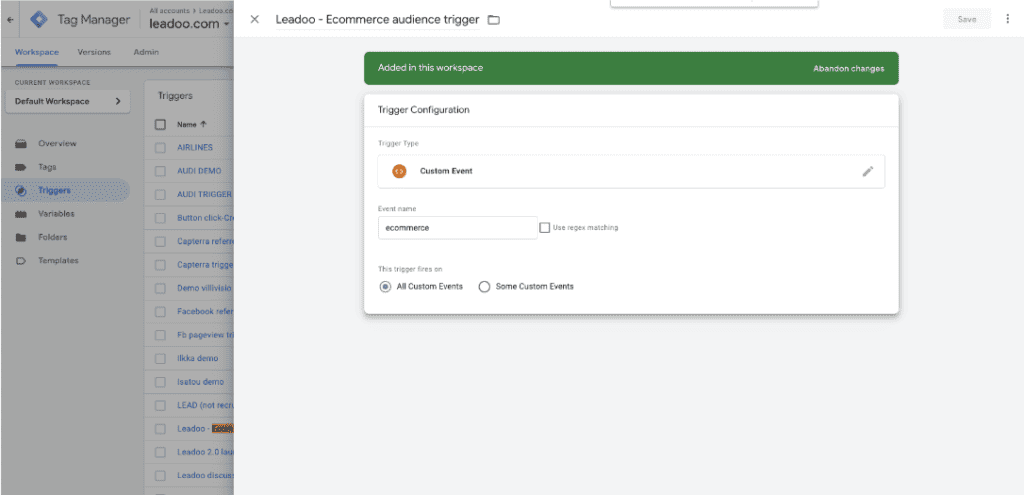
Step 2. Create triggers on GTM
Create your triggers based on your decision what you want to add to your audiences.
You can use:
TRIGGER → This event is sent once a bot is triggered
DISCUSSION → This event is sent once a bot discussion is started
LEAD → This event is sent once a lead is converted
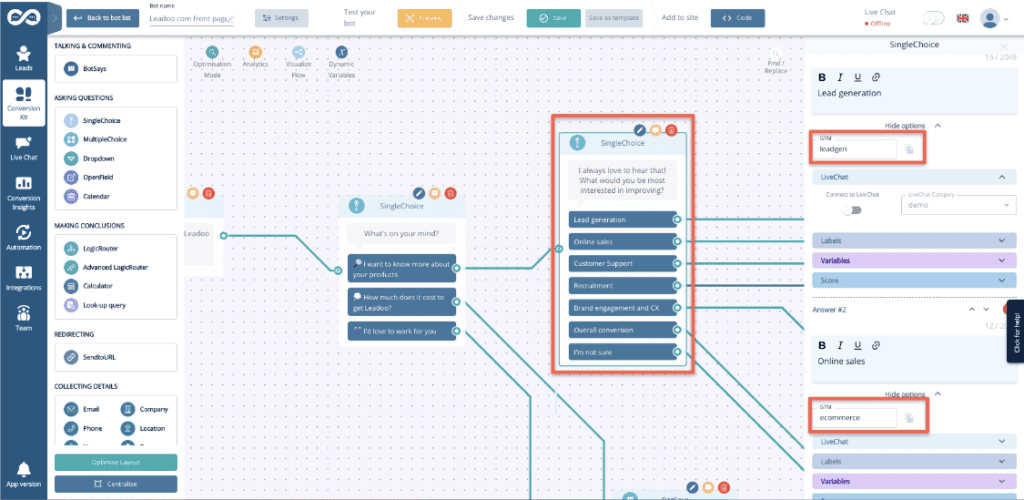
GTM-1234 → This event is sent once a button is clicked within the bot discussion As default the event names are set such as: “GTM-2663823”, but they can be edited on the Leadoo backend.
Options above are generic events Leadoo will automatically send to your GTM after you’ve connected your Leadoo account and your GTM-container
You can also use Data layer variable with the triggers above to specify your audience
category <- Bot type (embed, chat, cta, modal)
bot_category <- For each bot you can set a bot category on the Leadoo backend, this allows you to create for example separate analytics for sales and recruitment bots
label <- For each multi select answer you can create custom labels. These can be for example interest type of the customer
text <- Info of what text was written on the bot.
bot_name <- Name of the bot
bot_nickname <- Name given on bot settings
Step 3. Create tags
Here you have to decide where you want to use these audiences (ie. facebook/meta or Google Ads or LinkedIn
Facebook:
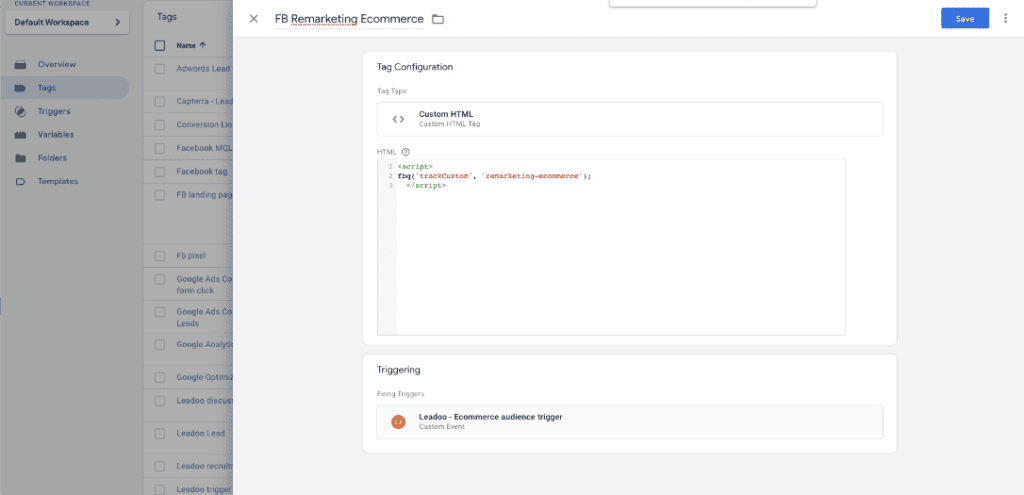
Facebook: Use the script below to create a facebook event to happen. Set it to trigger from the Leadoo event you’ve created on step 2
<script>
fbq(‘trackCustom’, ‘remarketing-ecommerce’);
</script>
‘remarketing-ecommerce’ <- this part of the script will be the name of the audience on your Ads Manager
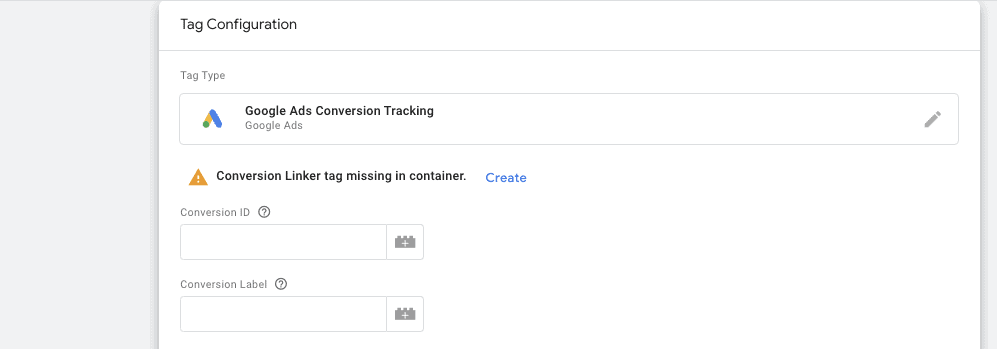
Google Ads:
Go to ads.google.com and create a new conversion action (website)