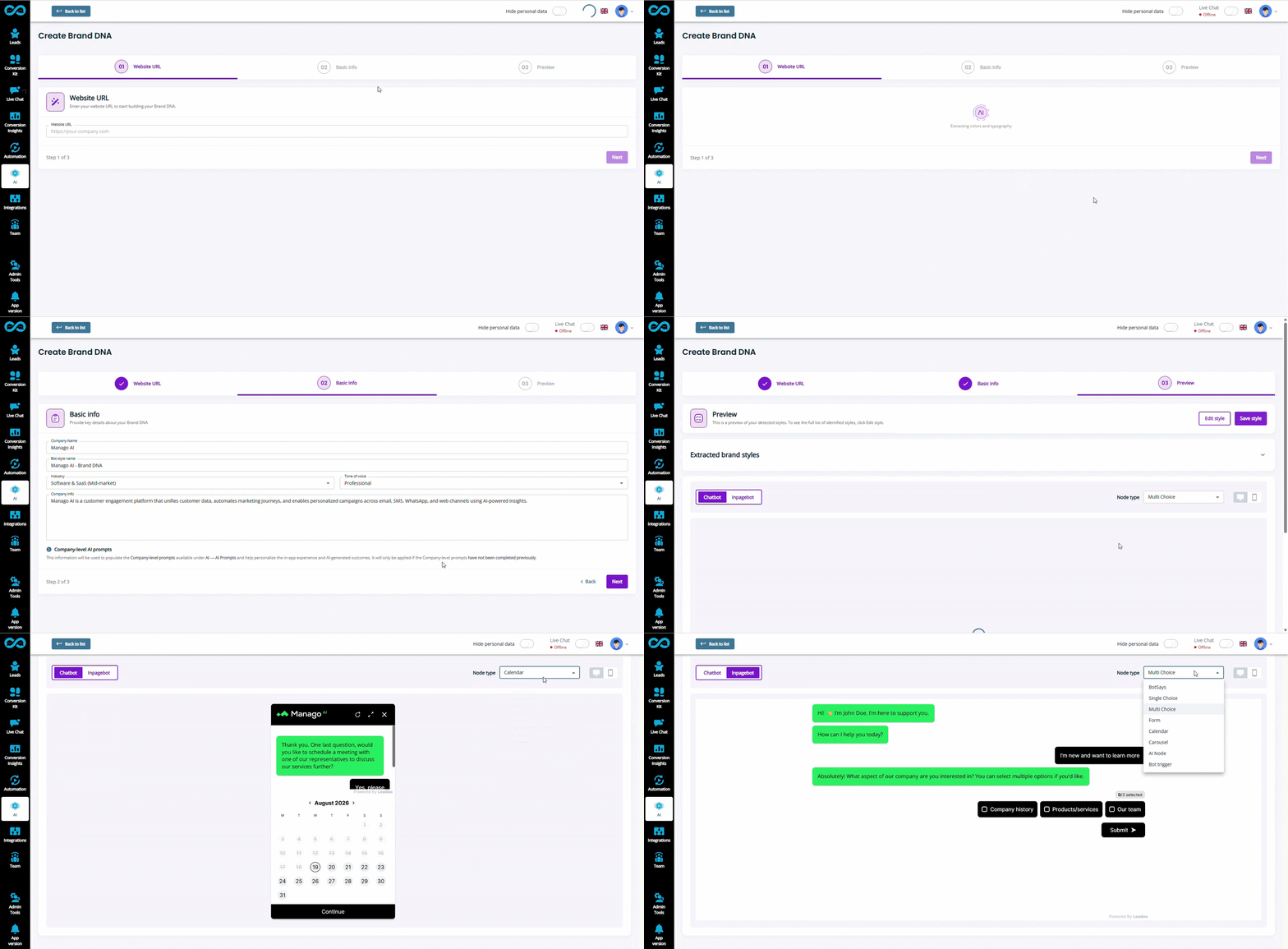
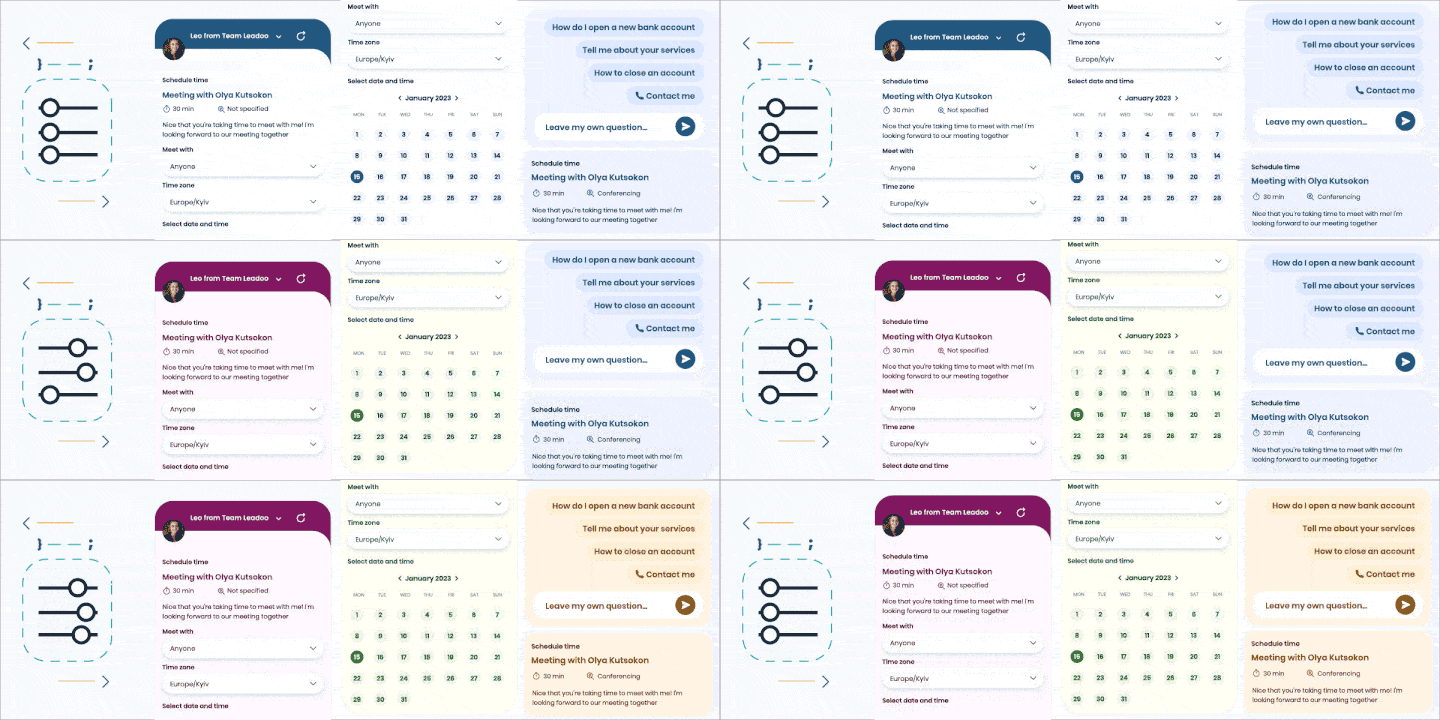
Leadoo AI can now automatically bring your website’s look and feel into every conversational tool with Brand DNA.
Why We Built This
Your Leadoo AI bots are part of your website experience. So they should be an extension of your brand too.
But getting every bot to match your website has traditionally meant manually configuring colours, fonts, logos and other design settings before you can get started. Even with Conversion Expert support, if you’re launching multiple bots, that setup can take time.
That’s why we’re introducing:
Brand DNA
Brand DNA does three important things:
How AI instructions work together? Company Context is the shared foundation, refined by Company AI Instructions and, where relevant, Bot Instructions. System Prompt → Company Context → Company AI Instructions → Bot Instructions AI Insights stops at Company AI Instructions.
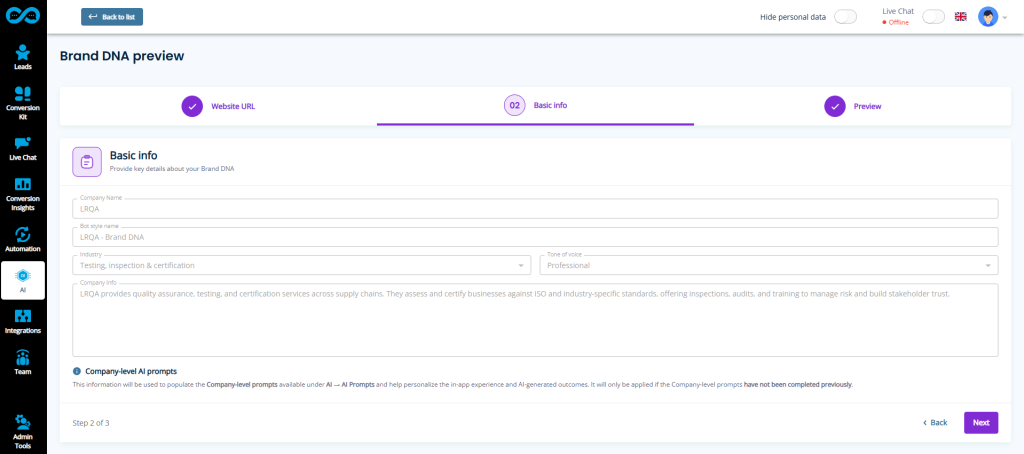
Creates Company Context that can apply across every Leadoo AI feature. Meaning your brand won’t just be represented in your bot styles, but also in the AI-powered chat responses those bots give users.
Automatically creates a ready-to-use bot style based on your existing website’s brand. Simply give Leadoo your website URL, and Brand DNA does the rest.
From Website to On-Brand Bots in Minutes 🎨
With Brand DNA, Leadoo AI automatically analyses your website and turns your visual identity into a design configuration you can use across your bots.
It identifies key elements including:
Your brand colours
Your fonts and logos
Your overall visual styling
Your tone of voice
Your overall brand messaging
One URL. Your Brand DNA. 🧬
OnGetting started is simple. No searching for hex codes. No digging through brand guidelines. No rebuilding your website style and tone inside Leadoo AI. Just enter your URL and let Brand DNA create the starting point for you.
Conversational tools that feel like they belong on your website from day one.
It also helps populate your Company Context with key company information to make setup even faster. Once generated, you can preview how your new style looks across different bot experiences before putting it to work.
So whether you’re building your first bot or adding more experiences over time, you don’t need to recreate your brand styling every time. Your Brand DNA is already there.
Why This Is Useful ✨
Instant Brand Consistency
Start with bots that already reflect the look, feel and tone of your website, rather than designing them from scratch.
No Design Effort Required
Brand DNA takes care of the initial configuration automatically. No manual colour picking, font matching or logo setup required.
Get Started Faster
Go from website URL to ready-to-use bot styling in minutes, making onboarding and new bot creation much quicker.
Stay Consistent as You Grow
Use the same Brand DNA across your bots and interactions, helping every new experience stay connected to your visual identity over time.
Less Setup. More Creating.
Brand DNA is designed to remove another piece of manual work from building great digital experiences with Leadoo AI.
Instead of spending time recreating a brand that already exists on your website, let us identify it and scale its use for you.
Brand DNA is now available in the Leadoo AI platform.
We recently updated our pricing and packages at Leadoo AI. Here, we’re laying out what’s changed, why, and what that means for anyone thinking about becoming a Leadoo AI customer.
One key change is that our pricing is more bespoke now, so if you want an accurate quote based on your requirements, please get in touch below.
A primary motivation behind our Pricing change was making Leadoo’s AI-powered conversational tools available to all new customers. Previously, it was only included as standard in our highest tier.
As users become more and more conditioned to the widespread use of AI in their work and personal lives, websites need to be able to offer AI-driven conversational experiences. To answer their questions in a relevant and realtime way.
Now, Leadoo AI is available in all Leadoo packages. More on those below. But as standard, Engage now includes 250 AI chats/month; Expand includes 2500/month and Elite includes 10000/month.
But Leadoo AI is not just about serving end website users. Our AI-led Product Roadmap is incorporating agentic AI throughout the Leadoo platform.
While our most recent addition – AI Bot Builder – changes the game in terms of Leadoo bot creation. Answer a few questions on your bots aims and within minutes, AI Bot Builder drafts you a full conversational tool that you can refine and push live on your site.
Our New Packages
Like before, Leadoo can be brought in three main packages, but we have revamped what these include and who they are aimed at. Just remember the three E’s!
Leadoo Engage
Our Engage package is the new entry point for Leadoo. It now includes a sample of conversion features not previously in our entry package – such as Leadoo AI and Personaliser. It is designed for SMEs who want to:
Generate more website leads & sales
Collect essential visitor insights to improve conversion rates
Better Engage users as they browse their websites
Leadoo Expand
Expand is our most popular package, incorporating almost all Leadoo functionality. Including things not in Engage, such as: Calendar Integrations, Advanced Logic Tools, Source Insights, Visitor Tracking and others. If your business has the following needs, Expand is probably for you:
Scale lead generation within an established digital marketing stack
Understand who is on your site and their lifetime buying journeys
Power Expansion through key conversion insights and tools
Leadoo Elite
Elite is generally for large or complex organisations, who need to deliver both a higher quantity and quality of leads across a multi-layered stack or team structure. This often involves integrating across multiple departments or MarTech tools. Elite might be for you if you need:
Tools that identify & engage large numbers of companies & visitors onsite
Bespoke integrations across tech platforms in your stack
Higher touch support with our Conversion Experts
Conversion Expert Consulting
The recent AI-driven customer features like AI Bot Builder mentioned above, form our new AI Self Service Kit.
This makes self-service in our platform easier, and lets customers draft and review Leadoo bot content far quicker. However, as for all existing customers, our Conversion Experts form a core part of the Leadoo experience.
Every Leadoo customer – regardless of package – is assigned an Onboarding manager who’s job it is to set them up on the platform, integrate with their MarTech stack, and get initial conversion tools live.
In our new packages, that time spent consulting is capped per package – after Onboarding is complete.
Previously, we had priced the service element of our packages around set numbers of optimisation sessions with Account Managers. However, customer feedback showed us that not all customers need these in a set way.
Some customers prefer their Conversion Experts to build new bots, optimise existing ones, or focus on strategy setting in the background – rather than attend set meetings.
So with our new packages, we are giving customers complete control over how their Conversion Expert hours are used.
If you want your Account Manager to attend regular meetings, they can. If you’d prefer a Technical Account Manager to spend more time on building new bots, just say the word! If you loved your Onboarding Manager, and want their input on future bot ideas, you can use them for that! Your Conversion Expert time and priorities are now shaped by you.
As standard now, Engage includes 8 hours/year of Conversion Expert consulting time after Onboarding, Expand includes 16/year and Elite includes 30/year. However, if you need more support, batches of hours can be purchased with our Experts to help you get the most out of the Leadoo.
As mentioned, with the new Pricing and Packages, we are providing bespoke quotes at this stage. So if anything here has sparked your interest, please get in touch and we will let you know how much Leadoo now costs for your requirements!
Create Complete Conversational Tools in Minutes With AI Bot Builder.
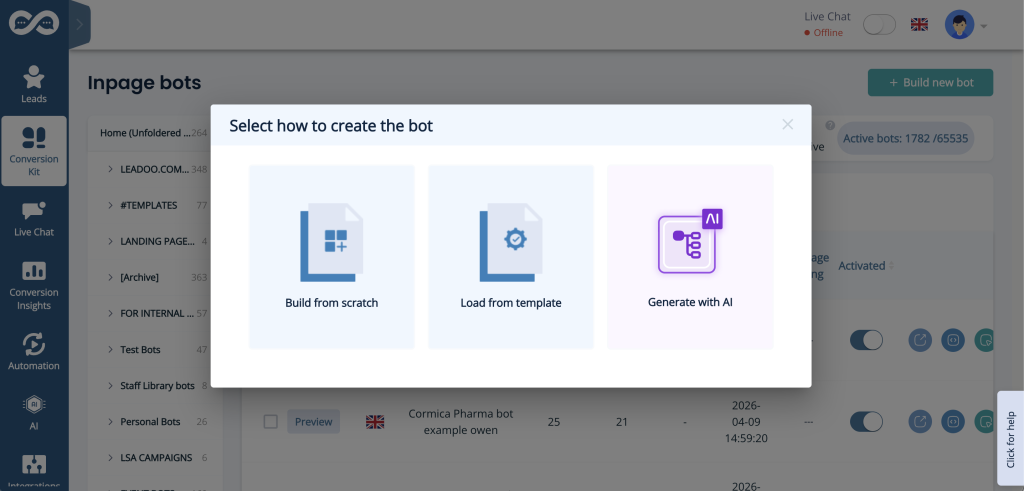
At Leadoo AI, we’re always looking for ways to make conversion-driving experiences faster, smarter, and easier to build. Today, we’re excited to introduce a massive step forward in that direction.
AI Bot Builder
A new way to create fully functional Leadoo bots using AI. From idea to onsite launch in minutes.
Ideas To Bot Drafts in Seconds
Building bots has traditionally been a manual process. From structuring flows to writing copy and configuring logic, it can take time to get everything just right.
AI Bot Builder changes that.
Instead of building everything from scratch, you simply:
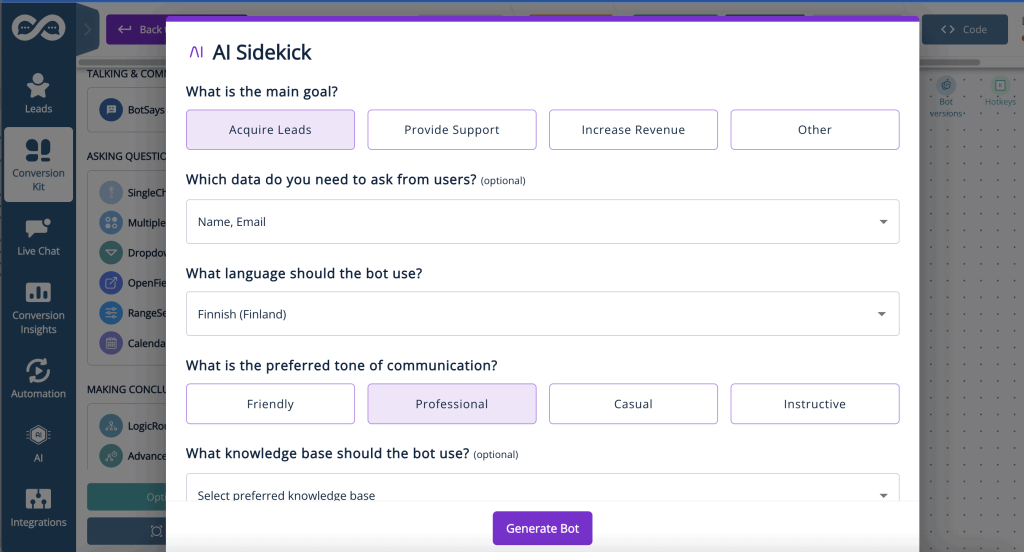
Answer a few questions on the bot’s aims
Select your use case and input specific guidance
Let AI generate a complete bot flow for you
In just a few moments, you’ll have a ready-to-use conversational tool that you can refine and publish.
What AI Bot Builder Can Do
AI Bot Builder is designed to support multiple bot formats, making it flexible across different use cases:
Across these bot types, it generates conversion structure; messaging and copy; and a logical bot flow based on your inputs.
This means less time spent on setup, and more time focusing on performance and optimisation.
Why This Is Exciting
🚀 Faster Time To Value
Go from idea to working bot in minutes, not hours. AI Bot Builder dramatically reduces the time it takes to launch your first version.
✨ Easier Onboarding
New users can get started without needing deep expertise in bot building or copywriting.
🧪 Real-World Validation
This feature helps explore how well AI can handle real customer scenarios – and where human input still matters most.
AI + Human = Best Results
AI Bot Builder is powerful – but it’s not fully hands-off.
The quality of the output depends on the quality of the input. A clear, well-defined prompt will always produce better results.
And most importantly:
👉 Human review is still essential 👈
AI accelerates the process, but it doesn’t replace the need for:
Refining messaging
Adjusting tone and brand voice
Validating logic and onsite links
We think of it as a co-pilot, not an autopilot.
Why We Built This
Bot creation can be time-consuming, and often needs our Conversion Experts to build the best conversational tools from scratch. This can slow down time to value and makes it harder to test new ideas quickly.
AI Bot Builder is meant to change that. Not just for you as an end user. But also for our Conversion Experts internally.
Initial internal testing at Leadoo has shown it can reduce bot building time by up to 30%. That’s more time for you to get the most out of the Leadoo platform, and more time for our Experts to help you do the same!
The goal? To help you launch faster, learn faster, and optimise faster.
Backend changes that help you leverage AI more while you’re in the Leadoo platform. Coupled with advances in Leadoo AI that incorporate the power of AI into frontend conversations with website visitors, and truly we’re excited to keep pioneering AI-led experiences with our customers.
Introducing AI-Generated Bot Content
Launch faster. Write less. Let AI handle the copy, with AI-Generated Bot Content.
Why We Built This
Creating high-performing conversion tools and bots shouldn’t mean spending hours writing, rewriting, or translating content.
But when you’re building multiple bot pathways, or reusing templates across multiple markets, copywriting can become a bottleneck. That’s why we’re introducing:
AI-Generated Bot Content
Let AI Draft Your Conversion Content 🤖
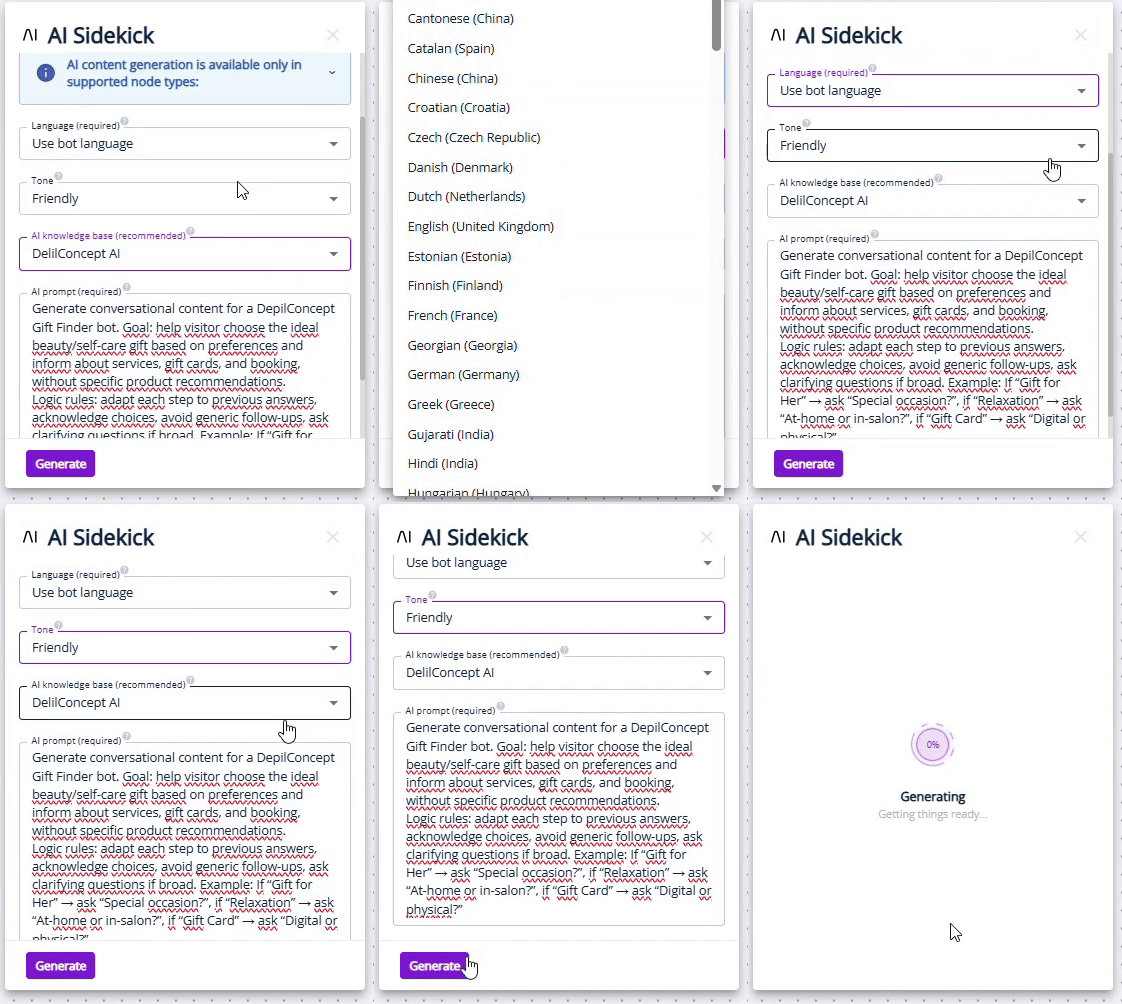
With AI-Generated Content for Bots, you can generate all text-based bot content in one go – directly inside your bot builder.
Instead of starting from scratch, AI helps you:
Draft complete bot copy instantly
Rewrite existing content with prompts to better fit your goals
Translate bot pathways for different markets
The result? Less time writing, more time optimising performance. Or focusing on something else entirely! Here’s a quick demo of how much time translation mode can save for example 👇
Three Modes, One Goal 🥅
AI-Generated Content for Bots supports three powerful modes, depending on what you need:
Generate: Create bot content from scratch — perfect for new bots or fast experimentation.
Rewrite: Improve or adapt existing content without manual reworking.
Translate: Translate bot pathways into new languages (available as an extra-charge service).
Generate and Rewrite modes are available now for all customers with access to ChatBots and InpageBots.
Built For Control, Not Just Speed 🎮
AI-generated content should feel helpful, not random. Just like how Leadoo AI helps educate and sign-post your website users, while giving you clear guardrails over content. That’s why this feature also includes multiple layers of control.
You can:
Generate content for all text-based bot nodes at once
Use Redo & Undo to easily compare results
Apply prompting on a per bot or per account level
For customers with the AI module enabled, AI Knowledge Base selection ensures generated content stays aligned with your brand, tone, and offering..
Why This Is Useful ✨
Saves Serious Time
Drastically reduces manual rewriting when reusing bot templates across campaigns or markets.
No Copywriting Skills Required
Empowers anyone on your team can launch bots faster, without waiting on a copywriter.
Focus On Performance, Not Drafting
Spend your time testing, optimising, and converting. Not duplicating content, or creating from scratch.
AI-Generated Bot Content is designed to remove friction from bot creation — so great ideas can go live faster. You can even ask our Conversion Experts to review what you’ve created with AI!
Less manual work. More consistency. Smarter use of your time.
AI-Generated Content for Bots is available now in Leadoo AI.
Go beyond the numbers. Understand the story behind them with AI Insights: Conversational Flow.
Why We Built This
In late 2025, we introduced AI Insights, giving teams a faster way to spot trends and opportunities across their conversion data.
The AI-powered Insight Strip gave highlights at a glance on bot performance, and potential ways to get more out of your Conversion Kit. Now, we’re taking the next step.
AI Insights: Conversational Flow
A new way to explore your analytics through natural, contextual conversations with AI.
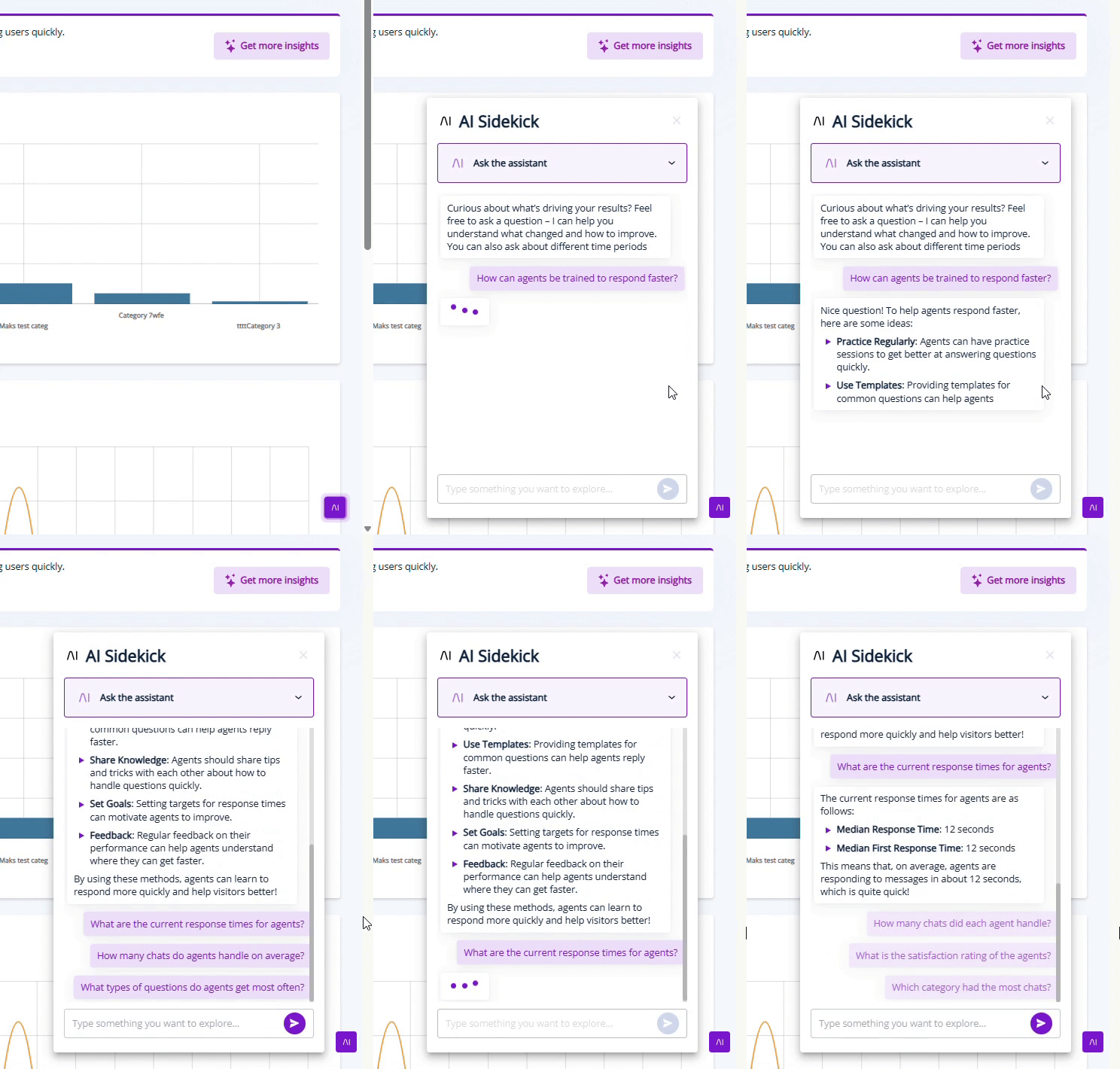
Instead of simply receiving headlines and suggestions at a glance, we’ve incorporated your very own AI Conversion assistant into your Leadoo AI account. Their job is to scour your conversion data, translate those insights into a digestible conversation, and respond to your questions about what you could do to get even better results going forward.
We already provide the best Conversion Experts in the business. Now we’ve made one available 24/7 to discuss your data and decisions with. See it action here 👇
From Trends to True Understanding 📈
Charts and metrics are great at showing what happened. But when you’re trying to optimise for more conversions, you also need to know why it happened, and crucially, what to do next.
Conversational Flow adds a new layer to AI Insights, letting you dive deeper into your analytics with natural, follow-up questions. Much like you would with your Leadoo Account Manager, but whenever is convenient for you.
Click ‘Get more insights’, ask what you’re curious about, and instantly receive clear, contextual explanations based on your real data.
At Leadoo, we strive to make our Conversion Tools fit seamlessly onto your website. That doesn’t just mean in terms of site speed and accessibility. We know they also need to look good!
So we’re happy to announce that you can now include Icons and GIFs as triggers for Leadoo Chatbots!
Branded or Non-Branded ChatBots 💬
Why icons and GIFs? Well firstly, we want our chatbots to be an extension of your brand. They do speak directly to your customers after all.
With all of our conversion tools, you’ve always been able to customise them with specific colour codes, messaging and formatting that reflects your organisation and branding. But now, before users even start a discussion with a Chatbot, they can see your branding assets.
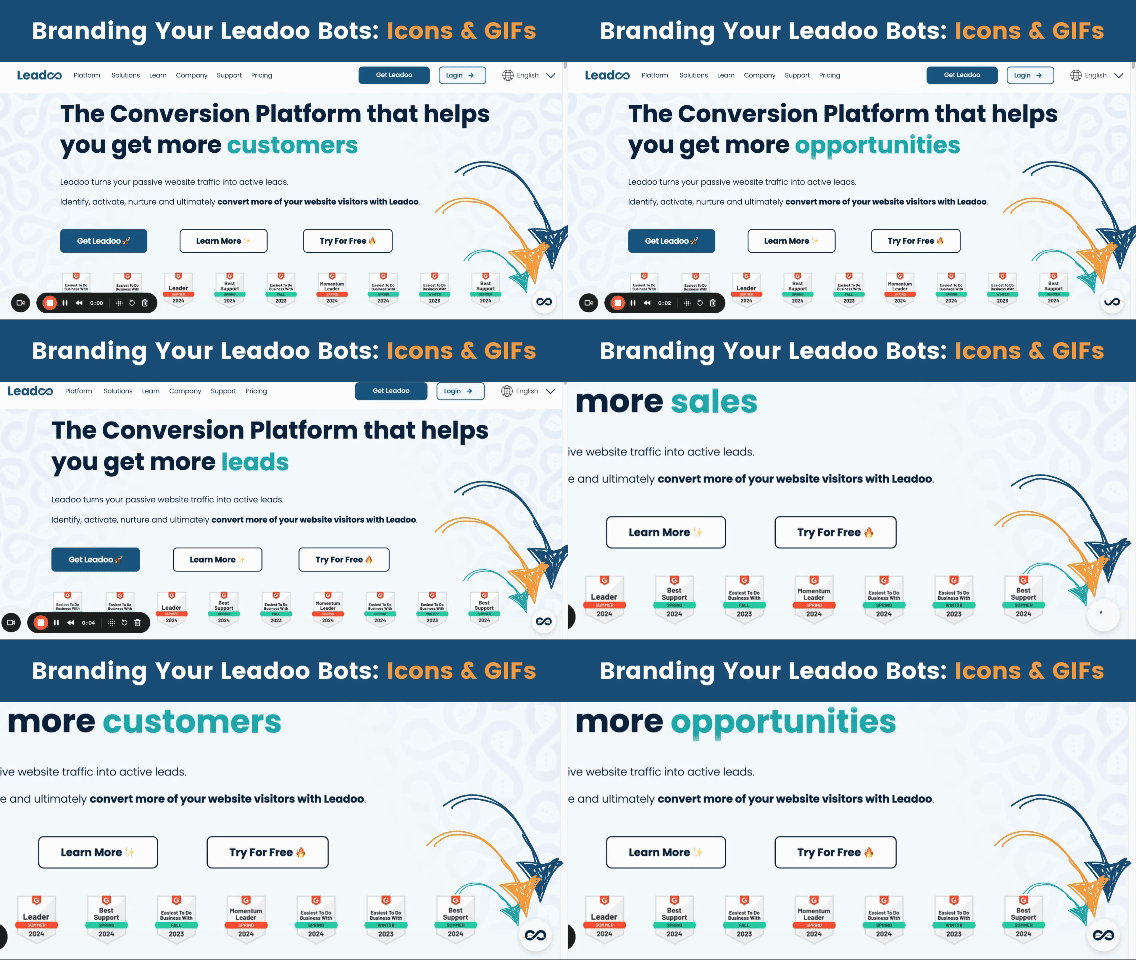
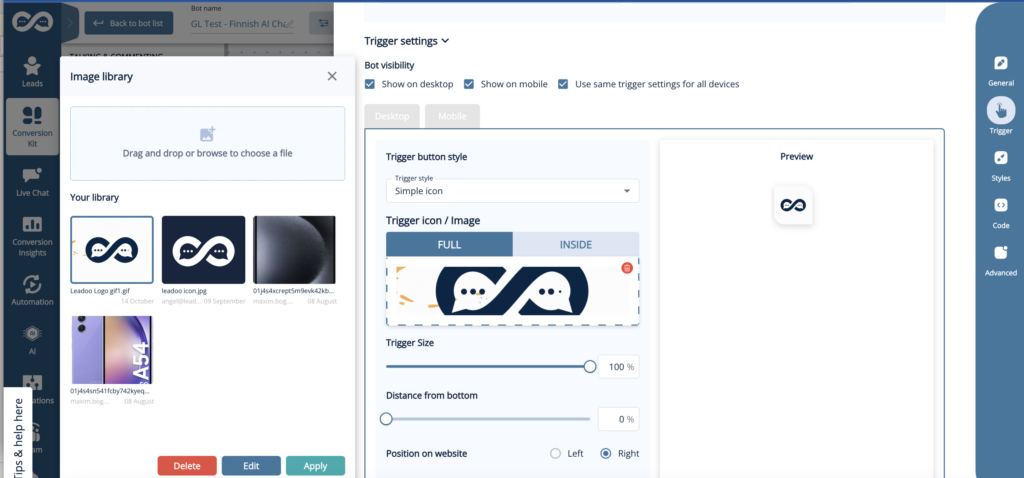
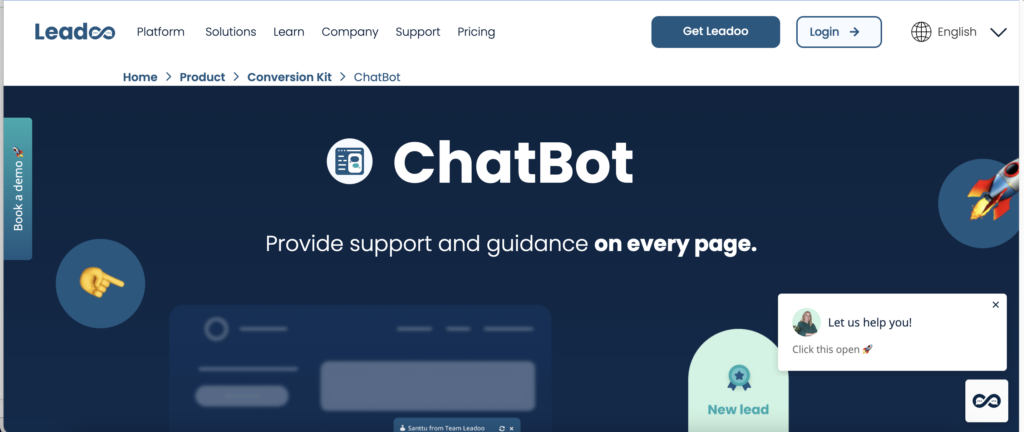
Above you’ll see that we’re using an animated GIF of the Leadoo logo on our website’s chatbots. But they don’t have to be branded at all. Indeed, you could use icons and GIFs to visualise the use case for any specific chatbot.
Whatever you decide for your new Chatbot trigger visuals, they couldn’t be easier to implement!
Open any ChatBot in the Leadoo platform, and under ‘Settings’ → ‘Trigger’ you’ll see the below. Where you can customise exactly what the chatbot triggers involve, with your full library of images and GIFs. All with a helpful preview mode so you can test to your heart’s content!
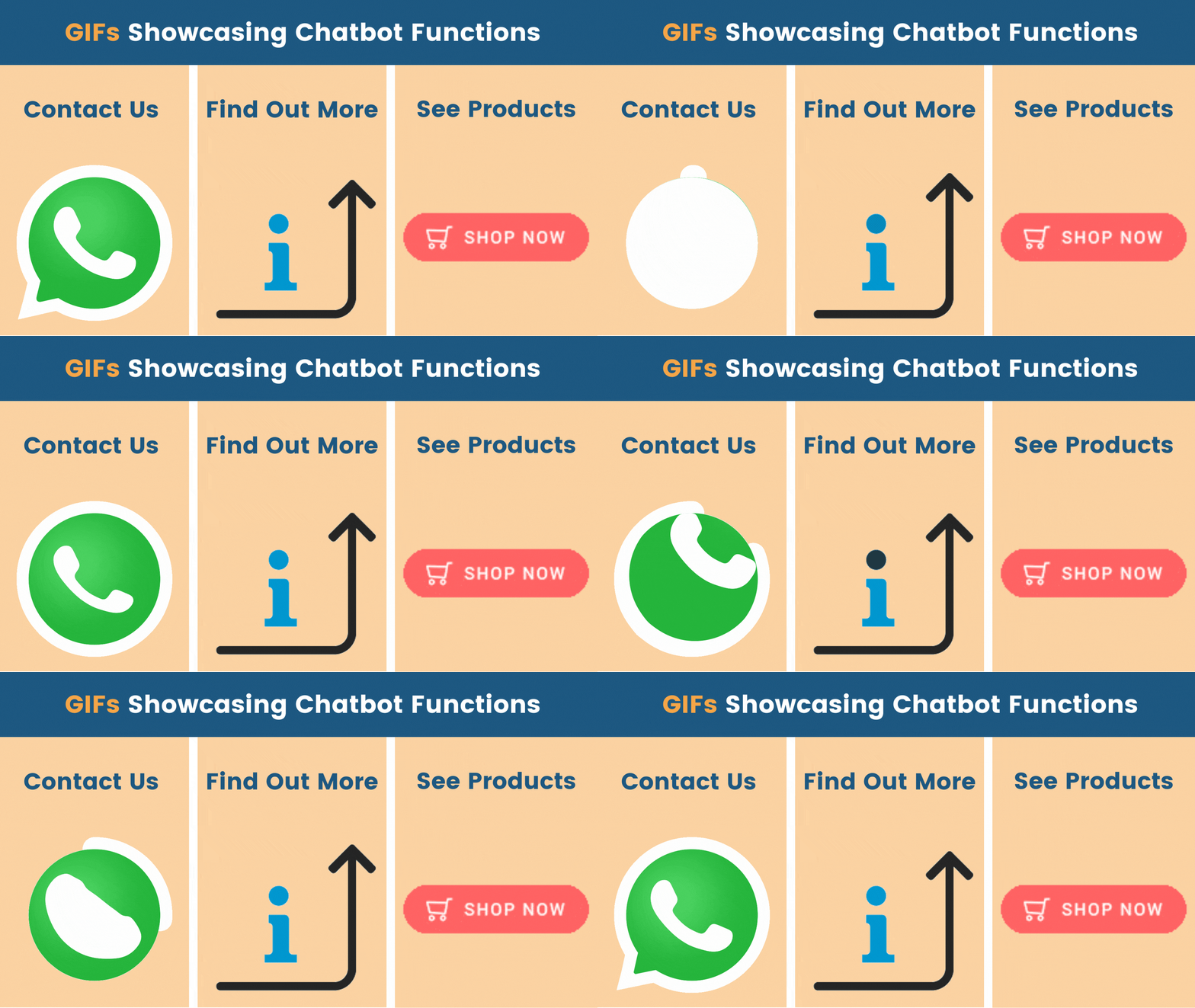
Once you’ve decided on formatting and messaging, your Chatbots will appear onsite with the new visual triggers. Just like before, you can still have messaging or user prompts above your Chatbots (as seen below).
But with the triggers now supporting different image and GIF types, you can now make your Chatbots even more visually engaging and appealing!
Leadoo AI: New Intent and Real-time API updates
When we launched Leadoo AI, we wanted customers to be able to leverage the power of AI to drive conversions, and make their websites more conversational to visitors worldwide.
Since then, we’ve been optimising Leadoo AI to make it even more powerful. We’ve added support to new LLM models (Claude 3.5 and GPT4o) to improve answer accuracy; improved the Knowledge Base system to allow direct content editing and multi-knowledge base support; and improved lookups to products and website URLs.
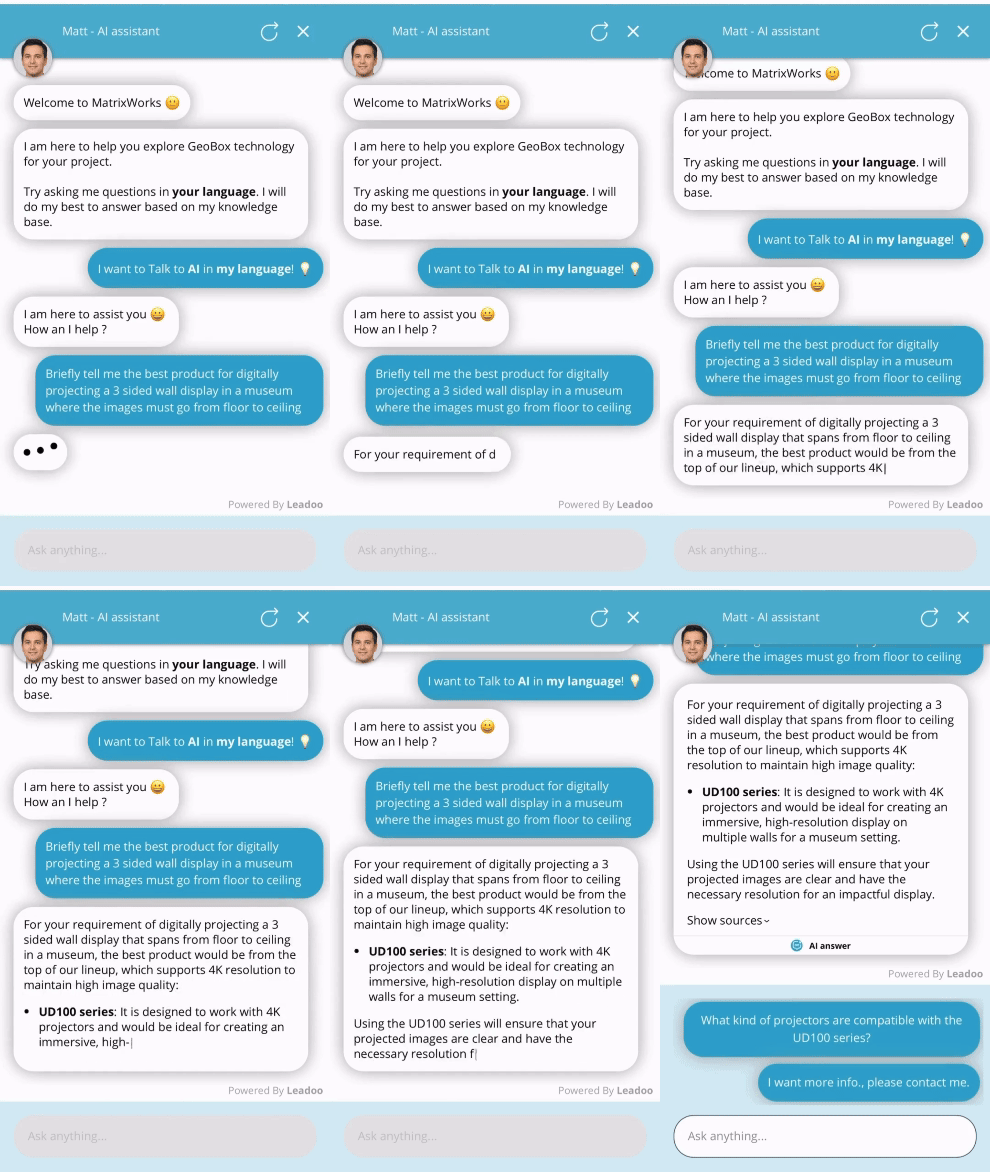
Matt is MatrixWorks’ AI assistant who guides on which solution is best for them
Now though, we’re launching two major updates to Leadoo AI. Introducing Custom Intent Fields and Real-time API calls. All Leadoo AI users can benefit from these, but eCommerce customers should be particularly interested – as we’ll lay out here.
Real-time API Calls 🔄
Any website selling products can be supercharged by our new API calls within Leadoo AI. Because it syncs in real-time with your eCommerce platform, to display relevant and available products to users.
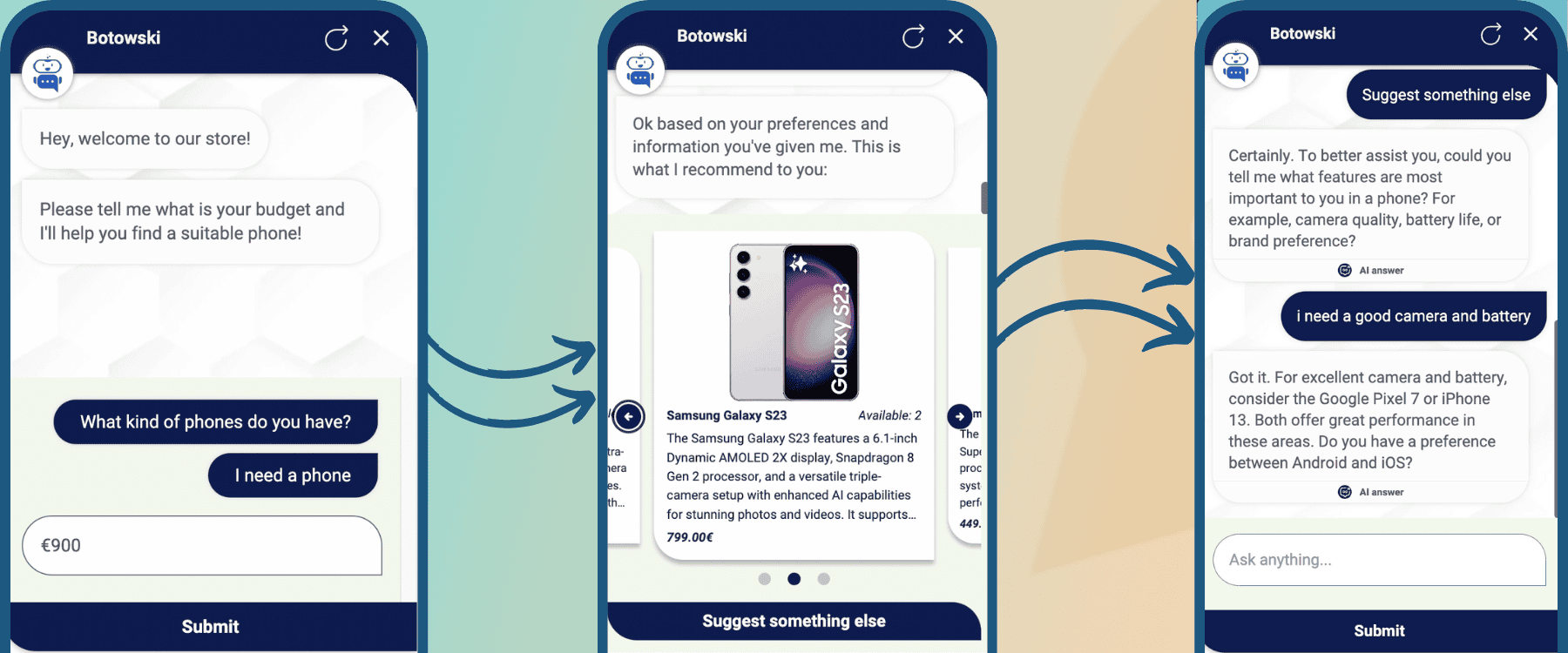
Layered with our existing AI capabilities, this creates a powerful combination. Where our conversational tools not only make recommendations based on user requests and preferences, but also display those recommendations visually within the bots.
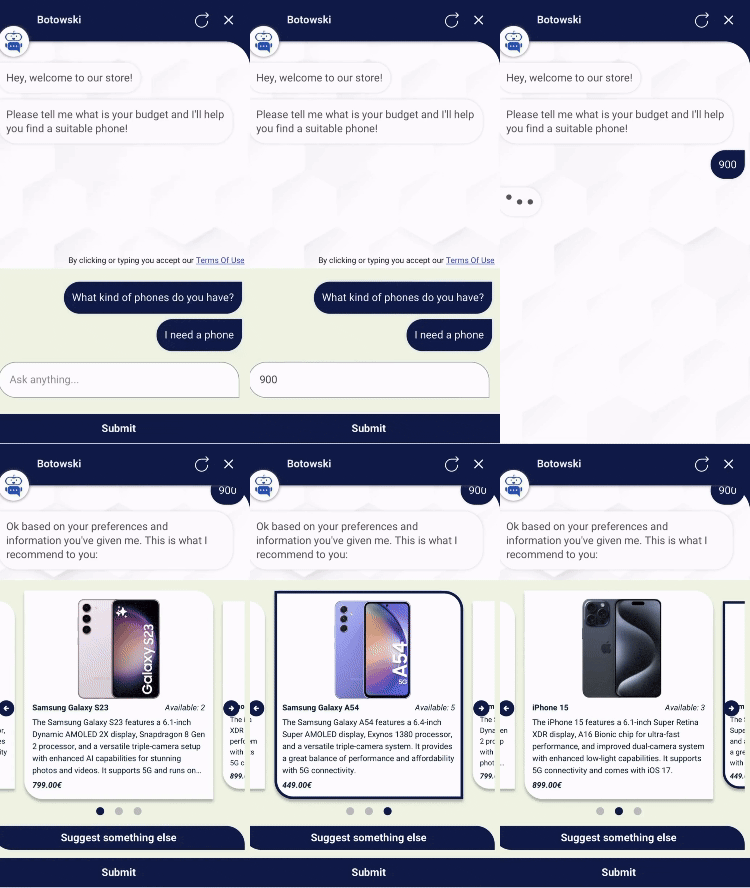
With the user entering a budget, Leadoo AI can now find products that fit within this
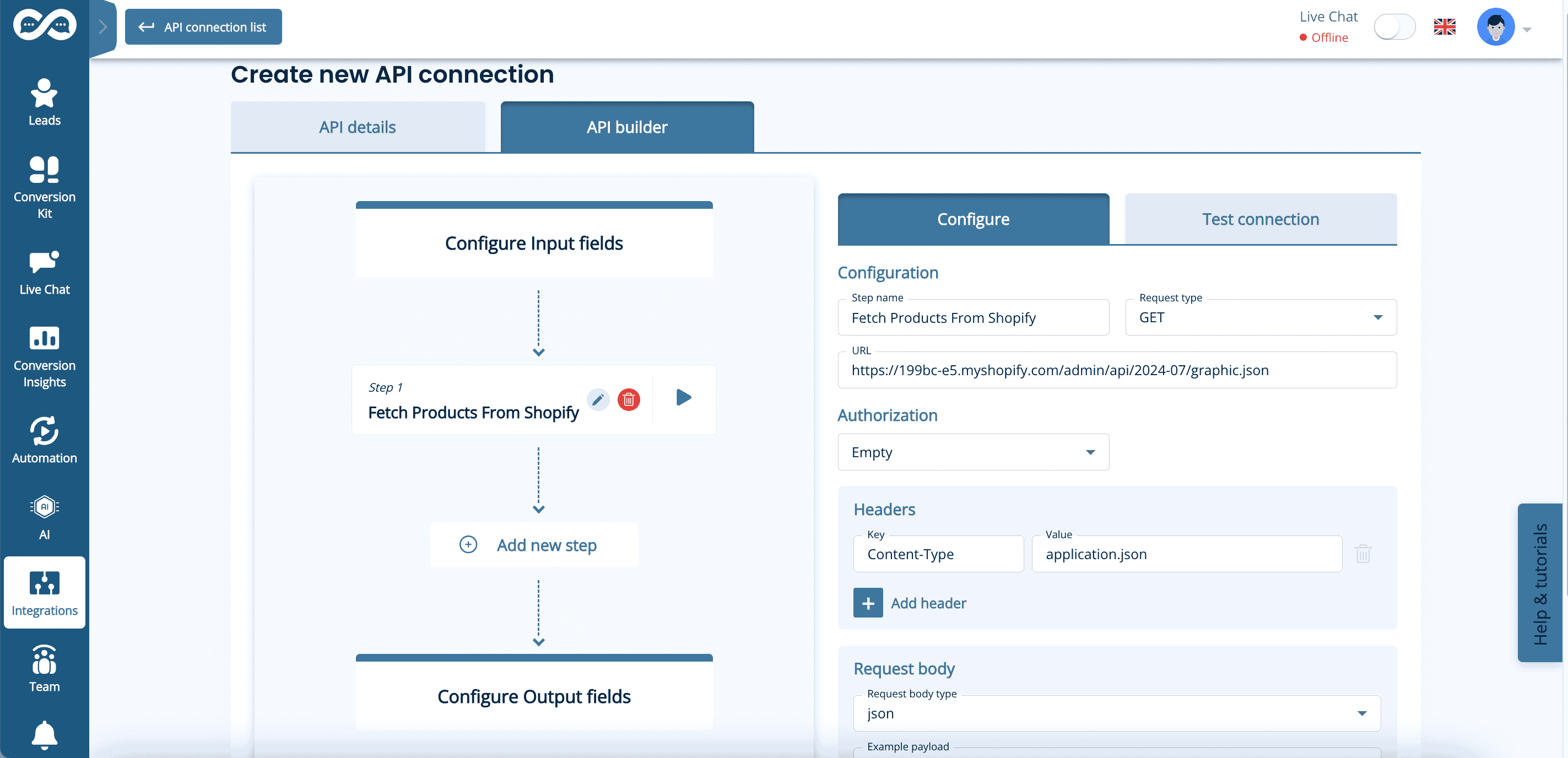
As shown here, the API connection enables a phone seller to sync with their Shopify store, and display only available phones within the users designated budget of €900.
When displaying multiple options this takes a carousal format as shown. Where users can cycle through relevant product recommendations, which can include:
Product descriptions and URL links
Latest prices
Stock availability levels
Specifications and features
Think of an in-store customer assistant. Except faster and able to operate 24/7 on your digital storefront. As it’s Leadoo AI, it also speaks 40+ languages, so can serve customers all over the world!
API Calls don’t just end with a recommendation. Users can get alternative suggestions if they update their requirements in the conversation.
Setting up these API connections can all be done within the Leadoo platform, and our Conversion Experts are on hand to make that happen for you. We can connect to any eCom platform with a Rest API, but have tested integrations ready to deploy for:
Magento
Shopify
Woocommerce
API Calls can be configured in the Leadoo backend – just like CRM or MA integrations can be
AI Custom Intent 🤖
Custom Intent Fields are our way of detecting user intent, and directing the conversation to certain pathways based on that intent.
This can be done by tweaking the prompts of your Leadoo AI bots manually. However, prompt testing is time consuming, and can result in long and complicated prompts trying to cover every eventuality.
So instead of having to type ‘If user asks about X, direct them to Y’ into your Leadoo AI prompts, you can now use Custom Intent Fields.
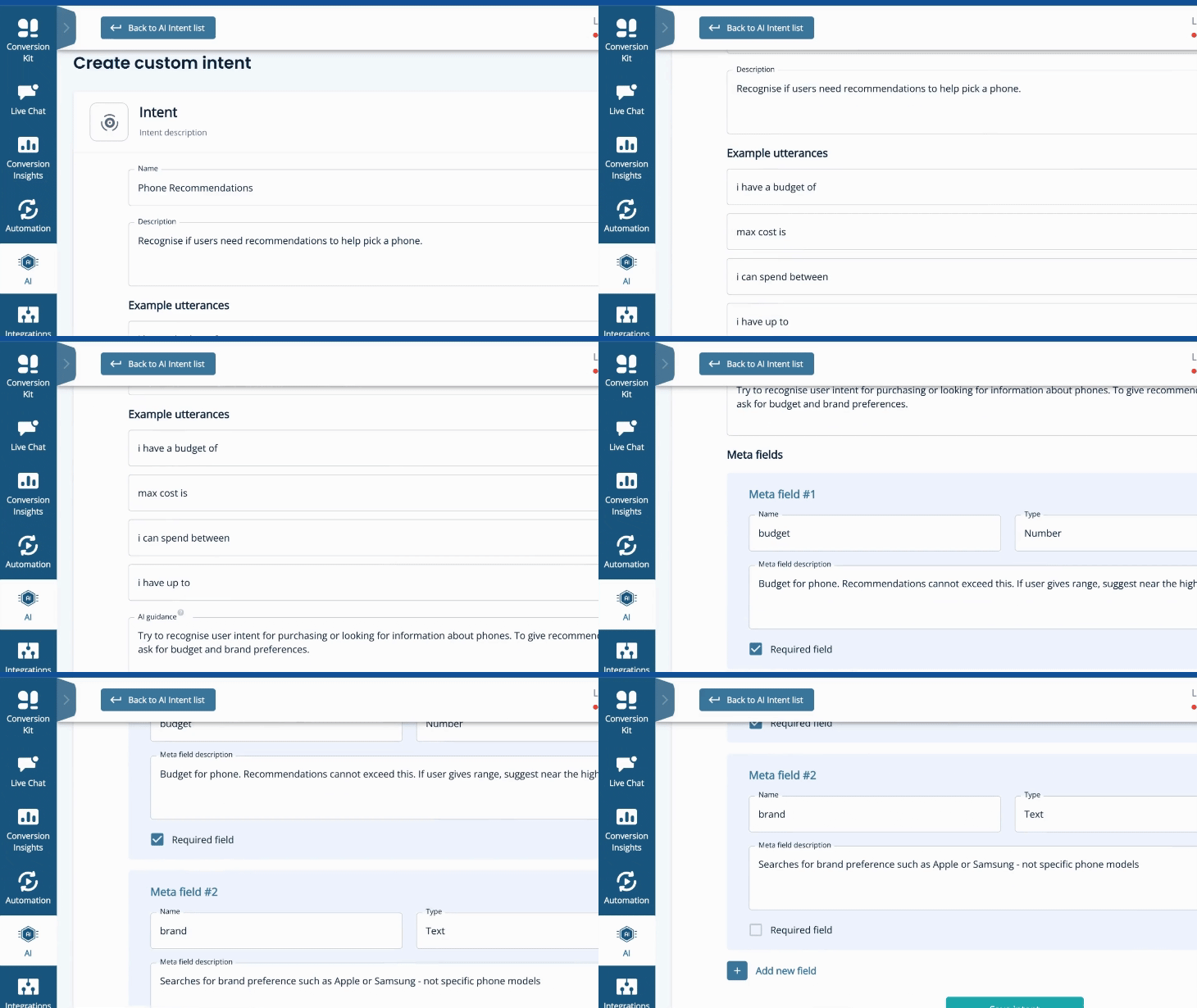
How you can shape Custom Intent Fields in the Leadoo platform
In our phone example, a user naturally might need help finding the right model for them. Any number of factors could go into this. Brand preference, budget, camera requirements, battery life, etc, etc.
So we create a Custom Intent called ‘Phone Recommendations’. This will kick in if the AI determines that our guidance of ‘Try to recognise user intent for purchasing or looking for information about phones. To give recommendations, we need to ask for budget and brand preferences’ has been met.
To help it recognise this, we enable you to give ‘Example Utterances’ to follow – like ‘i need a new phone’ ; ‘my phone broke’ ; or ‘i can spend up to’. If a user says something along these lines, our Custom Intent will kick in.
Within this Custom Intent, you can also specify what information should be collected by the AI. For example, to give recommendations it will be essential to know the user’s budget. So we create a mandatory ‘Meta Field’ of what info is required for the Custom Intent pathway to continue.
This could be anything from whether or not they are an existing customer; to how much they want to spend; to if they have a favourite brand. Meta Fields can be mandatory or non-mandatory. Often they will be helpful, but not essential for the AI to make a suggestion. For example, what colour a customer is looking for.
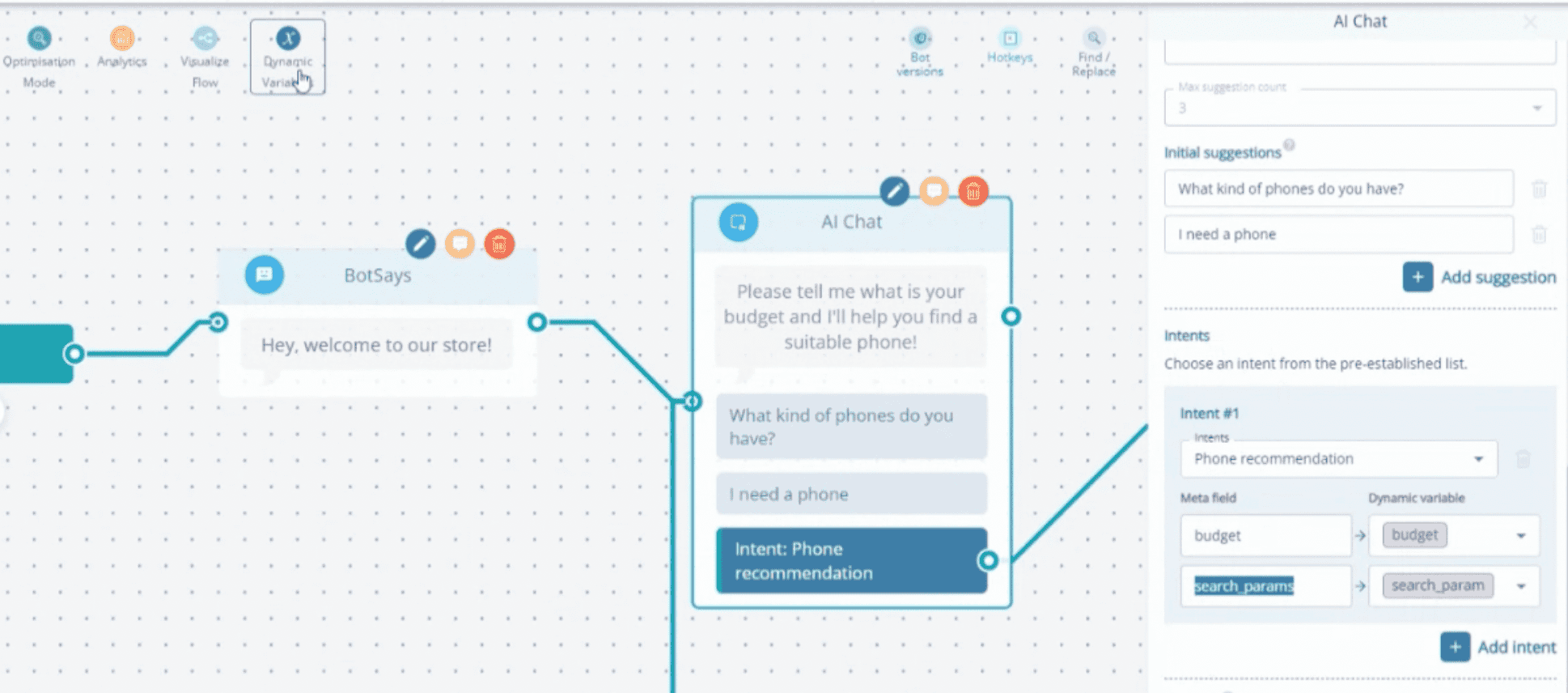
Once you’ve set your Example Utterances and Meta Fields, your Custom Intent is ready to be applied to any Leadoo AI bots, as shown below.
Multiple intents can be included within any AI node in the Leadoo Bot Builder
You can add up to 10 Custom Intent Fields. Which will serve as advanced routers within your AI bot setup – e.g. ‘if user shows intent about X, do Y.’
The end result? More relevant and satisfactory interactions for the user – based on what they actually wanted the bot to show them. As well as less prompting and maintenance needed in the backend of your Leadoo AI.
Better, more relevant UX. Combined with less setup for you. An example of AI truly making everyone’s lives easier!
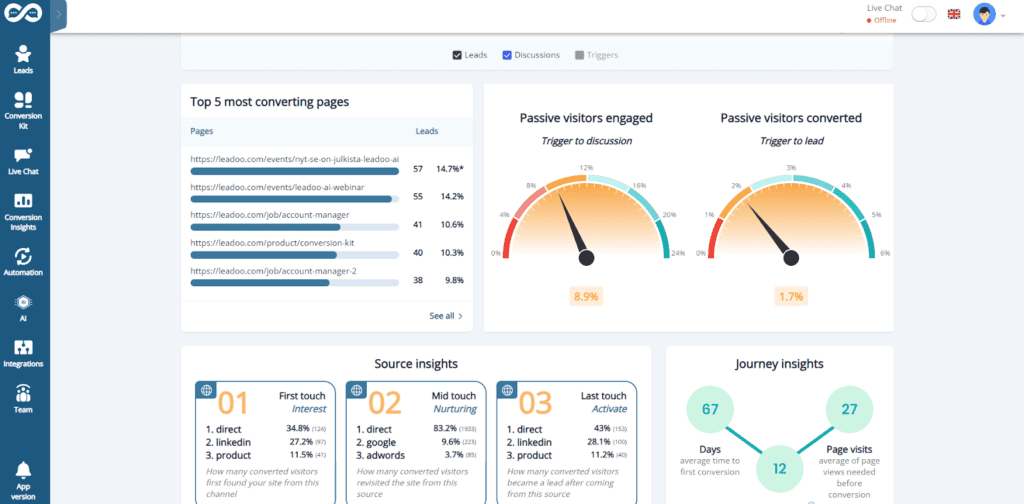
Leadoo 3.0 is here in time for the new year, bringing with it a tonne of changes. You might’ve noticed some of the more obvious things already(like the overhaul of our dashboard for instance… 👇)
However, our tech team has been hard at work under the hood to deliver some fantastic changes. Everything from delivering performance tweaks, to new design templates, to truly groundbreaking feature additions like Leadoo AI.
So without further ado, let’s dive into what’s changed, and more importantly, how it benefits you!
Leadoo AI 🤖
Introducing Leadoo AI, probably one of the biggest product updates we’ve had in a while and it’s a complete game changer.
What is Leadoo AI? 🤖
Leadoo AI harnesses the power of AI technology and Large Language Models to help you drive more conversions and give answers to visitors in real-time as they navigate your website.
Feed our AI Knowledge Bases specific pieces of content or information (whether it’s a PDF, a single page or an entire website.) Leadoo AI will then digest this content and then use it to answer questions in real time, anywhere on your website.
Avoid controversial or irrelevant conversations too by setting specific guardrails. Tell Leadoo AI what it can and can’t comment on, what tone of voice to use throughout the conversation and if it should prioritize certain topics or links in its responses.
In contrast to the traditional chatbots you might currently see on the market, Leadoo AI helps you offer your site visitors an unparalleled on-site experience by expanding on much more than a generic, hard-coded answer.
It’s easy to forget that most site visitors aren’t ready to buy straight away… In fact, the average conversion rate across most websites is around 2%, meaning that the other 98% will leave without doing anything at all. Learn more about Traffic vs Conversions
Therefore, it’s wrong to assume that many visitors are happy to book a demo/consultation straight off the bat! Especially for a product or solution that they’re not sure is right for them.
Especially if your product offering is complex. It can be a real struggle to get your site visitors to the right destination!
That’s where Leadoo AI steps in.
Imagine your site visitor wants to ask a particular question and explore your product offering in a way that suits them. Leadoo AI automatically adapts the conversation to meet their needs, and even signposts them to relevant content or call to actions. Crucially, solely based on the content you give to our Knowledge Bases. Therefore bringing a level of fluidity that traditional chatbot tools simply can’t offer.
Research has shown customers expect a chatbot to respond within 5 seconds. So offering that on-demand yet detailed interaction gives you the cutting edge above competitors who aren’t harnessing the true power of modern technology like Leadoo AI. If you haven’t already, check out the vast range of tools Leadoo offers that can help you turn your website into your best performing sales channel using unmatched levels of personalization.
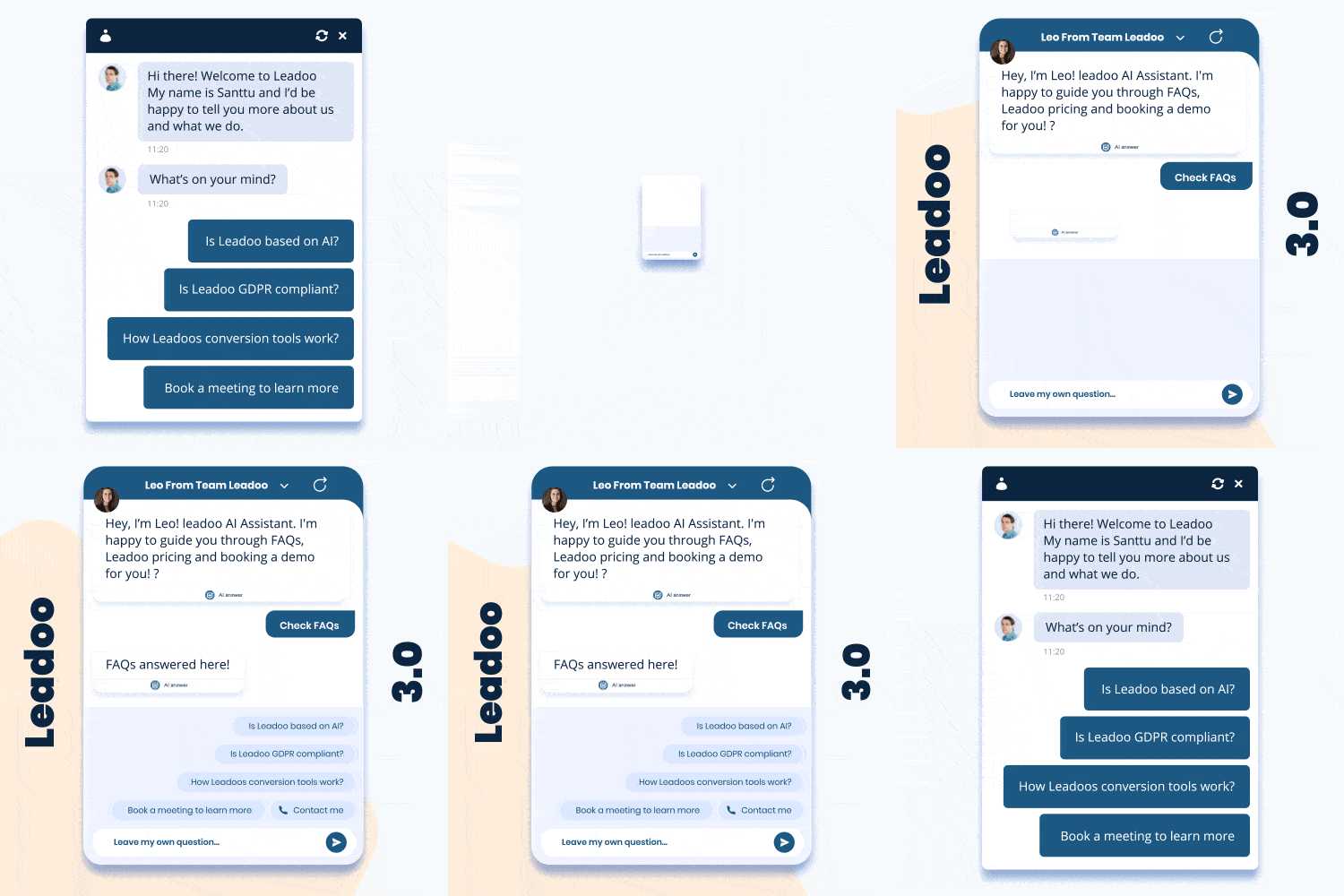
Leadoo 3.0 brings a batch of new designs and implementations to the table to make our bots look and feel more dynamic than their previous iterations.
3.0 designs bring more modernity into our product, adding a variety of hand-crafted animations into our already engaging conversion tools. Making interactions with our InPage, Chat or Visual bots feel smoother and more enticing.
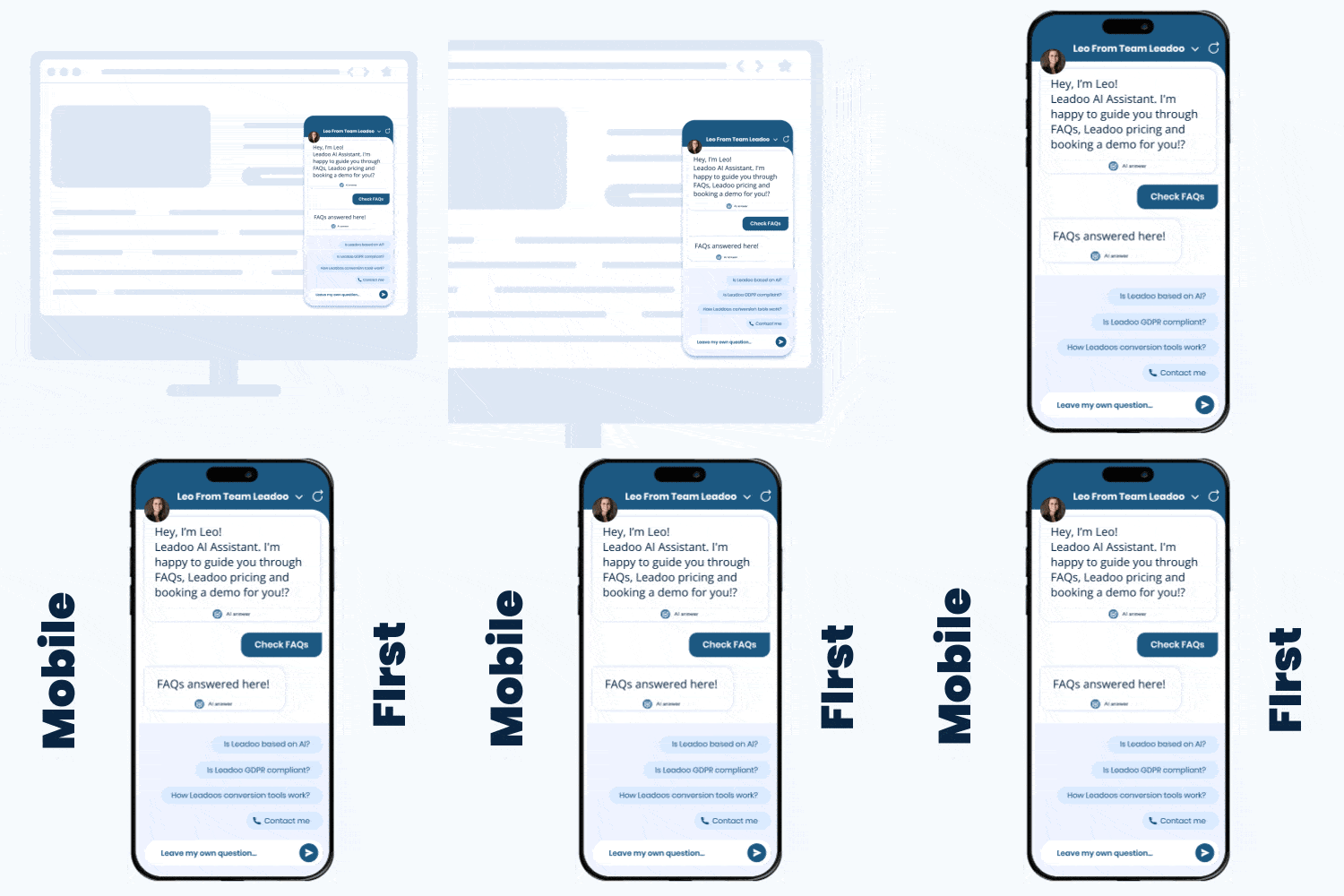
Mobile-First Chat Bot 📱
Thanks to 3.0, Chatbots have been updated to look much more like a mobile app when triggered, taking up the whole screen when opened.
Thanks to this development, the interaction with a Chatbot on mobile is now more immersive, providing your site visitors with a more comfortable experience.
Dedicated Bot Styles
Similar to how the CTA and Visual Bots already worked, InPage & Chat Bots now have their own dedicated styles that are compiled separately to the bots.
The addition of dedicated styles also awards better performance considering the bot scripts are now smaller than they used to be, and are less technically complex compared with 2.0.
Technical Stuff🔧
Keep in mind that many of the additions below aren’t immediately noticeable for most users. They are, however, improvements to our core technology to make Leadoo faster & more efficient! ⚡
Optimised Style Rendering (CSS)
With Leadoo 3.0, increasing bot performance was a big priority. To minimise impacts to site speed, Leadoo bots will now be rendered individually in the background and not just when the bot is being interacted with.
Segmented Bot Functionality
In addition to the other techy-stuff we’ve been working on, we’ve now broken the code behind our bots up into several segments. It isn’t immediately noticeable for smaller bots due to the size, but for more advanced bots, loading times are significantly quicker! 👟
Reactive UI
Before Leadoo 3.0, only Visual & CTA bots had what we call Reactive UIs. The introduction of “Reactive UIs” means that we can create rich interfaces with live information so bots feel more like applications rather than old-fashioned web page widgets.
Again, this isn’t immediately measurable by the end user but gives our tech team more accessibility when it comes to updating Leadoo in the future.
Overhauled Bot Logic Processor
Another update that isn’t directly measurable by end users or site visitors once again. The logic processing of our old 2.0 bots were aging poorly, so we decided to completely overhaul and rebuild the bot logic backend.
The new system we’ve put in place allows you to build more complex bot flows and gives our developers what they need to bring more fantastic updates to the table.
Single Sign On (SSO) Login
We’re proud to announce a newfeature addition to Leadoo’s Conversion Platform, Single Sign-On (otherwise known as SSO.)
What is SSO?
Before we introduced Single Sign-On, users could only access Leadoo using their username & password (which can be forgotten or compromised.).
Did you know that globally, it’s estimated that up to 40% of all IT help desk queries are about passwords?! 👀
Now with the introduction of SSO, Leadoo users can now quickly sign in using their Google or Microsoft account – eliminating the need to remember multiple passwords.
How do I switch to Single Sign-On?
Changing the way you login is super easy.
> The only requirement is that the email address assigned to the account you’re currently using must match the email IDof the Google or Microsoft account you want to use SSO with.
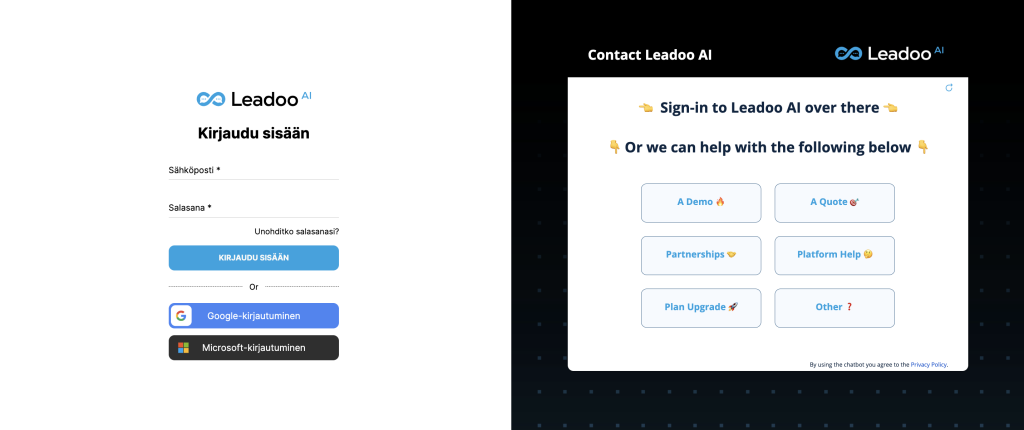
If they match, it’s as easy as heading over to our login page and following the instructions below.
Step 1 – Choose the account you want to login with and follow the prompts offered by either Google or Microsoft.
Step 2 – Once logged in, you should be given the option to switch to SSO.
What if my Leadoo email doesn’t match my Google/Microsoft account?
No problem! Setting up SSO is as simple as adding a new account to your Leadoo user panel. Follow the instructions below. It’s incredibly easy!
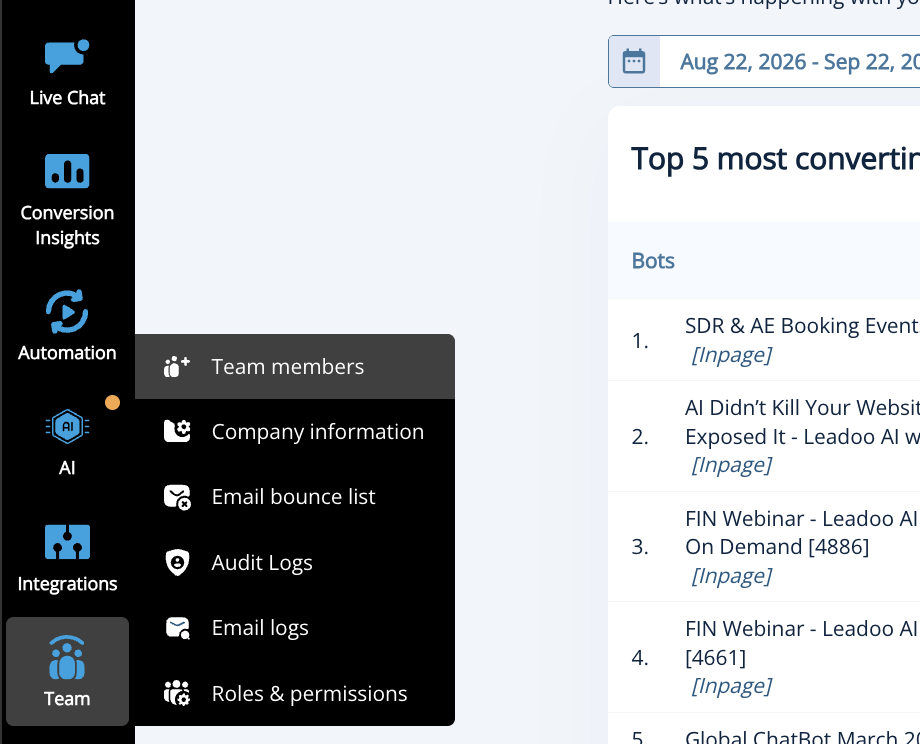
Step 1 – Open your Leadoo dashboard by signing in then head to the ‘Teams’ tab on the left hand side.
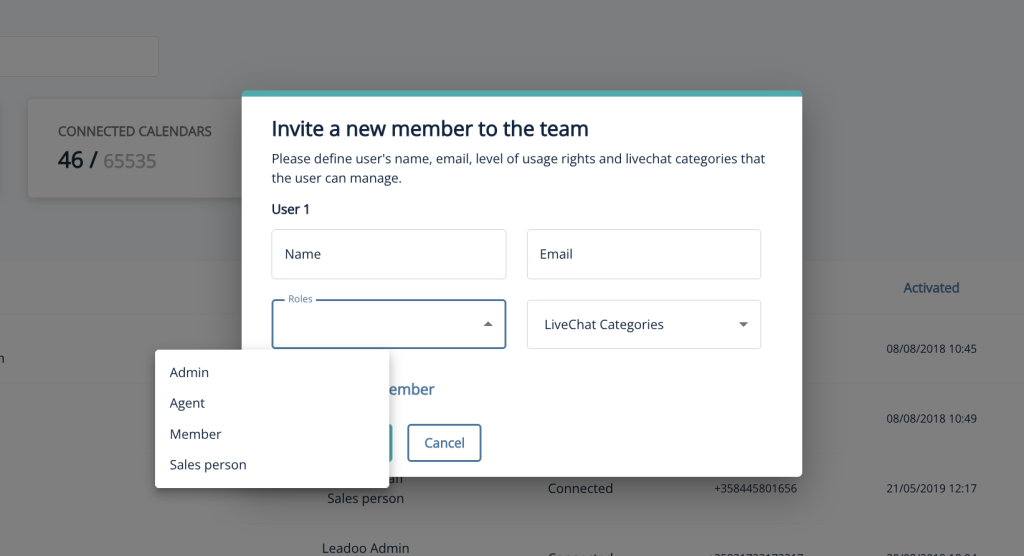
Step 2 – Once the teams dashboard has loaded, head to invite member in the top right corner.
Step 3 – Fill out the details for the new account you’d like to add. Make sure the email you’re adding matches the Google/Microsoft account you want to enable SSO for.
Once done, click ‘send invitation’ and head to the email you’ve just added to accept the account invite. ✉️
Follow the steps on the invitation email and ✨voilà!✨
Head back to the sign in page and log in with your Microsoft or Google Account. You’ll now be able to access your Leadoo account using SSO.
Why did we introduce SSO?
There’s a few reasons why we introduced Single Sign-On. Reasons like:
🕒Saving Time – SSO helps reduce the amount of time tinkering with passwords and enhances productivity alongside ease-of-use.
🔒 Security Enhancements – No more having to write down & store insecure passwords. You can now access Leadoo using your Google or Microsoft account.
Also, keep in mind that for bespoke or enterprise level plans, admins can now force SSO logins meaning that anyone trying to access Leadoo would need to do so using an account created by their organization, adding an additional layer of protection.
💻Decreasing IT Costs & Help Desk Calls – Around 40% of all IT help desk calls are relating to a forgotten password. Eliminate this expense by giving users the capability to quickly login using a single, familiar password.
🖱️ Enhanced User Experience – The most important reason to us. We wanted to make accessing Leadoo a slick, streamlined process and we felt like adding Single Sign-On to our ever-growing list of features contributes to our platform’s accessibility.
Trouble accessing your account?
If you’re having trouble logging in using SSO or you’re getting unexpected error messages, please reach out to support by following this link here.
Leadoo’s mission has, since its inception, been to boost website conversions and today we empower over 1000 websites all around the globe to do just that. We believe that companies are leaving money on the table by only focusing on driving traffic to their website, while 98% of the visitors they drive there don’t actually convert to leads. What a waste.
But, no more; Leadoo’s conversion platform helps companies increase their conversions by offering a superior website experience: one that’s more personalised, more interactive and more conversational. For today’s buyers, the experience they receive is crucial as they increasingly expect more immediacy and personalisation from the websites they visit. If you are not able to keep them engaged and address their needs quickly and effectively, they will simply move on.
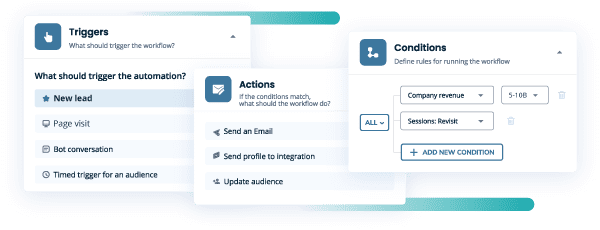
To convert website visits to sales is the end goal for every company website. Identifying which companies have visited your website is useful but being able to act on that information in real-time is invaluable. Today, Leadoo is releasing something that will make real-time interaction possible for the first time.
Still, so often we see marketing and sales working totally separately, not being able to utilise the data the other team produces. This means that salespeople can’t easily focus their efforts on the prospects that are clearly signalling buying intent, and we all know what wrong focus means: money spent on things that don’t generate revenue.
We’re here for one thing: to help you make your website your best-performing sales channel. This means also empowering your sales teams with relevant real-time information when a prospect from their pipeline is visiting your website so they can take action.
When your salespeople are being personally notified of every relevant pipeline prospect visiting your website, they’ll be able to focus on serving the prospects in a timely manner, and in a way that suits the prospect, and your team, the best.
But it’s not just the website visits that Leadoo Sales can track; it’s also the website actions and buying signals of your visitors. This information is also sent over to your salespeople, enabling them to take the correct, personalised action, at the right time.
And, of course, Leadoo Sales comes with calendar integration, meaning you can engage your prospects in meaningful, personalised conversations to encourage them to convert – and then when they want to do so, make it really easy for them to book a time to meet directly onto your calendar.
Automations and focus
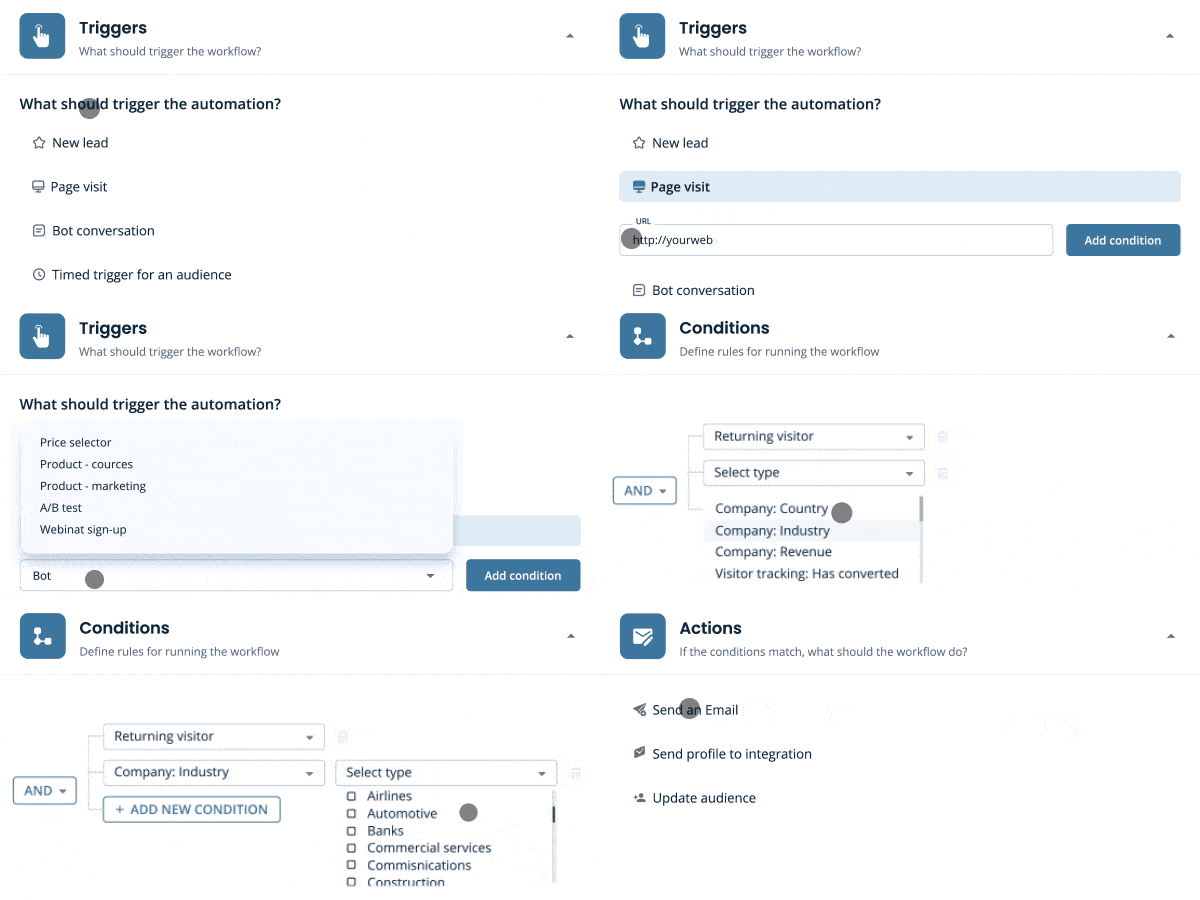
Leadoo Sales comes with extensive opportunities to create these real-time alerts. You’re able to use the tool to set different rules by which these alerts will be sent.
If one salesperson is extremely gifted in turning the early-stage prospects into buying-ready “just need your name here”-prospects, create a rule set that will alert this person when these specific type of prospects visit the page.
If another salesperson is the ultimate closer, make sure to alert them whenever a near-closing stage prospect is visiting your website, so they can jump on it and close the deal down.
By doing this you can ensure your sales teams use their time where it truly matters the most. And focus usually means better results. And what does better results mean in sales? More revenue, and more commission for your team. Everybody’s happy.
Get your hands on Leadoo Sales Alerts 🙌
Are you ready to go from website visitors to converted customers? Are you ready to empower your salespeople with real-time alerts and let them focus on what truly matters the most when considering revenue generation? Are you ready to turn your website into your best-performing sales channel?
If you answered yes to even one of the above, Leadoo Sales Alerts is about to become a game changer for you.
And how do you get your hands on it? Spark a conversation below and we’ll take it from there 😉