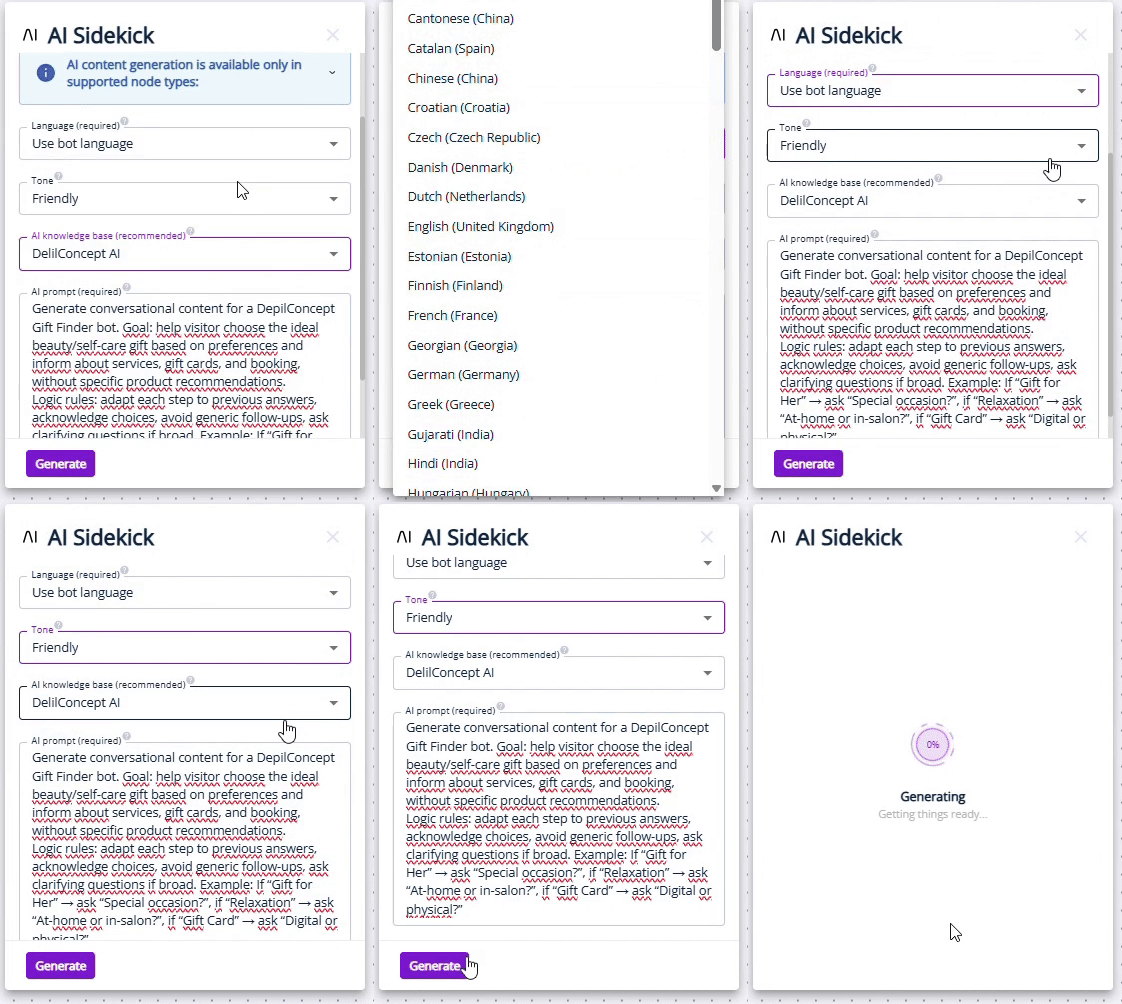
Launch faster. Write less. Let AI handle the copy, with AI-Generated Bot Content.
Why We Built This
Creating high-performing conversion tools and bots shouldn’t mean spending hours writing, rewriting, or translating content.
But when you’re building multiple bot pathways, or reusing templates across multiple markets, copywriting can become a bottleneck. That’s why we’re introducing:
AI-Generated Bot Content
Let AI Draft Your Conversion Content 🤖
With AI-Generated Content for Bots, you can generate all text-based bot content in one go – directly inside your bot builder.
Instead of starting from scratch, AI helps you:
Draft complete bot copy instantly
Rewrite existing content with prompts to better fit your goals
Translate bot pathways for different markets
The result? Less time writing, more time optimising performance. Or focusing on something else entirely! Here’s a quick demo of how much time translation mode can save for example 👇
Three Modes, One Goal 🥅
AI-Generated Content for Bots supports three powerful modes, depending on what you need:
Generate: Create bot content from scratch — perfect for new bots or fast experimentation.
Rewrite: Improve or adapt existing content without manual reworking.
Translate: Translate bot pathways into new languages (available as an extra-charge service).
Generate and Rewrite modes are available now for all customers with access to ChatBots and InpageBots.
Built For Control, Not Just Speed 🎮
AI-generated content should feel helpful, not random. Just like how Leadoo AI helps educate and sign-post your website users, while giving you clear guardrails over content. That’s why this feature also includes multiple layers of control.
You can:
Generate content for all text-based bot nodes at once
Use Redo & Undo to easily compare results
Apply prompting on a per bot or per account level
For customers with the AI module enabled, AI Knowledge Base selection ensures generated content stays aligned with your brand, tone, and offering..
Why This Is Useful ✨
Saves Serious Time
Drastically reduces manual rewriting when reusing bot templates across campaigns or markets.
No Copywriting Skills Required
Empowers anyone on your team can launch bots faster, without waiting on a copywriter.
Focus On Performance, Not Drafting
Spend your time testing, optimising, and converting. Not duplicating content, or creating from scratch.
AI-Generated Bot Content is designed to remove friction from bot creation — so great ideas can go live faster. You can even ask our Conversion Experts to review what you’ve created with AI!
Less manual work. More consistency. Smarter use of your time.
AI-Generated Content for Bots is available now in Leadoo AI.
Conversational marketing is the process of brands communicating relevant, personalized and real-time messages to audiences. Or simply put, having actual conversations with their users.
Crucially though, companies no longer have to be in the same physical space as a customer to do conversational marketing. Thanks to modern tech like chatbots and personalised website experiences, every brand can now have 1-2-1 conversations with users at scale.
Conversational Marketing on Websites
It’s often said that websites are our digital storefronts.
Now, imagine a physical store that is beautifully laid out. Has all the products on display, has striking visual elements to lure you in, and has promotional offers splattered across the walls. But, when you enter this beautiful store, there is no one to help you or show you around.
No one to answer your questions. No one to help you pick the right product or service. No one to talk you through what happens after you buy. And no one to even help you complete your purchase. Would you buy anything?
This is the trap many modern websites fall into. Visually striking, lots of sales messages, but no relevant help or support for users. Support that might ultimately be the difference between the user continuing their buying journey on that website or not. In short; no personalization, no interactivity, no conversation.
Benefits of Conversational Marketing
In today’s digital world, where information is instantaneous, users expect quick answers and tailored solutions. This is true across all industries, from B2C to B2B. Gone are the days when customers were willing to sift through dense websites or wait for an email response.
Users want instant, contextual interactions – and they want them now. This trend is only likely to accelerate, since as a society we are becoming more used to relying on AI and pilot tools.
A website without conversational elements risks alienating potential customers, leading to poorer user experiences (UX), lost sales, and missed opportunities.
Let’s break down why conversational marketing matters:
Improved Conversion Rates: A guided experience helps users find the information or products they need, streamlining their journey toward making a purchase or taking the desired action. If users cannot find what they are looking for on websites quickly, many simply give up and bounce. Read how Conversational Marketing helped a glass supplier increase revenue per visitor by 62%.
Conversational marketing might sound complicated to do, particularly at scale, but it is surprisingly simple with the right technology.
To revisit our storefront analogy from earlier, think of what you would want from a customer assistant in a physical store. You would want them to greet potential customers, ask them if they need help finding anything, answer FAQs about your products, and help them through the buying process by providing trust signals.
There is no reason a website can’t do all of those things through conversational marketing. Here’s some examples of tools that can be employed to do so:
Chatbots: To act as a constant ‘customer assistant’ should the user decide they have a specific question to ask.
Inpage Tools: To spark conversations organically with users as they browse specific content.
Visual Interactive Experiences: To ‘gamify’ the process of browsing your site, and to create interactive memorable connections.
Smart Forms & Calendars: To allow users to have conversations with you at their own time and convenience.
Live Chat: To give your users the extra trust signal of talking to a real person associated with your business.
Conversational AI Marketing
Naturally, AI has supercharged the potential of conversational marketing. Since brands can now use generative and conversational AI to speak to users in real-time.
With tools like Leadoo AI, users can now ask any questions they want, and brands can shape how an LLM will respond to them instantly, and what onsite pathways it will direct them to.
Even better, because of the power of LLMs, tools like Leadoo AI can:
Conversational AI creates incredible possibilities for marketers, but also some potential pitfalls. After all, it is by definition ‘artificial’ intelligence, and marketers can never know exactly how AI will respond to each individual user.
That’s why if marketers are employing conversational AI, they must be clear on its guardrails and prompting. With Leadoo AI, this takes the form of Knowledge Bases, where customers control the exact content AI models are trained on, and respond with.
A knowledge base can be a single URL, an entire domain, or a catalog of files you upload. Our model is then trained on this content, and uses it to answer questions, with customers able to specify exactly what it can or cannot comment on. The length and tone of responses it should give. Or even if it should prioritize certain topics or links in its responses.
With these kind of guardrails in place, marketers are in a position they never have been before. Where AI can power real-time conversational marketing in ways we could only have dreamt of a few years ago.
If they get it right, this can lead to enhanced UX; improved Conversion Rates; true real-time Personalization; and efficiency in both Sales & Customer Support.
At Leadoo, we strive to make our Conversion Tools fit seamlessly onto your website. That doesn’t just mean in terms of site speed and accessibility. We know they also need to look good!
So we’re happy to announce that you can now include Icons and GIFs as triggers for Leadoo Chatbots!
Branded or Non-Branded ChatBots 💬
Why icons and GIFs? Well firstly, we want our chatbots to be an extension of your brand. They do speak directly to your customers after all.
With all of our conversion tools, you’ve always been able to customise them with specific colour codes, messaging and formatting that reflects your organisation and branding. But now, before users even start a discussion with a Chatbot, they can see your branding assets.
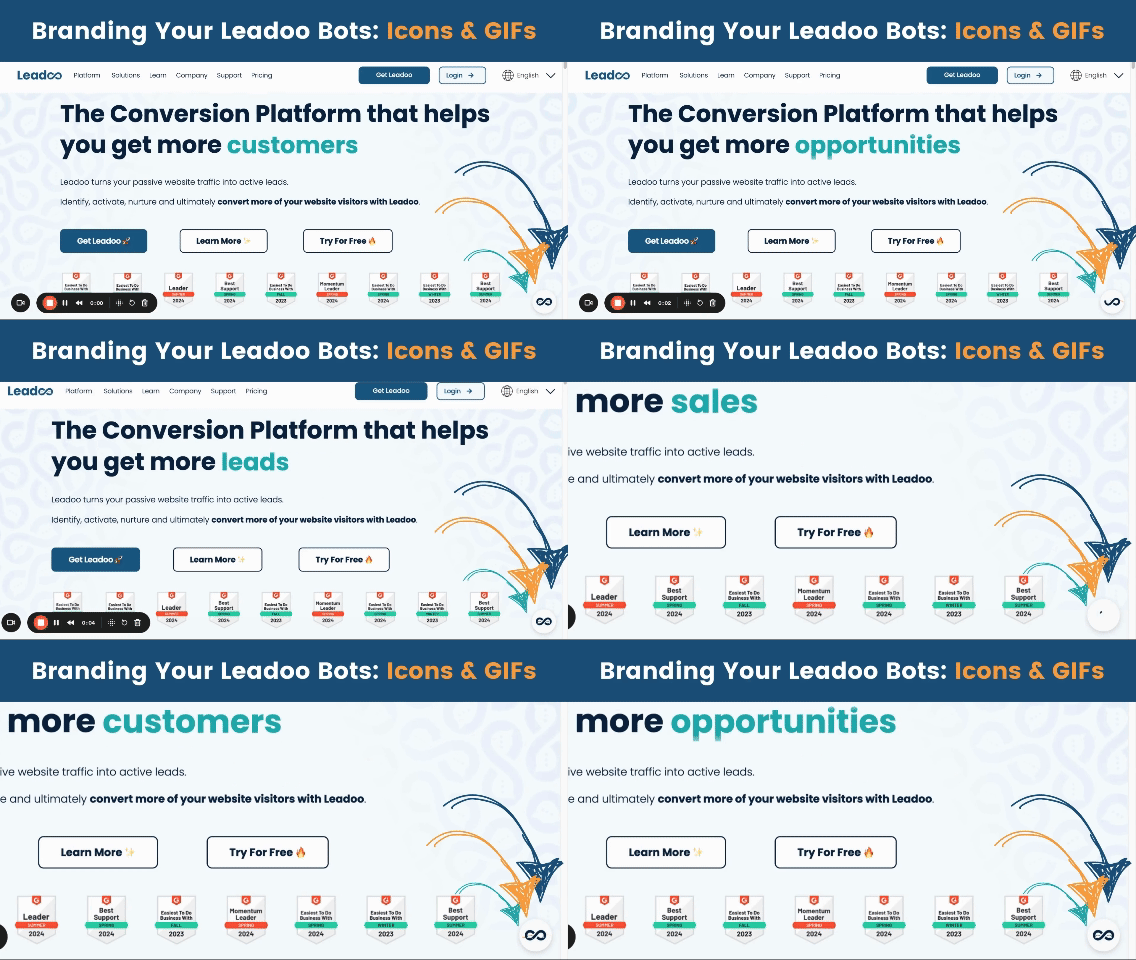
Above you’ll see that we’re using an animated GIF of the Leadoo logo on our website’s chatbots. But they don’t have to be branded at all. Indeed, you could use icons and GIFs to visualise the use case for any specific chatbot.
Whatever you decide for your new Chatbot trigger visuals, they couldn’t be easier to implement!
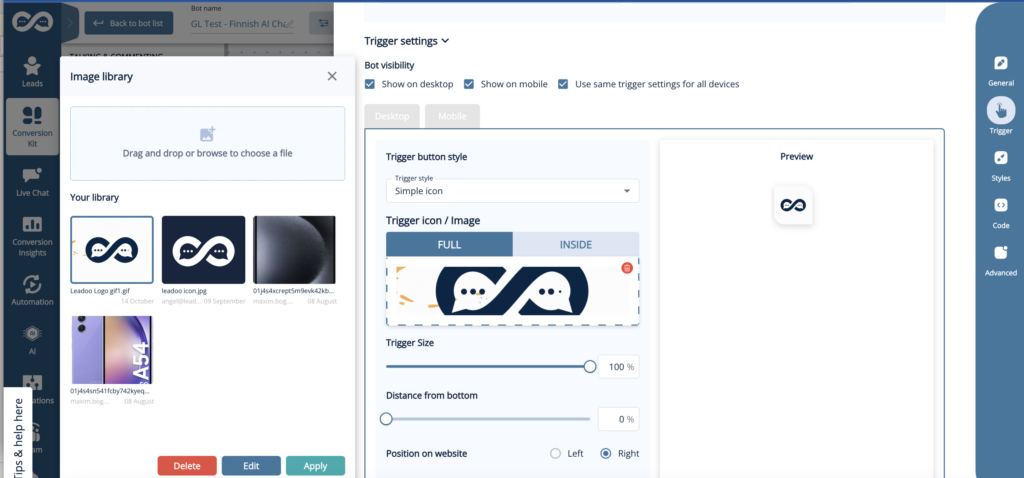
Open any ChatBot in the Leadoo platform, and under ‘Settings’ → ‘Trigger’ you’ll see the below. Where you can customise exactly what the chatbot triggers involve, with your full library of images and GIFs. All with a helpful preview mode so you can test to your heart’s content!
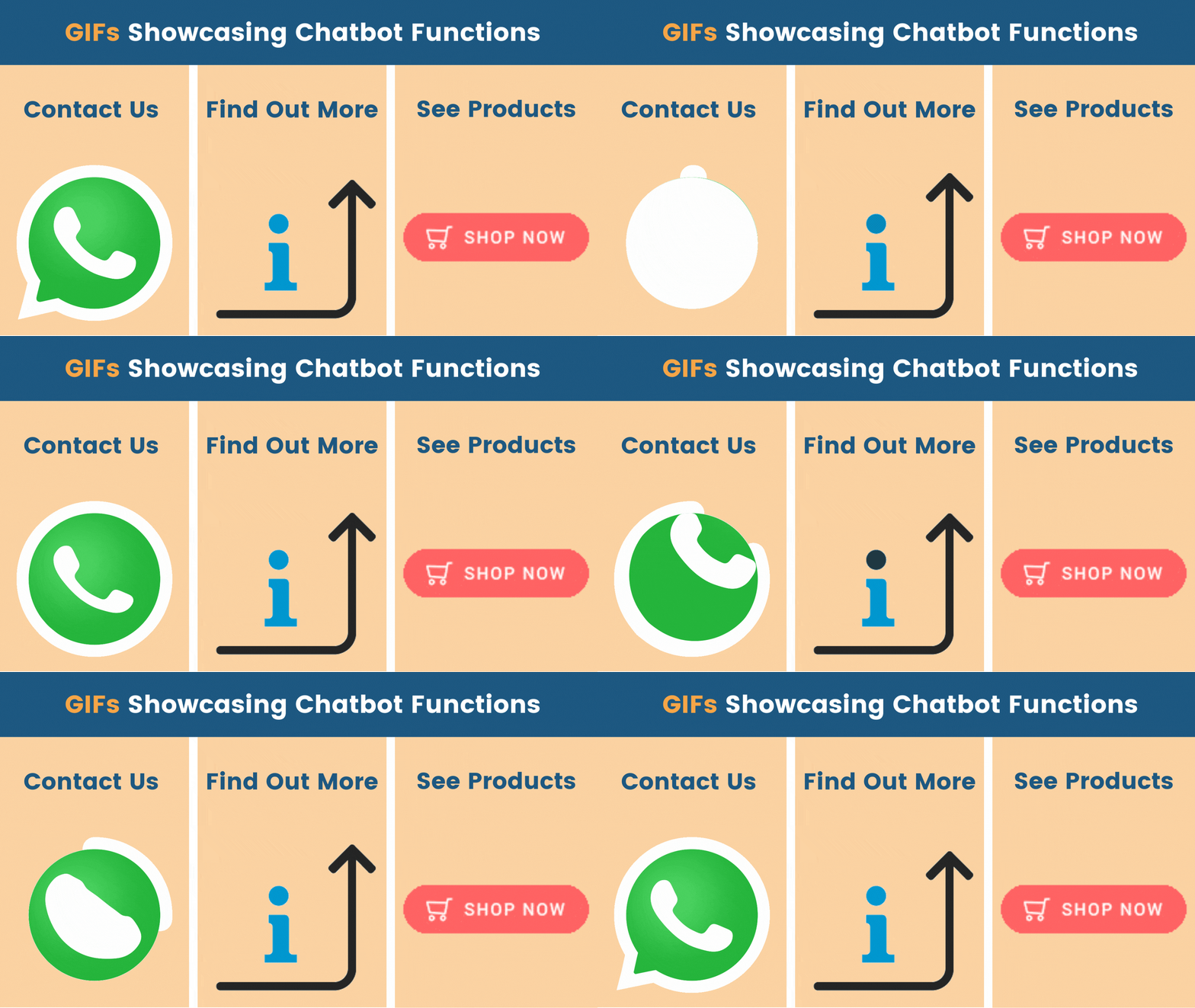
Once you’ve decided on formatting and messaging, your Chatbots will appear onsite with the new visual triggers. Just like before, you can still have messaging or user prompts above your Chatbots (as seen below).
But with the triggers now supporting different image and GIF types, you can now make your Chatbots even more visually engaging and appealing!
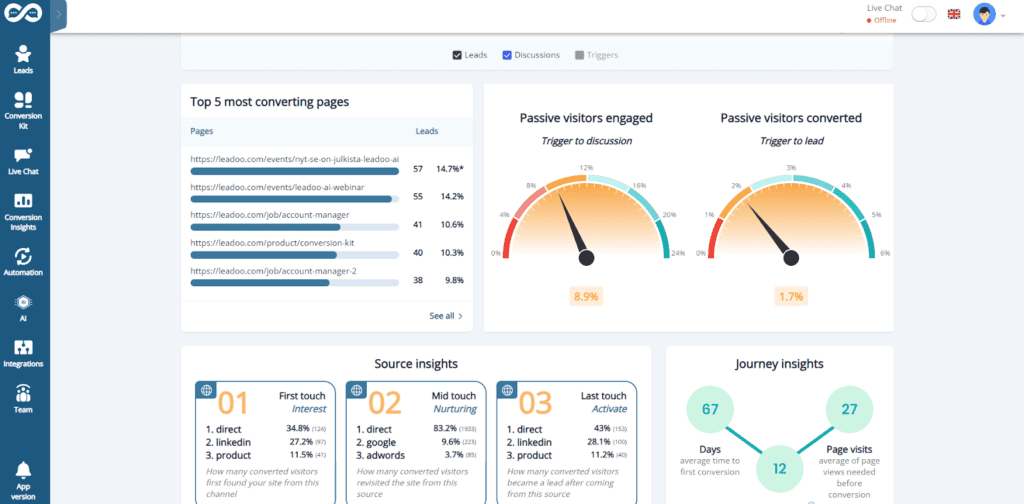
Leadoo 3.0 is here in time for the new year, bringing with it a tonne of changes. You might’ve noticed some of the more obvious things already(like the overhaul of our dashboard for instance… 👇)
However, our tech team has been hard at work under the hood to deliver some fantastic changes. Everything from delivering performance tweaks, to new design templates, to truly groundbreaking feature additions like Leadoo AI.
So without further ado, let’s dive into what’s changed, and more importantly, how it benefits you!
Leadoo AI 🤖
Introducing Leadoo AI, probably one of the biggest product updates we’ve had in a while and it’s a complete game changer.
What is Leadoo AI? 🤖
Leadoo AI harnesses the power of AI technology and Large Language Models to help you drive more conversions and give answers to visitors in real-time as they navigate your website.
Feed our AI Knowledge Bases specific pieces of content or information (whether it’s a PDF, a single page or an entire website.) Leadoo AI will then digest this content and then use it to answer questions in real time, anywhere on your website.
Avoid controversial or irrelevant conversations too by setting specific guardrails. Tell Leadoo AI what it can and can’t comment on, what tone of voice to use throughout the conversation and if it should prioritize certain topics or links in its responses.
In contrast to the traditional chatbots you might currently see on the market, Leadoo AI helps you offer your site visitors an unparalleled on-site experience by expanding on much more than a generic, hard-coded answer.
It’s easy to forget that most site visitors aren’t ready to buy straight away… In fact, the average conversion rate across most websites is around 2%, meaning that the other 98% will leave without doing anything at all. Learn more about Traffic vs Conversions
Therefore, it’s wrong to assume that many visitors are happy to book a demo/consultation straight off the bat! Especially for a product or solution that they’re not sure is right for them.
Especially if your product offering is complex. It can be a real struggle to get your site visitors to the right destination!
That’s where Leadoo AI steps in.
Imagine your site visitor wants to ask a particular question and explore your product offering in a way that suits them. Leadoo AI automatically adapts the conversation to meet their needs, and even signposts them to relevant content or call to actions. Crucially, solely based on the content you give to our Knowledge Bases. Therefore bringing a level of fluidity that traditional chatbot tools simply can’t offer.
Research has shown customers expect a chatbot to respond within 5 seconds. So offering that on-demand yet detailed interaction gives you the cutting edge above competitors who aren’t harnessing the true power of modern technology like Leadoo AI. If you haven’t already, check out the vast range of tools Leadoo offers that can help you turn your website into your best performing sales channel using unmatched levels of personalization.
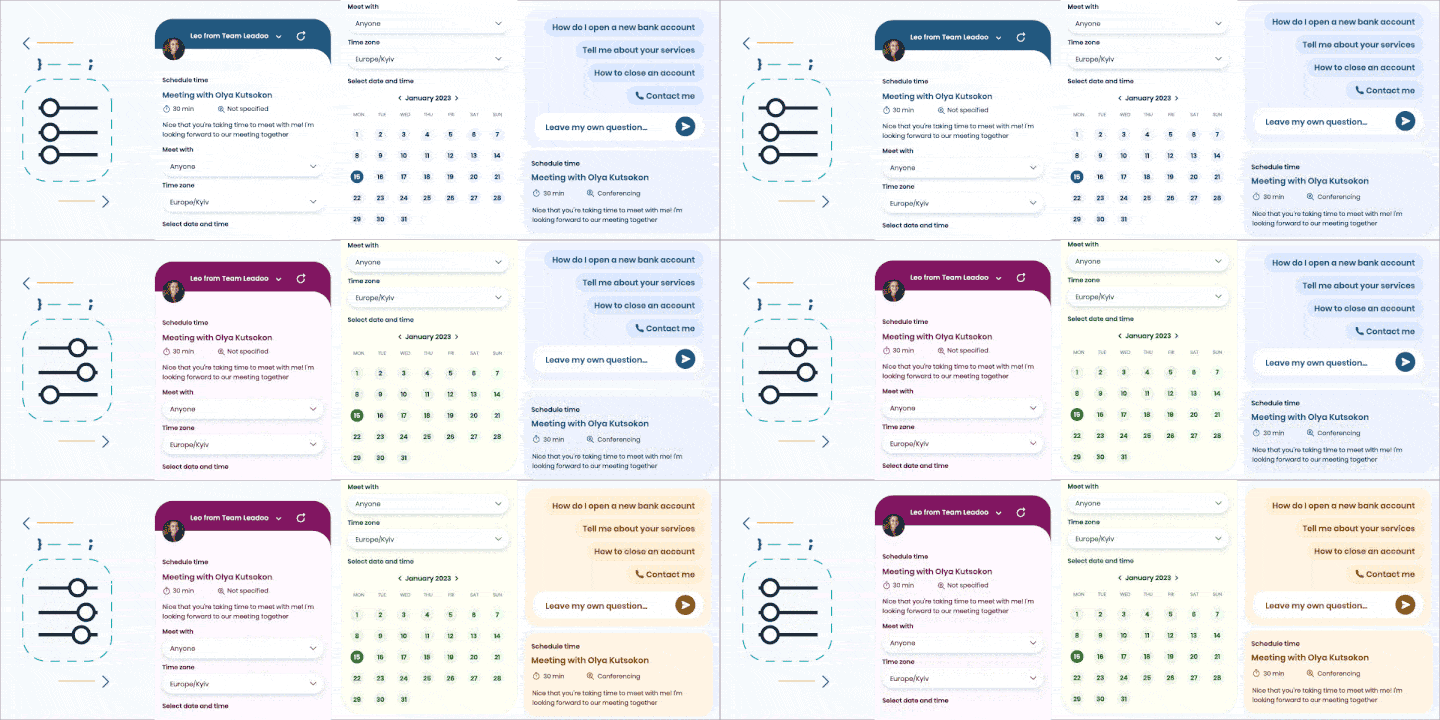
Leadoo 3.0 brings a batch of new designs and implementations to the table to make our bots look and feel more dynamic than their previous iterations.
3.0 designs bring more modernity into our product, adding a variety of hand-crafted animations into our already engaging conversion tools. Making interactions with our InPage, Chat or Visual bots feel smoother and more enticing.
Mobile-First Chat Bot 📱
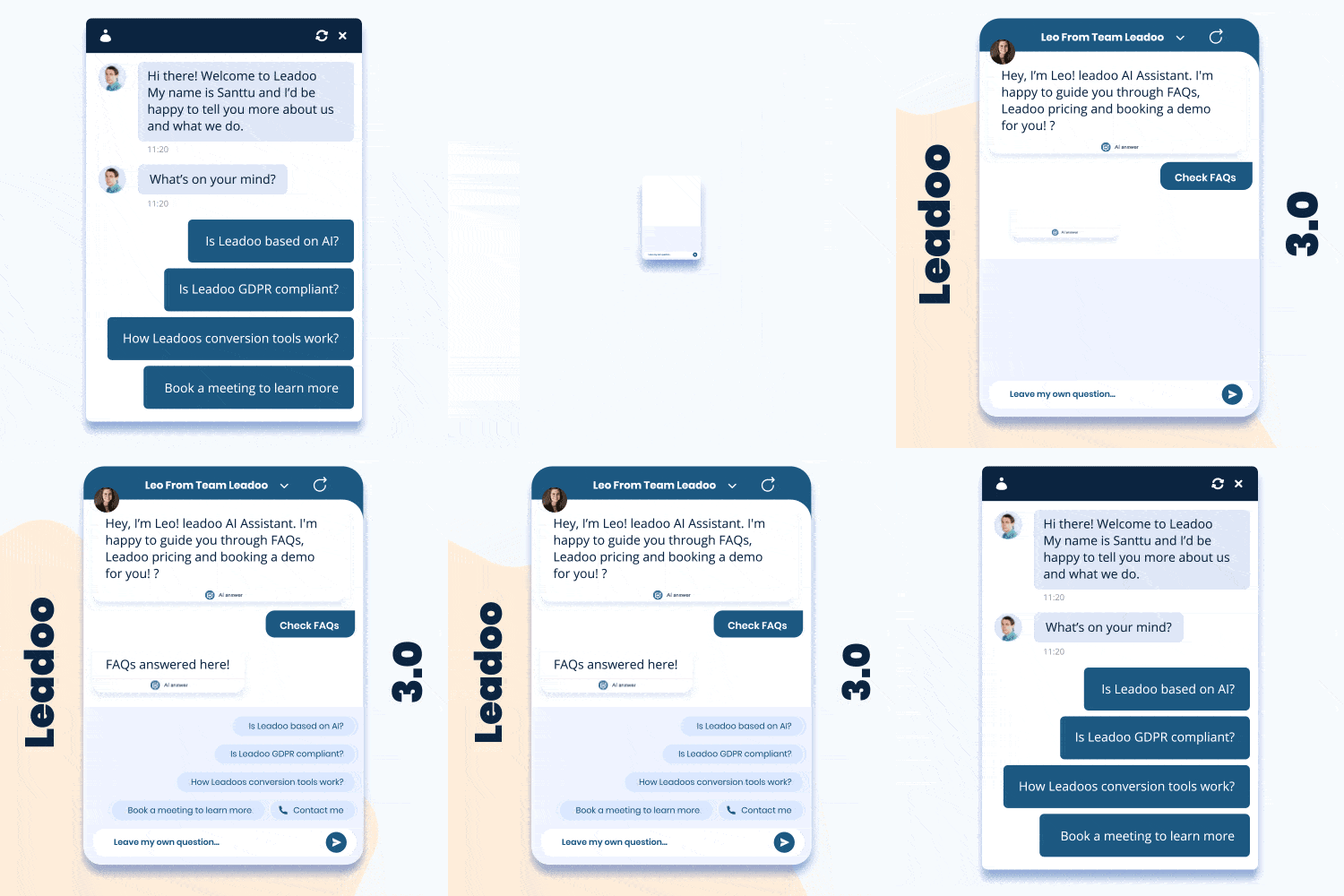
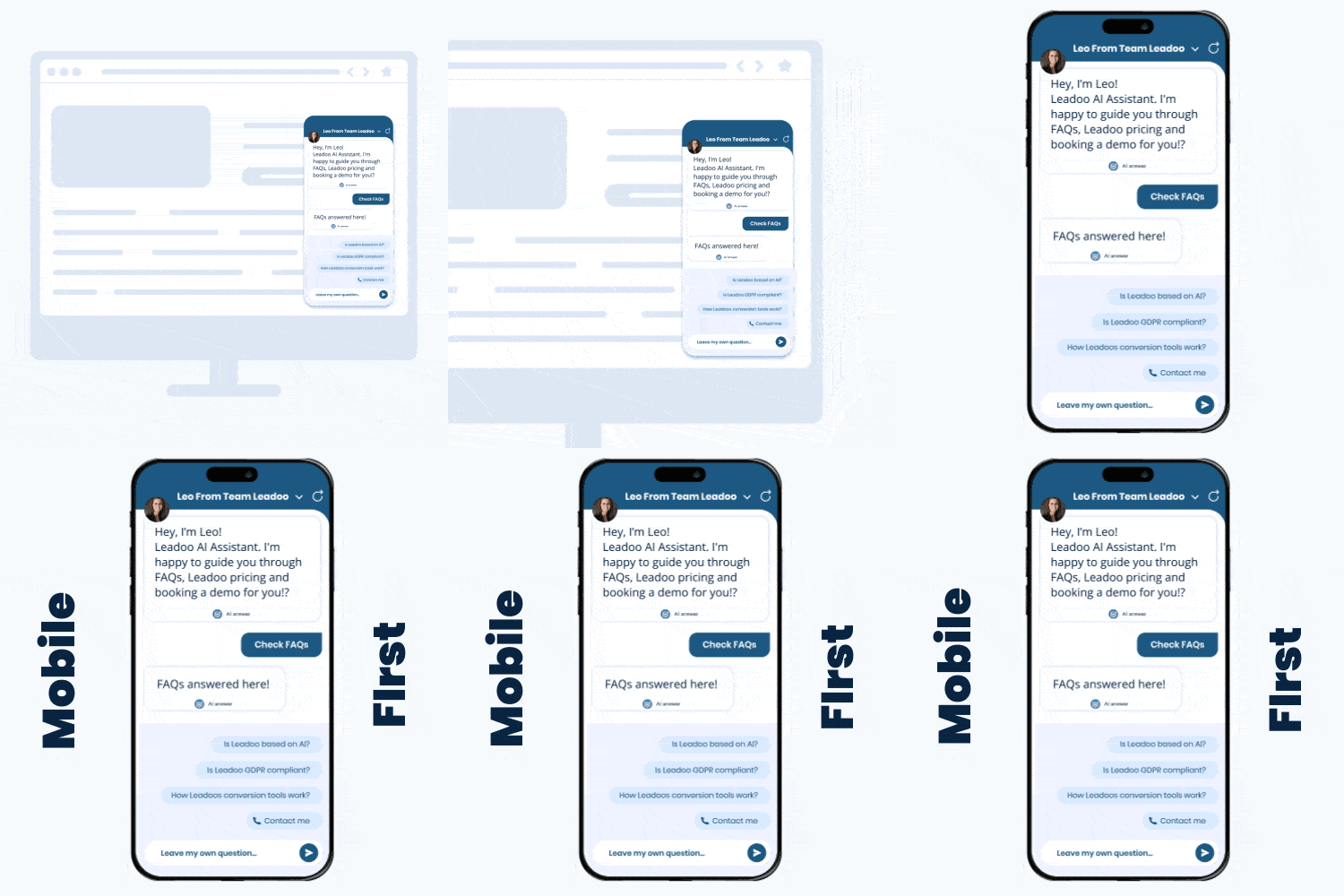
Thanks to 3.0, Chatbots have been updated to look much more like a mobile app when triggered, taking up the whole screen when opened.
Thanks to this development, the interaction with a Chatbot on mobile is now more immersive, providing your site visitors with a more comfortable experience.
Dedicated Bot Styles
Similar to how the CTA and Visual Bots already worked, InPage & Chat Bots now have their own dedicated styles that are compiled separately to the bots.
The addition of dedicated styles also awards better performance considering the bot scripts are now smaller than they used to be, and are less technically complex compared with 2.0.
Technical Stuff🔧
Keep in mind that many of the additions below aren’t immediately noticeable for most users. They are, however, improvements to our core technology to make Leadoo faster & more efficient! ⚡
Optimised Style Rendering (CSS)
With Leadoo 3.0, increasing bot performance was a big priority. To minimise impacts to site speed, Leadoo bots will now be rendered individually in the background and not just when the bot is being interacted with.
Segmented Bot Functionality
In addition to the other techy-stuff we’ve been working on, we’ve now broken the code behind our bots up into several segments. It isn’t immediately noticeable for smaller bots due to the size, but for more advanced bots, loading times are significantly quicker! 👟
Reactive UI
Before Leadoo 3.0, only Visual & CTA bots had what we call Reactive UIs. The introduction of “Reactive UIs” means that we can create rich interfaces with live information so bots feel more like applications rather than old-fashioned web page widgets.
Again, this isn’t immediately measurable by the end user but gives our tech team more accessibility when it comes to updating Leadoo in the future.
Overhauled Bot Logic Processor
Another update that isn’t directly measurable by end users or site visitors once again. The logic processing of our old 2.0 bots were aging poorly, so we decided to completely overhaul and rebuild the bot logic backend.
The new system we’ve put in place allows you to build more complex bot flows and gives our developers what they need to bring more fantastic updates to the table.
You’ve given blood, sweat and tears to that blog post, guide, or video. It’s almost given you sleepless nights, and the impression of a thousand open tabs from all your research is now permanently impressed on the inside of your eyelids. Yet that content you lovingly crafted isn’t converting people, or even pushing them further down the funnel, and you can’t help but wonder why. We know this is something many people struggle with – knowing how to create content that converts well – so we thought some handy tips on improving conversions throughout your content would be appreciated by our marketing friends.
When we talk about content, this can take many forms – from blog posts to videos, graphics, web pages and images. Whatever form it takes, it needs to be helpful and educational for your audience, as well as doing its job of signposting visitors to your website or a CTA where they can learn more about you and your products. Most importantly, it needs to be tailored to the buyer’s position in the buying funnel and whether or not they are ready to buy; providing opportunities for soft conversions.
We’re going to look at the main things you should focus on when you’re looking to create ultra-converting content for your site.
Why is creating quality content so important?
Firstly, a common misconception within content marketing is that volume is the most important factor. And whilst this does help somewhat in terms of SEO, it doesn’t actually help you convert the people who are on the page reading the content. Quality content attracts visitors and makes them stay. It’s that simple.
It should also be noted that quality can look different depending, again, on the needs of your customer base – some of your prospects may feel overwhelmed with too much text when they’re looking for facts, for example, and this may cause them to leave your page without reading much of your content at all. For these customers, shorter form content, infographics and visuals are the key to maintaining their attention and encouraging them to want to learn more.
Quality is therefore mostly about recognising the needs of your customers and ensuring you’re providing for how they want to consume your content. For example, if your target audience tends to be younger, then it’s likely much of their content consumption is via audiobooks and podcasts, rather than traditional media such as newspaper articles or even blog posts, and you should tailor your content offering to meet this need. Content not in the form that your customer is looking for will cause them to seek it out in their desired format elsewhere – meaning you lose that customer into the ether potentially forever.
1. Know your audience
At the heart of all content marketing strategies should be a deep understanding of your customer – without this, you have nothing. You should firstly decide who it is that makes up your target audience. There are a million ways to categorise these (ok, perhaps not quite a million), but you can of course start by segmenting people using the old favourites; demographics, psychographics, behavioural and geographic segmentation should give you a good starting point to identify common characteristics in your typical customer. It may be the case that you end up with several personas, each representing a different type of prospect, and that’s perfectly fine – very few businesses solely sell to one very small segment or niche market, and even niche markets tend to have one or two overlapping customer personas.
Once you know who your audience is and what they look like, you can start to identify the common problems amongst this group and how your product is able to help. You can start by asking some basic questions about your identified personas; What do they care about? What do they struggle with? What are their motivations and fears? What are their goals?
Figuring all of this out is the first step, and then you can then create content which they actually find interesting and relevant so are therefore more likely to consume it. This is where you can make use of all that market research you probably spent hours conducting when creating your brand and product strategy – by making yourself intimately familiar with your target audience’s pains and frustrations, you can identify the ways in which you can help. Communicating the value of your product or service is the key, and each persona or target group identified will have differing uses for your solution. This makes it really important to alter the messaging and value proposition offered to each group and persona so that it’s always relevant for them. More on this later in the article.
2. Set goals for your content
Once you know who you’re targeting with your content, you should look to set some simple goals for the content you produce. Three simple things to start you off thinking here:
1. What stage of the funnel is my reader going to be at?
Not every customer is ready to make a purchase the second they land on your site for the first time. You need to know where they’re at, and then ensure that there is content available that is relevant to their stage of the funnel. For example, if they are only visiting for the first time, you can look at which pages they looked at and how long they looked at it to assess the intent of your visitor (and even leverage this in retargeting campaigns).
2. What do I want them to do as a result of engaging with my content?
This is important because it determines the calls to action you should set within your content – if you want them to read more information, then you need to provide a signpost of some description to get them there. This could be a CTA, a linked bit of text, or a chatbot that directs them to the next step. This would also count as a soft conversion (and remember, they’re really handy for helping us understand our customers better).
3. How can I make number 2 happen?
Just because you have the ability for your visitors to take the next desired step, it doesn’t mean they will. Your job is to provide all the information they need to make a decision about whether or not to take that step. Then, if they decide to do what you wanted them to, then you need to make it as frictionless and easy as possible for them to take that step. Don’t overwhelm your visitor with a 50-field contact form. Ain’t nobody got time for that, and they won’t fill it out.
This is of course not an exhaustive set up, but it does provide a good starting point for you to start creating content that is relevant to every audience you’re trying to reach. Before you start the creation process, you should be able to clearly identify what problem your content solves and how it does so, so that you can ensure you’re communicating the value of your product for these issues. You can of course then set more official objectives for your content, to help you focus the contents of each piece on the target audience specifically. The objectives could be as simple as getting a better understanding of what sort of content works for your audience, or a harder KPI like improving the conversion rate of content on your blog.
3. Decide on the type and medium for the content you need
Now that you’ve given consideration to the purpose of the content, and its intended audience, you need to think about what medium your target audience most often consumes other content through. For example, if you’re targeting a younger audience, then it makes sense (considering 90% of Gen Z have at least one social media profile) to create content designed to be shared via social media channels such as Instagram and TikTok. Alternatively, if your target demographic is sales and marketing professionals, LinkedIn is your friend. No other social platform offers access to a business network like LinkedIn, and the targeting capabilities on LinkedIn are decent. LinkedIn is used by professionals to share business insights, job opportunities and industry news, and so content created for LinkedIn should be created with this in mind.
It may be the case that the message you need to convey is a more complex one, better suited to a video or a podcast, perhaps due to the sheer volume of information. Some consumers prefer to digest information that is presented visually, such as through infographics, while others prefer to read long-form text. Get to know your audience (point number 1!) and make sure that you’re delivering the content to them in the medium they prefer.
3. Find tools to help you convert your existing visitors
Making your ‘book a demo’ button bigger and brighter, or your contact form longer, is not the catch-all solution you probably think it is.
In our extensive experience of working with clients across a huge number of industries all across Europe, we know that this just doesn’t work. If you want to convert your audience, then you need to give them plenty of opportunity to do so, and make it really easy for them. Presenting your prospects with an arduous contact form (or just an email address to email), isn’t going to fly with today’s customer. They expect an easy experience, personalisation and immediacy – none of which a contact form bigger than your dreams will solve.
And, whilst the standard analytics tools like Google Analytics and Hubspot can help you track things like where your audience comes from, how long they stay on your site, and what they do while they’re there, they don’t necessarily give you the most holistic view. If you want to focus on converting your visitors across your site, then a Conversion Platform, such as Leadoo, is what you need. Leadoo provides you with a comprehensive platform that gives you oversight and control of the conversions happening on your site. With Leadoo, you can see who is visiting, how long they stay on each page, where they’ve come from (using more than the last touchpoint, making your attribution much more accurate), which companies people are visiting from, as well as key contact data on company decision-makers and individual visitors.
Leadoo also provides interactive, personalised conversations for your web pages to allow visitors to interact and ask questions about your products, get help from an agent, or be referred to the relevant sales team.
At the end of the day, creating content is a lot of work, but it’s also fun. You get to stretch your creative muscles, work with your team, and build something that will ultimately help your business and your customers. Follow the tips above, and we have every bit of faith that your content will start converting the way you want it to.
If you want help with creating converting content, or want to discuss anything conversion related with us, we’d love to chat! Get in touch or chat to the bot below 👇
UX, or user experience, is swiftly becoming one of the key parts of any company’s marketing strategy. No longer is it good enough to be ‘good at marketing’, now, the companies offering the customer the best experience are those that win 👑
User Experience (UX): What is it?
User experience is, according to the Interaction Design Foundation, defined as the way in which your customers experience and engage with your company. This can be both digital and in-person, ranging from the experience a customer has in a physical shop to the experience they have when they visit your site. These experiences, in their entirety, is what helps to create the brand and identity of your company in the customers mind – and so by creating a positive experience at every interaction, you’re helping to create a positive image of your brand.
And it’s not just each interaction, happening independently of the others, that creates your user’s experience. UX designers do work with the product, but their focus is on the whole process; from introduction, to feedback on the product, to help and support customers might need in using it. UX designers deal in experiences rather than products, as they recognise that the experience is where a customer sees true value and differentiation.
Take the iPhone as a prime example of a UX-focused product. The User Experience is its Unique Selling Point and what differentiates it from its competing products. The customer’s experience starts on their site, with its user-friendly navigation and support at every turn, or in their stores with their church-esque stature and their never ending supply of helpful and knowledgeable store assistants all matching in dress and singing from the same hymn sheet (as, of course, a choir should). This consistent, supported user experience is part of the reason why Apple is as much of a global success as it is, and consequently enjoys some of the most loyal customers across the world.
What makes a good user experience?
What makes a good user experience is to some extent determined by the customer or prospect, and is mostly driven by their needs and expectations. Often, customers visiting B2C sites, for example, know what they want – and they want to find it quickly. To provide a good user experience for these customers, the business can focus on providing user-friendly, intuitive navigation, product selection help (either with AI or by directing customers to a real-time support agent), and a smooth checkout experience. The aim of the game is always to make it as easy as possible for that customer to buy something.
With B2B, especially in wide-reaching industries such as SaaS, customers quite often aren’t actually sure what they want specifically. They know they have a problem, or a pain point, but aren’t sure exactly what is available or is able to plug the gap and solve the problem for them. Businesses can again make use of product selector style bots on their site, and ask qualifying questions to understand each individual customer’s needs so these needs can be addressed with a product suggestion, or by putting them in contact with a salesperson from the business.
And both of these types of customer won’t hang about if your page load speed is slow, your interactive elements don’t work effectively, or your website isn’t user-friendly. It works the same way for any in-person experience too – take our Apple example from earlier, if you visited the Apple store and there was nobody there to provide swift assistance, or the tech in the shop didn’t work, or the shop was difficult to move around, then you’re probably not going to hang about for long. Speed of service, or page load speed on a website, is crucial to customers staying long enough to buy something. On websites, bounce rates increase by over 20% when the page loading time is slowed by just a few seconds.
A visitor’s user experience doesn’t have to just be when they’re buying something – consider potential candidates for any given vacancy advertised on your site. Looking for candidates for a role is largely the same process as sales, and these visitors should be treated as such. The experience they have of navigating your site, the language and tone, imagery and level of technology and interactivity used will all influence their first impressions, and may be an influencing factor when they make their decision to apply for, or even accept, a job working with you.
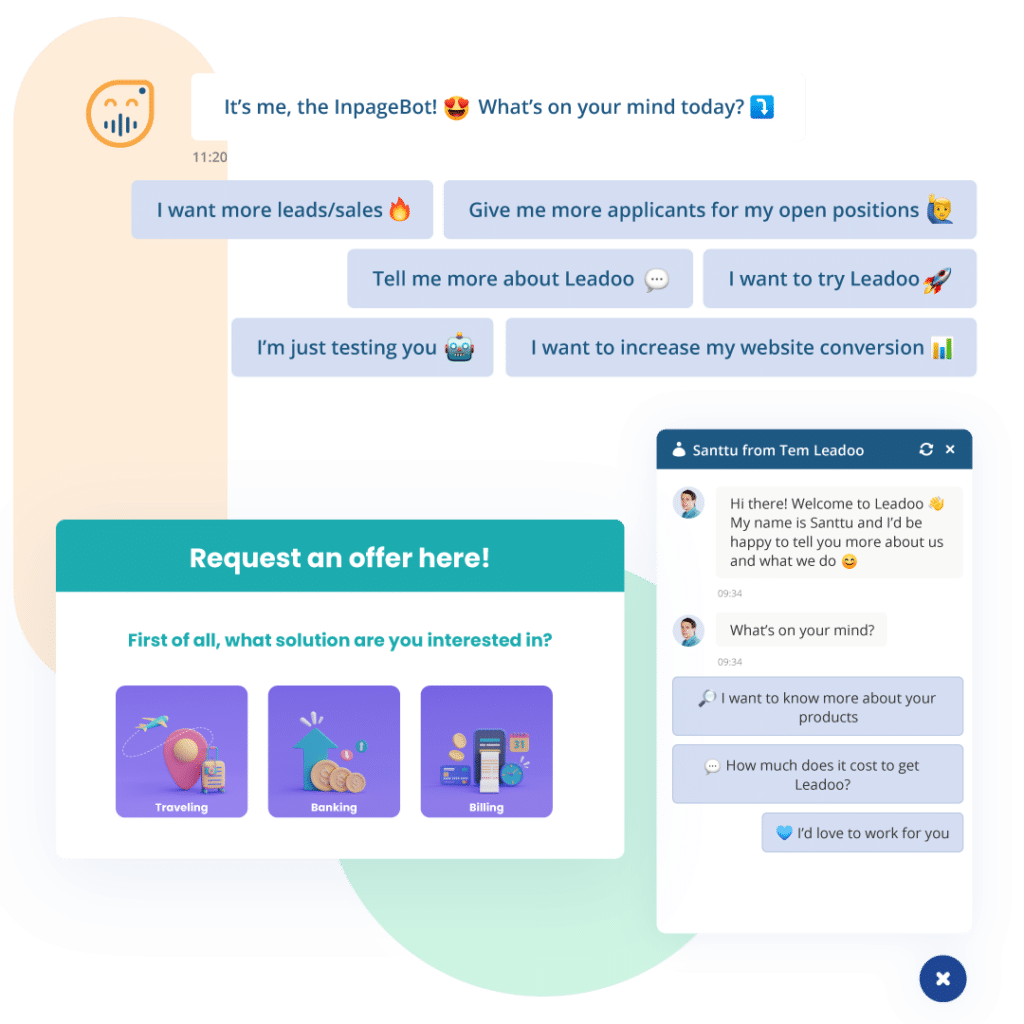
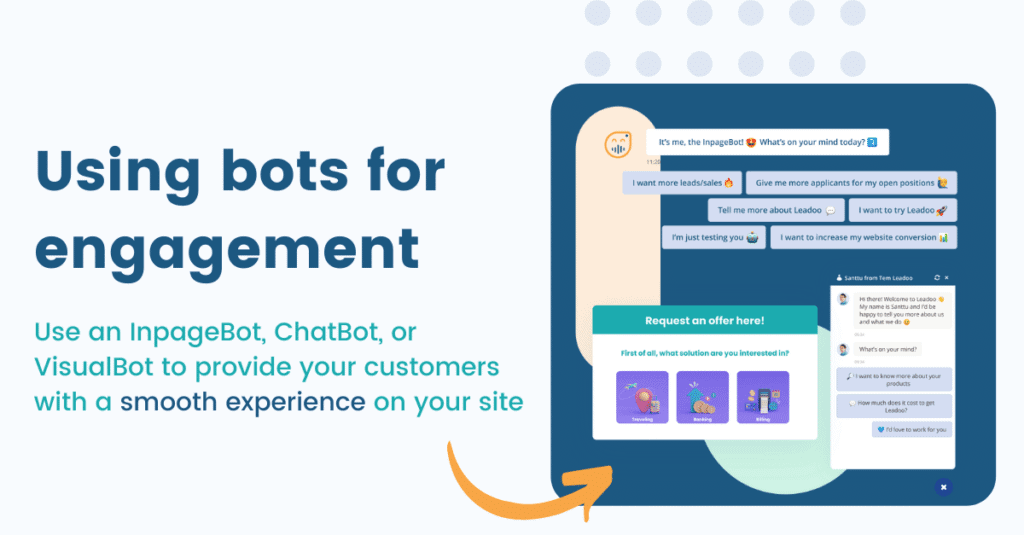
Interactive elements, such as Leadoo’s InpageBot, help to activate and engage your visitors, provide them with a consistent, on-brand experience, qualify their needs, and send them to the relevant team automatically without the need for manual movement of leads. In recruitment, they can even be used to ask questions to determine experience and cultural fit, rather than relying on the hiring manager sifting through CVs for hours on end. The best thing about the bots is that they’re the lightest tech on the market, with only a nominal effect on page load speed, meaning your ranking with Google won’t be affected by poor technical performance.
Conversion Rates: why they matter
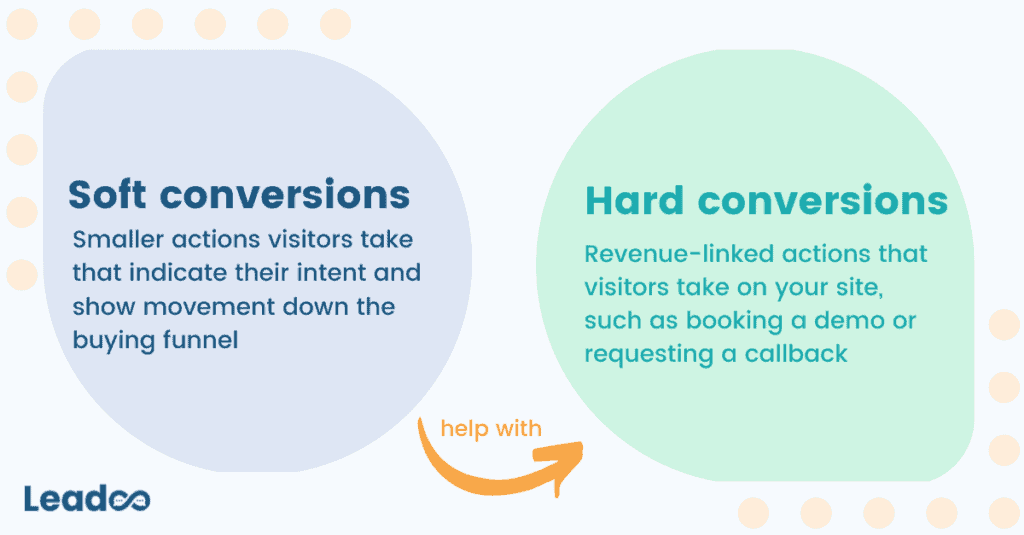
Conversions are any desired action a visitor takes on your site. These can be divided into hard conversions (those which are directly linked to revenue or sales), and soft conversions (those which aren’t directly linked to a sale but do give us a really good insight into the customers’ intentions and how far along the buying journey they are).
You can calculate your conversion rate by using the below formula:
Or, if you’re like us and you like it when technology does things for you, you can use our free Conversion Rate Calculator to work your conversion rate out.
Conversion rates are an important metric for marketers to monitor and embed in their strategy – they provide a measure for your return on the efforts you have put into driving traffic to your site. Traffic only tells you how many people visit, not what they do when they get there. 98% of the people who visit your site, on average, leave without converting – which is a huge waste of time and money spent on driving people there in the first place.
5 top UX tips for increasing your conversions on your site
1. CTAs and placement of CTAs
Calls to action (or CTAs) are providing the customer with a way to act on their decision to purchase. These can be for a soft conversion, such as signing up to a newsletter, or for a hard conversion, such as booking a demo or a discovery session.
The availability, wording, and placement of CTAs all have an impact on how likely they are to convert customers. The general rule is the more CTAs the better – although too many and your customer is likely to feel overwhelmed as it’s something akin to standing in the middle of 30 screaming car salespeople all vying for your attention. 2-3 per view that the customer has is plenty – any more and you may risk overloading the customer, or making them feel extra guarded once they realise it’s a sales pitch.
In terms of wording for your CTAs, this very much depends on your customers and what works best for them. Here, A/B testing can come in handy, and can help you work out what works best. Our conversion experts often find that different CTAs work better on particular pages, and so these tests help you to determine which you should use.
2. Make it mobile-friendly
This one almost goes without saying. We are, after all, in 2022. We are a generation of people on the move, and so a large part of our work is done via our phones. The same is true for your potential customers – reading and information gathering during their decision making process can be done on the go, and you need to be able to facilitate that if you want to be considered. In addition, mobile optimisation improves the experience for the customer, and helps with SEO and ranking.
Making sure your site is optimised for mobile allows you to make the most of customers visiting from all kinds of devices, and ensures you don’t miss out on converting traffic coming from different places, at different times.
3. Make it easy to navigate
You want your customers to find what they need without hurdles or barriers preventing them from doing so. Customers who are committed to buying generally have a low tolerance for jumping through hoops to get what they want. Customers who haven’t committed to buying have an even lower tolerance, if at all, and so it’s important that customers are able to find what they need without hindrance.
This can come back to navigation across the site. Is your product packaged in a way that makes sense for the customer? Can they easily identify which products or services are for them, and which aren’t? If not, then they’re unlikely to spend a long time searching, instead choosing to find what they need from your competitor (whose site is much easier to navigate, and makes it immediately obvious to the customer what they need).
One solution for improving navigation is to implement bots on the site which work to quickly understand what each customer needs and providing them with a direct navigation to the relevant page, or collecting their information to pass onto a sales team if they are ready to proceed to purchase.
4. Activate and engage with interactive elements
The amount of time your customers actually spend on your site can be increased by providing interactive elements to engage them. This could be in the form of a video, clickable imagery, or a bot strategically placed within the content.
Engagement also helps you to work out what each visitor is looking for, their intentions, and where in the buying process they’re at. Using chatbots to qualify customer needs and help them to navigate through to what they need provides a positive, personalised experience for the customer and increases the likelihood that they’ll convert.
5. Check your technical performance
Your technical performance affects how your visitors experience your page. Page load speed is a contributing factor to having a high bounce rate – we’re not very patient as a species – and so if your site takes too long to load pages up, customers will likely get frustrated and look to your competitors for what they need.
You can run a Google Lighthouse check and check the technical performance of your page, including your page load speed. We’ve also written an article on technical performance and SEO, and how Leadoo’s solutions are built with this in mine.
Key Takeaway: CRO and UX go hand in hand
Without users, you have no conversions, so you drive traffic to your site. But if those people are having a terrible experience or can’t find what they need, they’re not going to stay long enough to convert. User experience is therefore absolutely critical for helping to increase conversions and ensuring that prospects stay interested and don’t bounce.
We can help you to embed conversions into your marketing strategy and improve the UX of your site for your customers – if you want to know more, get in touch or chat to the bot below ⬇️
Are you looking for ways to increase engagement with your brand? Do you feel like the content you painstakingly produce just isn’t cutting through? Maybe it’s time you tried incorporating gamified elements into your material.
Gaming is not the same as gamification
For some this may be obvious but gamification is not the same as gaming. Gaming is the production of a separate medium whereas gamification is the application of the principles of gaming to marketing or educational material. What gamification seeks to achieve is increased engagement and understanding of content through our natural attraction to game principles.
The following post will explain how gaming principles leverage our human instincts for competition and game scenarios, what these gaming principles actually are, and finally ways those principles can be introduced to provide value to your business.
What’s the psychology of gaming?
Gamification activates the following elements of human motivation:
1. Competition
– The first is our desire to compete. Whether we are trying to demonstrate our knowledge on a subject by taking a quiz or completing a crossword, or whether we want to establish a position in a community, competition is a deep survival instinct. We either want to demonstrate our strengths or we see what others have done and want to receive the same benefits.
2. Status
– Next is the importance we attach to status. Like all of these motivations they fluctuate depending on the individual, however, most of us take pride in having others recognise our position in a community. Although status through gamification doesn’t hold the prestige of work or education, it can be just as powerful, especially when applied to mundane or routine tasks.
3. Achievement
– This is the most obvious gaming motivation. Dopamine release is triggered in our brains whenever we achieve even the smallest of goals or targets. The design of a challenge can trigger this sense of achievement in itself but recognition of the achievement will also have the same effect.
There are other motivational elements applied in gamification principles, such as self-expression or altruism. However, these are less common and powerful than the three mentioned above, as well as being more difficult to incorporate into a basic gamification strategy.
Good examples of the principles of gamification in practice
Competition
All gamification principles and ideas can be categorised under the umbrella of competition, status and achievement. In the first place, our competitive instincts are what draw us into the idea of a challenge. It’s worth remembering that ‘challenge’ is a flexible term. Think about all those ridiculously easy facebook quizzes that state only ‘3 out 10 people can name all these cities’. You know they’re clickbait and obvious but you just can’t help yourself! We love the idea of proving to ourselves (and others) that we are smart.
A good example is the National Geographic competition run in order to promote interest in the second season of its show Genius. Spread out over a period of five days were clues that fans of the channel had to figure out. In this case, the questions were a real test of knowledge regarding topics such as architecture and history. Even though there was a prize at the end, you can be sure there were many who were hooked on the idea of demonstrating just how clever and capable they are.
Status
If your gamification strategy is being built for the long-term, then it’s important to think about status. Individual progress should be measurable through the accumulation of points. Those points can lead to different levels and be recognised on a leaderboard. The issue of external status is one element but then appreciation of personal progress is another.
One example I know well (because my mother-in-law is hooked on it) is the foreign language learning software Duolingo. They have different leader boards for whatever learning stage you’re at, and in whatever language you’re practicing. If you don’t keep at it everyday then you lose your position. Also, if you lapse and forget, there’s some notification reminders that evoke a sense of disappointment. It’s all designed to help tackle the daunting challenge of learning a foreign language by breaking it up into manageable pieces.
Achievement
Whether or not you can create an effective gamification challenge alone doesn’t necessarily matter if you can supplement it with a system of rewards. Coupons, prizes, giveaways etc. have been used by businesses for a long time. Lavish holidays or expensive cars are now commonplace. However, again you don’t have to break the bank in order to activate the human desire for rewards. Earning badges or certificates are a great example of a budget reward mechanism. Prizes and goods can be initially virtual and then could be exchanged for tangible assets if the programme proves successful.
The company SAP needed to quickly get its huge global team of sales staff to quickly engage in a new portfolio. It did this by tapping into the competitive nature of sales people through its Roadwarrior programme. Sales reps answered questions from simulated interactions with customers, winning badges and earning points in the process. Reps then challenged coworkers and the overall strategy helped train employees.
Statistical tracking and a deeper relationship with your audience
Like with most things, the data behind the process is critical. It’s essential that you keep a track of how much each user interacts with the gamification strategy. This is not just for your benefit but theirs as well. Reflecting on how much and how successfully they engage is the biggest (and cheapest) reward you can provide. The more creative ways you can illustrate and reflect this information the more attention you will capture.
This is also how you foster a much deeper relationship with your audience. Not every company can provide a huge customer support team or respond individually to community members. This is why a gamification strategy can help. Companies can do much more to embrace customers than, say, simple loyalty schemes. For example, using chatbots to engage website visitors in conversations. These bots can also be easily linked to your gamification strategy as a way of inspiring visitors to engage more with your content.
Gamification is a much more interesting way to reach and interact with your audience. That’s what people nowadays expect: to be entertained and engaged.