Pricing Get a demo

Every manager in charge of recruitment for their team has been there – a huge pile of applications to sift through, working out who is suitable for the role (and who isn’t), and then having to deal with the expectation of providing feedback to each applicant individually on how their application doesn’t match the criteria – an unrealistic and daunting expectation when there are many applicants and only one of you.

At the moment, actually finding enough applicants is tough. The Great Resignation is in full swing, with a reported 1 in 4 UK employees actively planning a change of role. Mix that in with all the other fun we’ve got going on in the UK right now, and what we’ve got is an employee’s market. Demand outstrips supply of skilled workers. So how do you ensure that you still continue to have a steady stream of suitable applicants to your roles? 

Well, the answer is: you grab them at every opportunity. Think how many times potentially great candidates glaze over your job advert and don’t actually commit to applying. Once they’ve left the page, they’re lost to the ether and you might never find that candidate again.

And, let’s be honest, there’s lots to put them off – the length of an application, the job title is a bit obscure, or the job description isn’t particularly clear. It doesn’t really matter. You want as many of these potential people to engage as possible – it is infinitely better for you to have the choice out of hundreds of qualified candidates than trying to pick the best of a bad five.

You’re probably thinking – hang on a minute, if I have that many applicants then surely that’s a load more work for me. But what if the candidates qualified themselves without you even having to be involved?

Recruitment bot blog image

Just like magic, in steps the Recruitment Bot, part of the Leadoo platform offering and a tool that can make your recruitment process as streamlined as a bottlenose dolphin. A bit of context – Leadoo is a conversion platform that provides tools to help its customers increase the number of conversions and quality leads received via their website. In addition, our tools are well able to facilitate the recruitment process, increasing the number of applicants for each role but without increasing your workload, making it convenient, easy and rewarding for everyone involved.

In this article, we present the many possibilities of our solutions in recruitment and how they currently work for us, and our client base. We’re always up for looking at how we can create unique use cases with our solutions, so if you’re wanting to do something a bit different, get in touch with us! 

If you’re impatient (like us!) and want to go straight to testing out the bot, go ahead and skip to the end of this article 👇

Bots and recruitment – what’s the benefit?

There are many benefits to be had here. Firstly, from the candidate’s perspective, they’ll receive a direct answer to their application. If they meet the requirements of the job, and/or have answered personality and culture questions and scored well, then the bot can ask for their contact details, which will be sent directly to you, the hiring manager, to continue the process.

In the same vein, the bot can immediately tell the candidate if they are not suitable for the role. This means that you’ll only receive the information for the candidates who were invited to leave their contact details, i.e. those who passed your initial qualification process via the bot. You could even refer unsuitable candidates to other, more suitable roles for them, if, for example, they scored well on culture and personality, but are not suitable for this particular role.

Sounds a bit easier on you, eh? It makes the whole process much smoother, manages expectations on both sides of the table, and means you don’t have to be the one to send soulless rejection emails to a thousand inappropriate candidates. Winning.

Recruitment process blog image

Speeding up the recruitment process is not the only benefit you get from recruiting. As we’ve already highlighted in this article, the benefits are huge;

It is therefore entirely up to you whether your next jaunt into the recruitment process is a long and arduous one, or whether it’s a bit quicker, easier and more streamlined for everyone involved.

Screening applicants and streamlining the recruitment process

Picture the scene: you’re looking for a new employee. You need this employee to have some experience, a degree – preferably in the relevant field – and for them to have access to a vehicle to get to work or travel between locations. You write a (very) comprehensive job post listing the qualities you’re looking for. So far, so good. 

Then, once the advert has gone live, the applications flood in. You go through your inbox one by one, only to find that most applicants don’t have the experience, education, or access to transport that you’re going to need them to have. Those applicants have wasted their time applying, and you’ve wasted an hour and a half sifting through applications with little joy – and to top it off, you’re going to have to be the one to send those soulless templated rejection emails.

Sounds a bit crap. But, what if you’d have had the tools at your disposal to qualify the visitors to your careers pages, and screen any suitable applicants prior to you even having had a browse through their CVs?

Well, you’d have saved time, that’s for sure. Let’s imagine the same situation again, but this time, you have some virtual helping hands sorting through your candidates, making your recruitment process much easier, and taking care of the hard work for you. 

We use our own solution for recruitment. Obvs. 

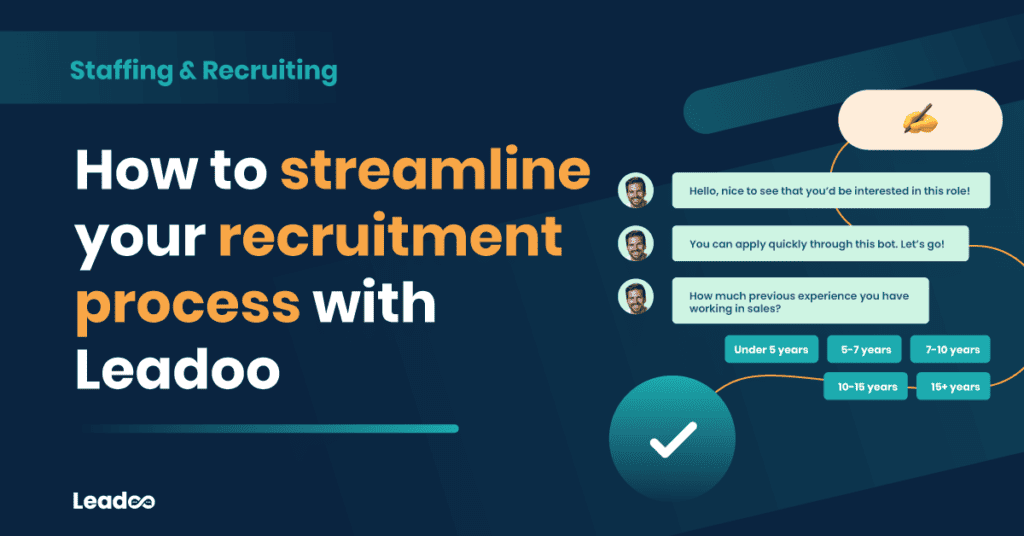
For each job posting, we create an InpageBot which will ask post-specific questions to pre-qualify each candidate, effectively conducting an interview with them on your behalf. For job postings that receive high volumes of applicants, this is a time saving mechanism to prevent you having to sift through thousands of CVs, and then spend hours conducting interviews to no avail. And the best bit? It works seamlessly on mobile and desktop, meaning candidates can leave an application no matter what device they’re using.

Check out how we work it here 👇

From a candidate perspective, this is also ingenious. The biggest barrier for candidates when applying for roles is often the process itself – draconian and bureaucratic, it puts people off and gives them what is perhaps an unfair reflection that your company is also draconian. We shouldn’t expect candidates to jump through a series of difficult hoops in order to leave their details with us either, because all that will do is minimise the pool of potentials you get to pick from as the hiring manager. 

By making use of something as simple as an InpageBot, we make the candidate feel comfortable. The activity of engaging with a bot is perceived as low-stake, and there’s much less stress involved in answering questions if the person asking them isn’t real. There’s a psychology and magic to it that even we can’t quite put our fingers on. 

And, this is a story familiar to around 90% of our Leadooers; many of whom have ended up working for Leadoo ‘by complete accident after playing around with a bot on a job advert…’

Tests and pre-qualification

Everybody loves the challenge of a test. And low-stakes quizzes such as the ones we and our clients create using our bots encourage engagement because the user doesn’t see there as being any risk in answering the questions. They haven’t committed to applying. 

Take Zure, for example. Zure provide end-to-end services based around Microsoft Azure and they have a diverse team; from developers, to marketers, to architects and more, Zure has an excellent culture which they aim to maintain. One easy way for them to do this is to pre-screen applicants to their open positions, such as below:

By pre-screening all candidates for their prior experience, it reduces the time taken by the hiring manager to filter applications as this process is carried out automatically by the bot.

Increased numbers of applicants

Guidant Global made use of an Inpagebot on their Social Work Talent Hub to help to increase the number of qualified social worker applications they receive. It allows Guidant Global to identify potential candidates who otherwise may not have engaged with the site, increasing the size of the candidate pool in an industry which expects to have 1 million vacant jobs by 2025. This mismatch between supply and demand makes engagement of any potential candidate that much more important, but obviously more difficult. And that’s where the Leadoo bots step in:

Guidant both collect contact details prior to, and carry out, pre-qualification questions. This works well for industries with more complex specialisms, such as social work, and means that candidates can be automatically sent to the appropriate hiring manager.

Divide the workload – before they fill out a contact form

Revel IT, a US-based IT and Artificial Intelligence recruitment company, make use of a VisualBot on their front page to allow them to qualify visitors, work out what each visitor needs, and ensure their details go to the right person. They engage the visitor first, before asking for contact information – but now are able to determine why the visitor is making contact, and the right person can be sent their details automatically by the bot depending on what answers they provide.

Revel IT recruitment process visualbot

Where and how can I get recruitment bots for my site?

You can get recruitment bots as part of your Leadoo package if you’re already one of our clients – just chat to your Customer Success Manager who can hook you up and advise on how best to use the bots for what you need.

If you’re not already on the Leadoo bus, find out how you can hop aboard by getting in touch today.

Register, it’s free!

Leave your details with me ⤵️

This webinar is for you if:

Topics in the discussion

It can be a challenge to know where to start. Let us help you.

Topics in the discussion

1.

Where and how to start mapping your customer journey.

2.

How to help your customers journey, from start to conversion.

3.

How to make sure everything will go smoothly in the future, too!

Did you get an invite from your team to start using Leadoo as a livechat agent?

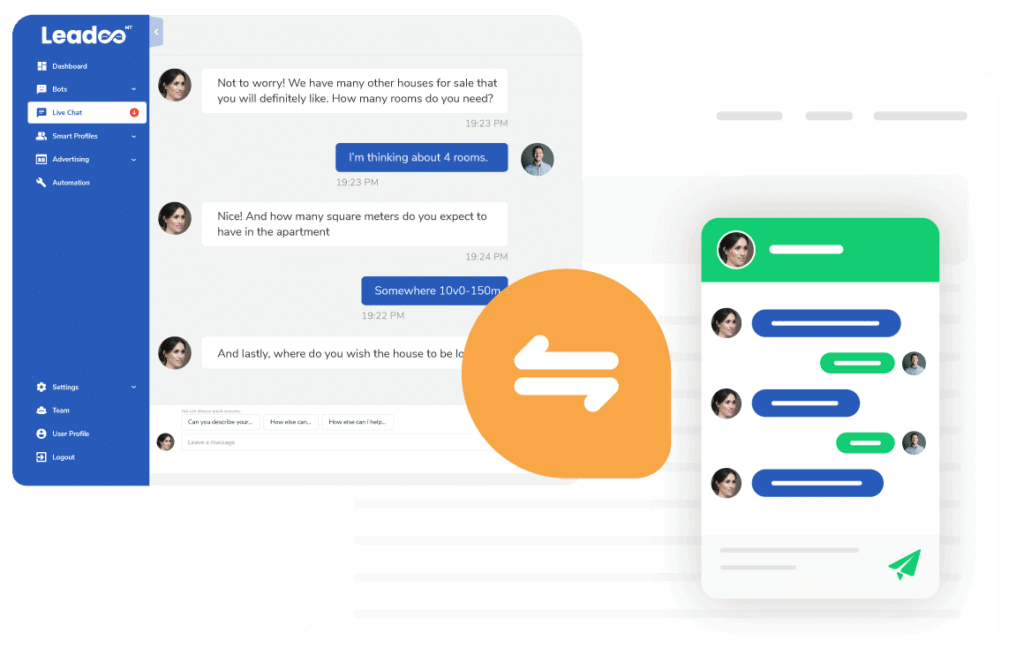
Here’s everything you need to know about using Leadoo LiveChat from setting up your account to hosting your first live conversations!

  1. Once you have the invitation to start using the Leadoo platform, make sure you have created your password for login from the link provided in the invite (check your mailbox!).
  2. Sign in to the platform from www.app.leadoo.com/sign-in and click on your Profile to add yourself a profile picture that you would like to use when chatting in the Leadoo LiveChat.

In order to see and operate LiveChats you need to…

  1. Be logged in to the Leadoo platform
  2. Have LiveChat toggle activated

So make sure you have set the LiveChat toggle active. The toggle can be found from the right-hand corner of the screen.

You know you are active when the toggle has turned BLUE.

Once the toggle is activated, visitors can start a conversation and send  messages to you through the livechat. Whenever a visitor has written you a message, you will see a notification popup and hear a sound.

If you wish, you can change your notification preferences in your Profile.

Make sure you’ve allowed notifications from your browser and System Preferences

How to make sure you’ve allowed notifications:

  1. Allow browser notifications from your System Preferences
  2. Open Browser and click on the three dots (or three horizontal lines) in the upper right-hand corner of the browser.

3. Go to the Settings

4. Now, under the Privacy and security tab, click on Site settings.

5. Find app.leadoo.com

6. Find “Notifications”, “Sound” and “Background sync”. Then set all of them to “Allow”

To see all active chats that are available for you, click the pending chat pop-up notification or find the Live Chat tool from the left-side menu bar inside Leadoo.

You can find the pending chats in the Open chats -section of the Live Chat page. Open chats are visible to all LiveChat agents who are online and responsible for the same LiveChat Category as you. Responsibilities for different categories can be managed by the Leadoo Admin user of your team.

Select an open chat to view the pending messages in detail. 

You can start chatting with active visitors by clicking “Start Chat” in an opened conversation. This removes the chat from the open chat pool and assigns it to you.

When you chat with the LiveChat users, you can choose to either write freely to the Open text field or use Predefined messages.

You can also create and manage your own personal quick answers visible only to you by clicking the “Predefines” button.

“Transfer chat” allows you to assign the chat to another agent who is online – or to return the chat back to the open chat pool where it is again visible for all agents. This can be useful e.g. if the visitor asks a question that you don’t know the answer to.

If you manage to get some contact details from the livechat user, it makes sense to save them as a lead for later use. 

The visitor information can be updated by typing into the fields within the “Lead info” -section shown on the right. Remember to click the “Update” button when you are done typing the user info to the fields to save the changes!

You can even attach notes and labels to the lead – for example to identify the lead type or to put down other interesting details that can be useful later when moving the lead down the funnel.

The Leads created will be sent to the Lead Notifiers indicated in the settings of the Chatbot. The chatbot settings are managed by your Leadoo Admin user.

You as an Agent will not receive a copy of the sent Lead by default, unless you ask your Admin to add you as a Lead Notifier in the bot. 

Once the conversation is ended, click on the “End discussion” button to transfer the conversation from your active livechats to history.

Note! When you have clicked on End discussion neither you nor the visitor on the other end can longer write to the chat window.

Good to know

  1. Mark all as read removes all unread message number notifications from both active and inactive chats.
  2. Clicking x in the right corner of an active or inactive chat on the My chat list removes the whole discussion permanently. A deleted discussion can’t be reviewed or restored anymore.

Leadoo Sales Assistant is your own relentless personal assistant who saves you time and helps close more deals. You can have a free Leadoo Sales Assistant that is not linked to your Leadoo paid subscription. You can register for free here: Register free

If you want it to be part of your existing subscription contact your own Customer Success Manager. 

Building your own Sales Assistant

After signing up start by syncing your calendar to Leadoo. You can find instructions to it here: How to sync your calendar with Leadoo.

Once you’ve synced your calendar you can move on to creating your Sales Assistant. Move to Sales Assistant page through left hand side navigation and click +BUILD NEW PAGE. 

After that fill in the basic information and style your theme settings.

Once you’ve got the looks right click save changes at the bottom of the page. Then you can start building your Sales Assistant bot.

At the bottom of the page you can ”EDIT BOT”. From there you’ll move to the bot builder.

Useful articles:

After you’re done building your bot, test that everything works with your Sales Assistant in a live environment.

If you’ve used Booking Node on your bot, make sure to test your Calendar sync by booking a test meeting to yourself.

You can find the link to your Sales Assistant from the top right corner of the page.


Questions?

Contact your Customer Success Manager at Leadoo at [email protected] 

How To Set Up A/B Testing

Engage

For SMEs who want to accelerate website sales, collect essential visitor insights to improve conversion rates, and better engage users.

Get a quote

Priced per domain

  • Primary conversion tools
  • 3 Live Chat agents
  • Leadoo AI (250 chats/month)
  • Leadoo Personaliser
  • Calendar integration
  • Advanced logic conversion tools
  • Email & CRM alert
  • Website Analytics
  • Conversion & Bot Analytics
  • Live Chat insights
  • Company Identification (1,000 pm)
  • Source Insights
  • Journey Insights
  • Campaign Insights
  • Visitor Tracking
  • Leadoo Sales Alerts
  • 8 hours/year of Conversion Expert consulting after Onboarding
  • Entire organisation can leverage the platform
  • A/B testing of conversion tools
  • 2FA
  • AI Self-Service Kit
  • SSO login
  • API call access to set up custom integration
  • Advanced Zapier, native & Rest API integrations
  • Option for Key Account Manager and dedicated account communication channel
  • Forced SSO login available

Expand

For businesses with more established digital marketing operations who need to scale lead generation & UX to power expansion.

Get a quote

Priced per domain

  • Unlimited conversion tool implementations
  • 10 Live Chat agents
  • Leadoo AI (2500 chats/month)
  • Leadoo Personaliser
  • Calendar integration (5 calendars)
  • Advanced logic conversion tools
  • Email & CRM alert
  • Website Analytics
  • Conversion & Bot Analytics
  • Live Chat insights
  • Company Identification (5,000 pm)
  • Source Insights
  • Journey Insights
  • Campaign Insights
  • Visitor Tracking
  • Leadoo Sales Alerts
  • 16 hours/year of Conversion Expert consulting after Onboarding
  • Entire organisation can leverage the platform
  • A/B testing of conversion tools
  • 2FA
  • AI Self-Service Kit
  • SSO login
  • API call access to set up custom integrations
  • Advanced Zapier, native & Rest API integrations
  • Option for Key Account Manager and dedicated account communication channel
  • Forced SSO login available

Elite

For organisations that require bespoke conversion strategies or advanced solutions across a multi-layered stack or business unit structure.

Get a quote

Priced per domain

  • Unlimited conversion tool implementations
  • 10 Live Chat agents
  • Leadoo AI (10000 chats/month)
  • Leadoo Personaliser
  • 10 Calendar Integrations
  • Advanced logic conversion tools
  • Email & CRM alert
  • Website Analytics
  • Conversion & Bot Analytics
  • Live Chat insights
  • Company Identification (20,000 pm)
  • Source Insights
  • Journey Insights
  • Campaign Insights
  • Visitor Tracking
  • Leadoo Sales Alerts (5 seats)
  • 30 hours/year of Conversion Expert consulting after Onboarding
  • Entire organisation can leverage the platform
  • A/B testing of conversion tools
  • 2FA
  • AI Self-Service Kit
  • SSO login
  • API call access to set up custom integrations
  • Advanced Zapier, native & Rest API integrations
  • Option for Key Account Manager and dedicated account communication channel
  • Forced SSO login available

You can now sample our Conversion Insights FOR FREE with Leadoo Lite.

  • Company Identification
  • Website Analytics
  • Platform & Dashboards
  • Leadoo Sales Assistant

Software and a service

We’re not going to sell you the platform and vanish. We’re here to help you every step of the way to ensure you get the maximum results from your Leadoo AI platform. Service levels vary across Engage, Expand and Elit packages – click Get a Quote to find out more!

STEP 1

Kick-off meeting

We’ll go through your needs, plan your lead generation solution, and agree on a go-live date.

STEP 2

Conversion plan

We’ll deliver our best practice plan and work with you on any adjustment requests prior to launch.

STEP 3

Check-in meeting

Our Conversion Experts make sure the solution fits the plans. Teaching you how to navigate the platform.

STEP 4

Go live

We’ll launch your conversion tools and keep optimising them alongside your team!

Ready to get started?

What a 41% lift is worth to you

Drag the sliders. See what Leadoo AI could add to your pipeline.

Monthly visits
Current conversion rate
Average value per lead

Extra leads per month:

+256/mo

Extra pipeline per year:

£3.1M

Based on Leadoo AI’s average 41% conversion lift